In the ever-expanding world of in-car technology, finding a reliable yet affordable device can feel like searching for a needle in a haystack. The Yada dash cam has emerged as a popular contender, often found on the shelves of major retailers and promising peace of mind without a hefty price tag. But does it deliver on that promise? As a specialist with over 15 years of experience testing and installing countless dash cams, I’m here to give you an unfiltered look at what you can truly expect from a Yada dash cam, helping you decide if this budget-friendly option is the right co-pilot for your journey.
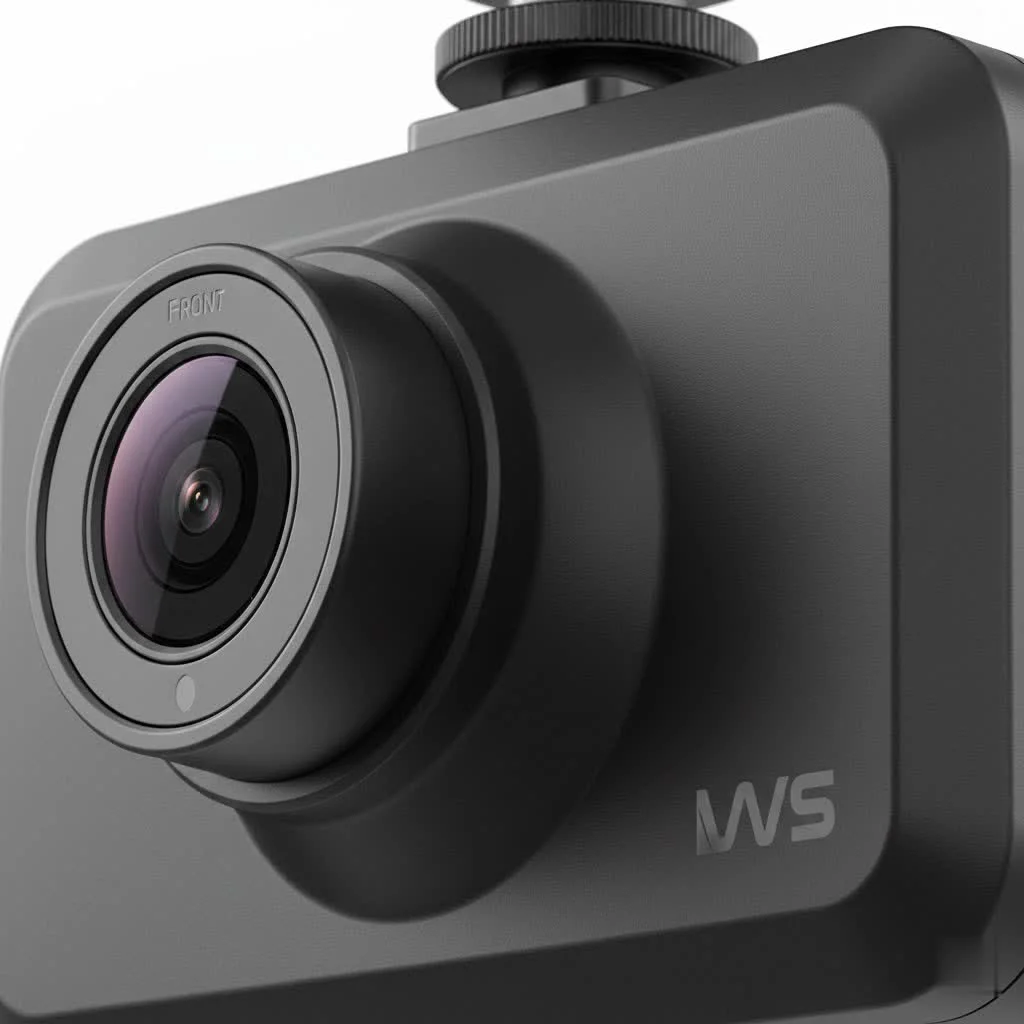
This article will break down everything you need to know, from popular models and key features to a straightforward installation guide and a clear-eyed view of its real-world performance.
What is a Yada Dash Cam?
Yada positions itself as an accessible, entry-level brand in the dash cam market. It’s designed for the everyday driver who wants a basic, no-frills recording device for security and evidence in case of an incident. You won’t find the cutting-edge features of premium brands here, but you will find a simple, functional tool that aims to get the core job done. Think of it as the perfect “starter dash cam” for those new to the technology or who have a strict budget.
A Look at Popular Yada Models
Yada offers a few different models to cater to various needs, from ultra-simple forward-facing cameras to more advanced units with modern conveniences.
The Basic Roadcam (720p/1080p)
This is the workhorse of the Yada lineup. Typically featuring a small LCD screen (around 2 inches), it mounts to your windshield and records the road ahead. It’s a plug-and-play device focused on simplicity. The video resolution can be either 720p or 1080p HD, which is adequate for capturing clear daytime footage of events happening directly in front of your vehicle.
The Dual Camera Dash Cam
An excellent option for rideshare drivers or parents, this model includes a second lens to record the interior of the car simultaneously with the front view. This provides a complete picture of any event, both inside and outside the vehicle. This feature adds a significant layer of security and is a standout offering in this price range.
The Mini Dash Cam with Wi-Fi
Catering to a more modern user, some newer Yada models are incredibly compact and include Wi-Fi connectivity. This is a game-changer for convenience, as it allows you to connect the dash cam to your smartphone via an app. You can then view, download, and share footage without ever needing to remove the tiny microSD card.
Key Features: What to Expect (and What Not to)
Understanding the feature set is crucial to managing expectations with a budget dash cam.
Core Functionality You Can Count On
|
Our Picks for the Best Dash Cam in 2026
As an Amazon Associate I earn from qualifying purchases.
|
||
| Num | Product | Action |
|---|---|---|
| 1 | Dash Cam Front and Rear, 1080P Dash Camera for Cars, 3 Channel Car Camera Front Rear and Inside with 32GB Card, Loop Recording, Night Vision, HDR, 24Hr Parking, G-Sensor |

|
| 2 | Dash Cam 1296P Front Dashcam, V300 WiFi Dash Camera for Cars with App, Night Vision, Mini Hidden Single Car Camera, Loop Recording, 24H Parking Mode, Support 256GB Max, Black |
|
| 3 | VIOFO A229 Plus Dash Cam Front and Rear, Dual STARVIS 2 Sensors, 2 Channel HDR, 1440P+1440P Voice Control Car Dash Camera, 5GHz Wi-Fi, Voice Control, Ultra-Precise GPS (SD Card Not Included) |
|
| 4 | Navycrest 4K Dash Cam Front and Rear with 64GB Card, Built-in 5G WiFi, Dash Camera for Cars 4K Front and 1080P Rear, Dashcams for Cars Loop Recording, Gravity Sensor, 24-Hours Parking Mode |
|
| 5 | REDTIGER 4K Dash Cam Front Rear, STARVIS 2 Sensor, Free Card Included, 5.8GHz WiFi-20MB/s Fast Download, Dash Camera for Cars with GPS, WDR Night Vision, 170°Wide Angle, 24H Parking Mode(F7NP) |
|
| 6 | ROVE R2-4K DUAL Dash Cam Front and Rear, STARVIS 2 Sensor, FREE 128GB Card Included, 5G WiFi - up to 20MB/s Fastest Download Speed with App, 4K 2160P/FHD Dash Camera for Cars, 3\" IPS, 24H Parking Mode |
|
| 7 | REDTIGER 4K STARVIS 2 Dash Cam Front and Rear, 5GHz WiFi 20MB/s Download, 128GB Card Included, Voice Control, Dash Camera for Cars with 3.18\" Touch Screen, GPS, Loop Recording, Parking Mode(F7N Touch) |
|
| 8 | IIWEY N5 4 Channel Dash Cam 360° View, 1080P Front and Rear Inside, Left Right Dash Camera for Cars, 8 IR Lamps Night Vision, 5G WiFi & APP Control, G-Sensor, Parking Mode, with a Free 128GB SD Card |
|
| 9 | 4K Dash Cam Front, Built-in 5G WiFi, 64GB Card Included, Dash Camera for Cars, Mini Dashcam with Super Night Vision, Loop Recording, G-Sensor, 24 Hours Parking Monitor, Support 256GB Max |
|
| 10 | Dash Cam Front and Rear, 2.5K+1080P Dual Dash Camera for Cars, 2’’ Display Mini Car Camera, G-Sensor Dashcam, Night Vision, 24H Parking Mode, Loop Recording, 170°Wide Angle, 32GB Card Included |
|
- Loop Recording: This is a standard, essential feature. The camera records in short segments (e.g., 3-5 minutes). When the memory card is full, it automatically overwrites the oldest, unsaved file, ensuring you never run out of space.
- G-Sensor (Incident Detection): If the camera detects a sudden impact, like a collision or heavy braking, the built-in G-sensor automatically locks the current video file. This prevents it from being overwritten by the loop recording, preserving your crucial evidence.
- Easy Installation: Yada dash cams are known for their simple setup, typically involving a suction cup mount for the windshield and a power cord that plugs into your car’s 12V outlet.
Features That Are Often Missing
- GPS Tracking: Most Yada models do not include GPS. This means your video files won’t be stamped with location and speed data, which can be valuable for insurance claims.
- Advanced Driver-Assistance Systems (ADAS): Features like lane departure warnings or forward collision alerts are reserved for more premium dash cams.
- High-End Night Vision: This is perhaps the most significant compromise. While Yada cams can record at night, the quality is often poor, especially in dimly lit areas. License plates can be difficult to read, which is a critical limitation.
“For a first-time dash cam user, the simplicity of a Yada can be a great entry point,” notes David Chen, our Lead Automotive Technician at Welmb. “However, it’s crucial to manage expectations regarding video fidelity, especially in low-light conditions. Daytime performance is generally solid for the price, but nighttime recording is a different story.”
How to Install a Yada Dash Cam: A Simple Guide
One of the best things about a Yada dash cam is that you don’t need to be a tech wizard to install it. Follow these simple steps:
- Choose the Location: Find a spot on your windshield that gives the camera a clear view of the road without obstructing your vision. Behind the rearview mirror is often the perfect place.
- Mount the Camera: Clean the glass thoroughly. Attach the suction cup mount to the windshield and then clip the dash cam into the mount.
- Insert the MicroSD Card: Make sure the camera is powered off. Insert a compatible microSD card (Class 10 is recommended, up to 32GB for most models) into the appropriate slot. Many Yada cams come with a small starter card.
- Route the Power Cable: This is the key to a clean installation. Plug the long power cable into the camera’s USB port. Tuck the wire into the headliner, down the A-pillar (the trim alongside your windshield), under the passenger-side floor mat, and finally into your car’s 12V power outlet.
- Power Up and Configure: Start your car. The dash cam should power on automatically. Use the menu buttons to set the correct date and time—this is critical for evidence—and adjust any other settings to your preference.
The Real-World Performance: Pros and Cons
After extensive analysis and reviewing user feedback, here’s a balanced look at the Yada dash cam.
The Good Stuff (Pros)
- Extremely Affordable: This is the primary selling point. It provides the basic function of a dash cam at a fraction of the cost of premium brands.
- Simple to Use: The intuitive menus and straightforward operation make it ideal for non-technical users.
- Good Daytime Video: In daylight hours, the 1080p models capture clear, usable footage that is perfectly adequate for documenting an incident.
- Helpful Features on Some Models: The availability of dual-camera recording and Wi-Fi on certain models adds significant value.
The Not-So-Good (Cons)
- Poor Night Video Quality: This is the most consistent complaint. The video can be dark, grainy, and often fails to capture essential details like license plates.
- Narrow Field of View: Some models have a field of view as low as 90-120 degrees. While this covers the area directly in front, it may miss events happening in adjacent lanes.
- Potential Reliability Issues: Some users report issues such as the date and time resetting after the car is turned off or the need to frequently reformat the SD card.
Who Should Buy a Yada Dash Cam?
A Yada dash cam is a suitable choice for a specific type of driver. You should consider buying one if:
- You are a first-time dash cam user and want to try the technology without a big investment.
- You are on a strict budget but still want the basic protection a dash cam offers.
- You do most of your driving during the day and are less concerned about premium night vision.
- You need a simple, secondary camera for a work vehicle or an older car.
However, if you rely heavily on night driving, want advanced features like GPS and parking mode, or demand the highest video quality for professional or legal purposes, you would be better served by investing in a mid-range or premium brand.
Frequently Asked Questions (FAQ)
What size SD card do I need for a Yada dash cam?
Most Yada models support a microSD card up to 32GB. It’s crucial to use a Class 10 card for smooth video recording. A 32GB card will typically hold several hours of HD footage before loop recording begins.
Do Yada dash cams record sound?
Yes, most models have a built-in microphone to record audio inside the car. This feature can usually be turned off in the settings menu if you prefer privacy.
How do I view footage from my Yada dash cam?
You have a few options. You can watch it on the camera’s small LCD screen, remove the microSD card and view it on a computer using a card reader, or, if you have a Wi-Fi-enabled model, view and download it directly to your smartphone via an app.
Does the Yada dash cam have a parking mode?
Some models offer a basic parking mode, often triggered by the G-sensor. If the camera detects an impact while the car is parked, it will wake up and record a short clip. However, this feature’s reliability can be limited by the small internal battery.
Is the Yada dash cam worth it?
For its price, the Yada dash cam offers fair value as an entry-level device. It successfully provides a basic safety net with decent daytime recording and an easy-to-use interface. While it has significant limitations, particularly at night, it makes dash cam technology accessible to everyone.
The Final Verdict
The Yada dash cam is a testament to the idea that basic protection on the road doesn’t have to be expensive. It’s a functional, no-frills device that successfully lowers the barrier to entry for drivers wanting an extra layer of security. While it can’t compete with premium brands on features or nighttime video quality, it serves its core purpose for a specific audience. If you understand its limitations and your needs align with what it offers, a Yada dash cam can be a very sensible and economical choice to start your journey into the world of dash cams.
Get our weekly buyer guide
Practical specs, not advice. Unsubscribe anytime.
I picked up a Yada dash cam a few months ago after reading about its easy installation. I’m not super tech-savvy, but I had it set up in my car in under 15 minutes, just like the guide mentioned. The video quality is decent for the price, especially during the day. Night vision is okay, but not amazing.
I bought a Yada dash cam primarily for its parking monitor feature. It works pretty well, giving me a little extra security when my car is parked in busy areas. It’s definitely an entry-level brand, but for someone who just needs basic coverage, it’s a solid choice. No complaints so far.
I was looking for a budget-friendly option and the Yada seemed to fit the bill. It records fine most of the time, but I’ve noticed the loop recording feature sometimes skips a few seconds between clips, which is a bit annoying. For the price, it’s not terrible, but I wish that was smoother.
This Yada dash cam is exactly what I needed for peace of mind without breaking the bank. I was worried about getting something cheap that wouldn’t last, but it’s been really reliable. The fact that it’s often found at major retailers made me trust it more than some unknown brands online. Great value!