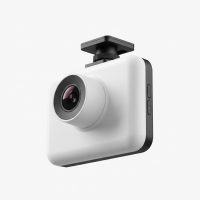
In a world where car technology is often about bigger screens and more visible gadgets, the Garmin Dash Cam Mini 3 takes a bold step in the opposite direction. This isn’t just a small dash cam; it’s an incredibly discreet safety feature, roughly the size of a car key fob. As a dash cam expert with over 15 years in the field, I’ve seen devices of all shapes and sizes, but the Mini 3’s blend of microscopic design and powerful performance truly sets a new standard for “set it and forget it” recording. It’s designed for the driver who wants irrefutable evidence and peace of mind without a distracting screen or bulky device cluttering their windshield.
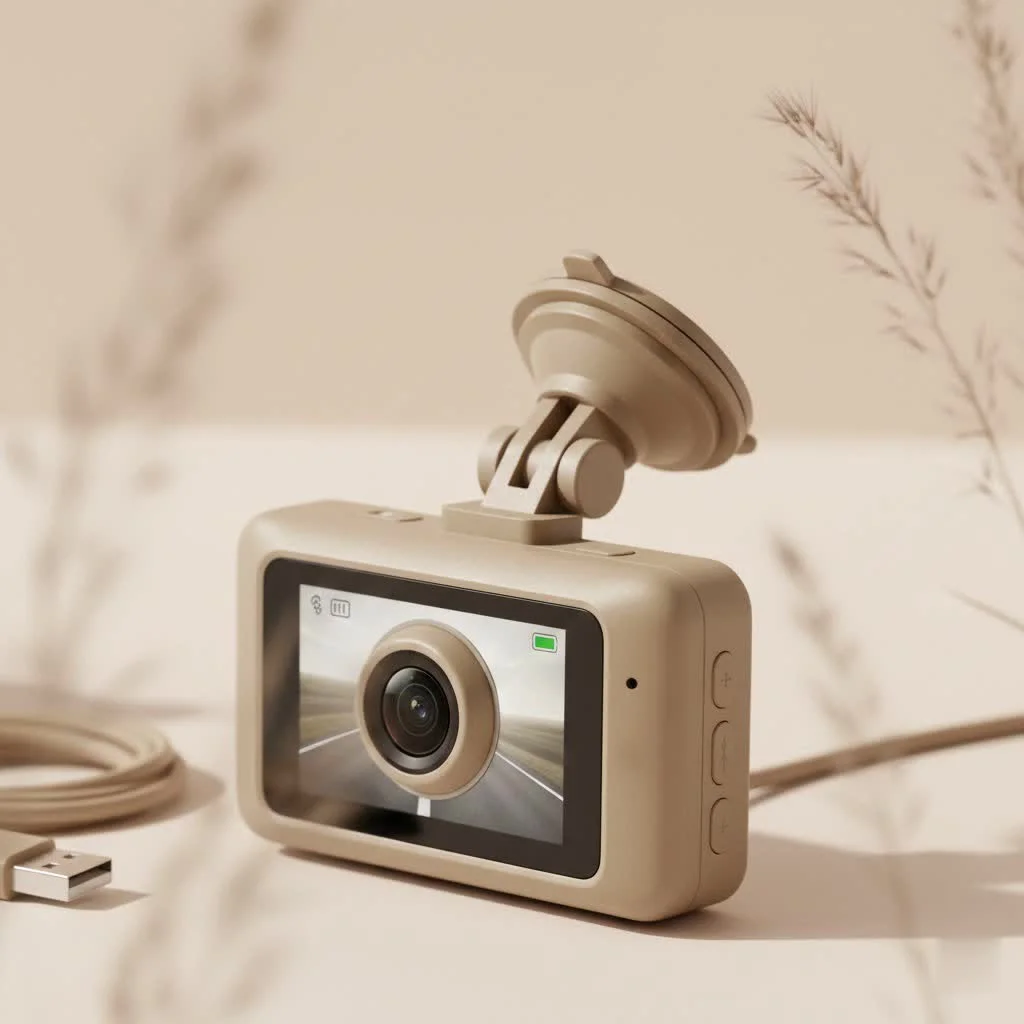
At Welmb, we believe the best technology is that which integrates seamlessly into your life, and the Garmin Dash Cam Mini 3 is the embodiment of that philosophy. But can something so small really deliver when it matters most? Let’s plug it in and find out.
What Exactly Is the Garmin Dash Cam Mini 3?
The Garmin Dash Cam Mini 3 is an ultra-compact, screenless dashboard camera that records your drives in crisp 1080p High Dynamic Range (HDR) video. Its primary selling point is its minuscule size, allowing it to hide almost completely behind your rearview mirror. Instead of a screen, it relies entirely on a Wi-Fi connection to your smartphone via the Garmin Drive app for setup, live view, and footage review. It’s a minimalist approach that prioritizes an unobstructed view and simple, automated operation.
Design and First Impressions
Upon unboxing, the first thing you’ll notice is just how tiny the Mini 3 is. It feels solid and well-constructed despite its lightweight, plastic build. There are only two buttons on the device: one on the side for saving footage/formatting the card and a small button on the back for toggling audio recording. The simplicity is intentional. The camera attaches to your windshield using a low-profile adhesive mount, and its ball-and-socket joint allows for easy angle adjustments.
What’s Included in the Box:
- Garmin Dash Cam Mini 3
- Low-profile adhesive mount
- Two vehicle power cables (one long, one short) for versatile routing
- Dual USB power adapter
- Documentation
Key Features That Defy Its Size
Don’t let the small package fool you. Garmin has packed a surprising amount of technology into this tiny device, focusing on the core essentials of what makes a dash cam great.
Crystal-Clear 1080p HDR Video
|
Our Picks for the Best Dash Cam in 2026
As an Amazon Associate I earn from qualifying purchases.
|
||
| Num | Product | Action |
|---|---|---|
| 1 | REDTIGER 4K Dash Cam Front Rear, STARVIS 2 Sensor, Free Card Included, 5.8GHz WiFi-20MB/s Fast Download, Dash Camera for Cars with GPS, WDR Night Vision, 170°Wide Angle, 24H Parking Mode(F7NP) |

|
| 2 | REDTIGER 4K STARVIS 2 Dash Cam Front and Rear, 5GHz WiFi 20MB/s Download, 128GB Card Included, Voice Control, Dash Camera for Cars with 3.18\" Touch Screen, GPS, Loop Recording, Parking Mode(F7N Touch) |
|
| 3 | 4K Dash Cam Front, Built-in 5G WiFi, 64GB Card Included, Dash Camera for Cars, Mini Dashcam with Super Night Vision, Loop Recording, G-Sensor, 24 Hours Parking Monitor, Support 256GB Max |
|
| 4 | Navycrest 4K Dash Cam Front and Rear with 64GB Card, Built-in 5G WiFi, Dash Camera for Cars 4K Front and 1080P Rear, Dashcams for Cars Loop Recording, Gravity Sensor, 24-Hours Parking Mode |
|
| 5 | Dash Cam Front and Rear, 2.5K+1080P Dual Dash Camera for Cars, 2’’ Display Mini Car Camera, G-Sensor Dashcam, Night Vision, 24H Parking Mode, Loop Recording, 170°Wide Angle, 32GB Card Included |
|
| 6 | Dash Cam Front and Rear, 1080P Dash Camera for Cars, 3 Channel Car Camera Front Rear and Inside with 32GB Card, Loop Recording, Night Vision, HDR, 24Hr Parking, G-Sensor |
|
| 7 | VIOFO A229 Plus Dash Cam Front and Rear, Dual STARVIS 2 Sensors, 2 Channel HDR, 1440P+1440P Voice Control Car Dash Camera, 5GHz Wi-Fi, Voice Control, Ultra-Precise GPS (SD Card Not Included) |
|
| 8 | Dash Cam 1296P Front Dashcam, V300 WiFi Dash Camera for Cars with App, Night Vision, Mini Hidden Single Car Camera, Loop Recording, 24H Parking Mode, Support 256GB Max, Black |
|
| 9 | IIWEY N5 4 Channel Dash Cam 360° View, 1080P Front and Rear Inside, Left Right Dash Camera for Cars, 8 IR Lamps Night Vision, 5G WiFi & APP Control, G-Sensor, Parking Mode, with a Free 128GB SD Card |
|
| 10 | ROVE R2-4K DUAL Dash Cam Front and Rear, STARVIS 2 Sensor, FREE 128GB Card Included, 5G WiFi - up to 20MB/s Fastest Download Speed with App, 4K 2160P/FHD Dash Camera for Cars, 3\" IPS, 24H Parking Mode |
|
The Mini 3 records in full 1080p resolution at 30 frames per second. More importantly, it features HDR, which significantly improves clarity in challenging lighting conditions. This means it does a much better job of balancing the bright sky and dark shadows during the day and capturing detail in the glare of headlights and streetlights at night. The result is video that is clear enough to read license plates and identify crucial details.
Super-Wide 140-Degree Field of View
A wide viewing angle is critical for capturing the full context of an event. The Mini 3’s 140-degree lens is wide enough to cover multiple lanes of traffic without creating an excessive “fisheye” distortion at the edges. It provides a comprehensive view of the road ahead, ensuring that incidents happening in your periphery are still captured.
Hands-Free Voice Control
One of the standout features is Garmin’s reliable voice control. By saying “OK, Garmin,” you can command the camera to perform key functions without ever taking your hands off the wheel.
- “Save video”: Manually saves a clip of the current recording.
- “Take a picture”: Captures a still image.
- “Turn audio on/off”: Controls the microphone.
- “Start/stop Travelapse”: A feature that condenses a long drive into a short, shareable video.
This hands-free operation is not a gimmick; it’s a genuine safety feature that allows you to react to an event on the road instantly and securely.
The Garmin Drive App: Your Command Center
Since the dash cam has no screen, the Garmin Drive app on your smartphone is essential. It connects to the camera’s local Wi-Fi network, allowing you to:
- View a live feed from the camera to perfect its alignment.
- Change all settings, such as video resolution and data overlay.
- Review, trim, and download recorded footage directly to your phone.
- Synchronize and edit footage from up to four compatible Garmin dash cams.
The app is straightforward and generally reliable, making the screenless experience manageable and intuitive.
Incident Detection and Parking Guard
Like most modern dash cams, the Mini 3 has a built-in G-sensor for automatic incident detection. If it detects a sudden jolt, like a collision or heavy braking, it automatically saves a video clip of the event (before, during, and after) into a protected folder so it won’t be overwritten by the loop recording.
Furthermore, the Parking Guard feature monitors your vehicle while it’s parked. If it detects an incident (like a bump or a break-in), it will start recording and send a notification to your phone via the Garmin Drive app.
Expert Note: To use Parking Guard, the camera needs constant power. This requires either using an OBD-II constant power cable (sold separately) or hardwiring the device to your car’s fuse box.
How to Install the Garmin Dash Cam Mini 3
Installation is a simple, 10-minute process designed for anyone to handle.
- Choose a Location: Find a spot on your windshield where the camera has a clear view but doesn’t obstruct your vision. The area behind the rearview mirror is ideal.
- Clean the Windshield: Use a glass cleaner or alcohol wipe to clean the area where the adhesive mount will go. A clean surface ensures a strong bond.
- Attach the Mount: Peel the backing off the adhesive pad and press the mount firmly onto the glass. Hold it for about 30 seconds.
- Mount the Camera: Snap the Dash Cam Mini 3 onto the mount’s ball joint.
- Route the Power Cable: Plug the USB cable into the camera. Neatly tuck the cable along the headliner, down the A-pillar, under the dashboard, and into your car’s 12V power outlet using the included adapter. Using the longer cable allows for a clean, almost invisible installation.
- Power On and Pair: Start your car. The camera will power on automatically. Follow the instructions in the Garmin Drive app to pair it with your smartphone.
Performance: The Real-World Test
In practice, the Garmin Dash Cam Mini 3 performs admirably. The daytime video is sharp, with excellent color and detail thanks to the HDR. Nighttime footage is also very capable, controlling headlight glare well and illuminating darker areas better than many non-HDR cameras in its class.
The “set it and forget it” nature is its biggest strength. After the initial setup, you never have to touch it again. It powers on and off with your car, records continuously, and automatically saves important files. The reliance on the app for footage review can be a minor inconvenience compared to a screen-based unit, but the trade-off for its stealthy design is well worth it for most users.
As our lead technician, Alex Carter, often says, “The best dash cam is one you forget is there until you need it. The Mini 3 perfects this concept. It’s a silent witness that doesn’t demand your attention but is always ready to report what it saw with clarity.”
Who Should Buy the Garmin Dash Cam Mini 3?
This dash cam is not for everyone, but it is the perfect solution for a specific type of driver. You should consider the Mini 3 if:
- You’re a minimalist: You want the protection of a dash cam without any clutter on your windshield.
- You drive a luxury or classic car: Its tiny footprint won’t detract from your vehicle’s interior aesthetic.
- You want a simple, automated experience: You prefer a device that works in the background without requiring interaction.
- You need a rear-facing camera: Its small size makes it an excellent and unobtrusive choice for a second camera to record what’s happening behind you.
Frequently Asked Questions (FAQ)
Does the Garmin Dash Cam Mini 3 have GPS?
No, the Mini 3 does not have a built-in GPS. Therefore, it does not record your speed or location data on the video file.
Does the Garmin Dash Cam Mini 3 record audio?
Yes, it has a built-in microphone to record audio inside the vehicle. You can easily turn this feature on or off with a voice command or the button on the back of the camera.
How does the Garmin Mini 3 get power?
It is powered via a USB cable connected to your car’s 12V power outlet (cigarette lighter). For parking mode, it requires a constant power source, like Garmin’s constant power cable.
Does the Garmin Dash Cam Mini 3 require a subscription?
No, there are no subscription fees to use the camera, the Garmin Drive app, or to store your videos. Footage is stored on the microSD card.
What size microSD card does it need?
It requires a microSD card, Class 10 or faster. It supports cards from 8GB up to 512GB. Note that the card is sold separately.
The Final Verdict: A Mighty Mite
The Garmin Dash Cam Mini 3 is a testament to great engineering. It proves that you don’t need a large, feature-packed device to achieve excellent results and reliable protection. Its combination of a super-discreet design, high-quality HDR video, and convenient voice controls makes it one of the best minimalist dash cams on the market. While the lack of a screen and GPS might be a deal-breaker for some, for those who value an unobstructed view and a simple, reliable recording experience, the Mini 3 is an outstanding choice. It’s a small investment for a significant amount of peace of mind on the road.
Get our weekly buyer guide
Practical specs, not advice. Unsubscribe anytime.