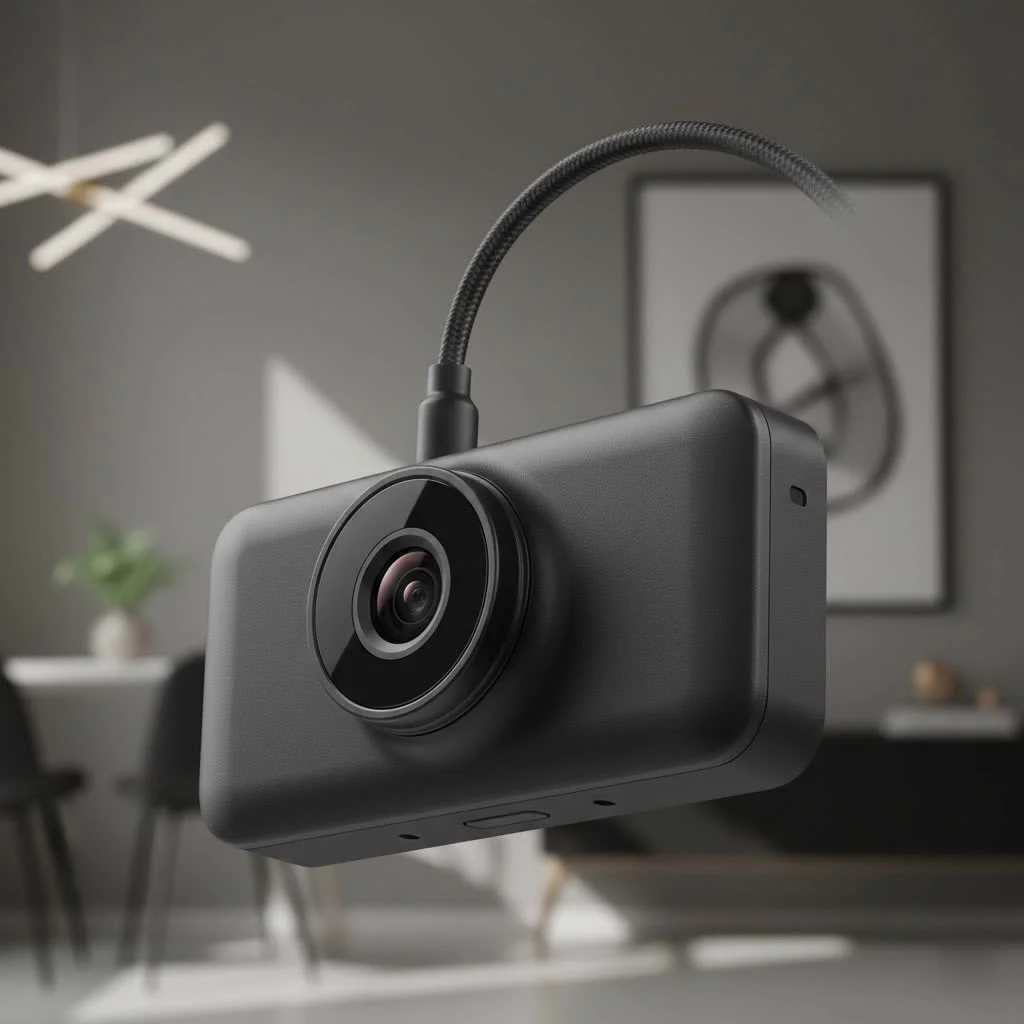
A car camera dash cam is an essential automotive accessory that acts as an impartial witness, providing crucial video evidence in case of an accident, protecting against insurance fraud, and offering peace of mind. These devices have evolved significantly over the past fifteen years, becoming a standard tool for everyday drivers. This guide will help you select, install, and maximize the utility of your dash cam, ensuring you choose the best option from the many available on the market.
Why Do You Absolutely Need a Car Camera Dash Cam?
Many drivers feel secure on the road until an unexpected incident occurs. A dash cam serves as your unbiased eyewitness, offering concrete proof when disputes arise.
Primarily, it provides accident evidence. In the aftermath of a collision, a clear video recording can quickly establish fault, preventing lengthy disagreements with other drivers and insurance companies. It captures the entire event, from the moments leading up to the impact to the immediate aftermath.
Secondly, it is a powerful defense against insurance fraud. “Crash-for-cash” schemes, where individuals intentionally cause accidents for fraudulent claims, are a genuine threat. A car camera dash cam recording can expose these scams, safeguarding your driving record and preventing your insurance premiums from increasing.
Finally, it offers peace of mind. Whether monitoring your vehicle while parked or ensuring the safety of a family member using your car, a dash cam adds an extra layer of security and accountability.
How to Choose the Perfect Car Camera Dash Cam
Selecting the right device is straightforward by focusing on key performance aspects. This approach helps narrow down options to find the ideal fit for your specific needs and budget.
Video Quality: Resolution is King
Video quality is the most critical factor. Footage is ineffective if you cannot read a license plate or discern vital details.
- 1080p (Full HD): This is the minimum acceptable standard, offering decent clarity for most daytime driving conditions.
- 1440p (QHD or 2K): This provides significantly more detail than 1080p, making it easier to identify license plates and fine details, especially from a distance.
- 4K (UHD): For superior clarity, 4K is recommended. The detail level is exceptional, allowing zooming without significant pixelation, which is particularly useful in challenging lighting conditions.
“Many people get fixated on 4K resolution, but a high-quality sensor and good image processing are just as important,” notes automotive tech specialist, David Chen. “A well-tuned 1440p camera can often outperform a cheap 4K camera, especially at night.”
Coverage: How Many Angles Do You Need?
|
Our Picks for the Best Dash Cam in 2026
As an Amazon Associate I earn from qualifying purchases.
|
||
| Num | Product | Action |
|---|---|---|
| 1 | Dash Cam Front and Rear, 1080P Dash Camera for Cars, 3 Channel Car Camera Front Rear and Inside with 32GB Card, Loop Recording, Night Vision, HDR, 24Hr Parking, G-Sensor |

|
| 2 | 4K Dash Cam Front, Built-in 5G WiFi, 64GB Card Included, Dash Camera for Cars, Mini Dashcam with Super Night Vision, Loop Recording, G-Sensor, 24 Hours Parking Monitor, Support 256GB Max |
|
| 3 | ROVE R2-4K DUAL Dash Cam Front and Rear, STARVIS 2 Sensor, FREE 128GB Card Included, 5G WiFi - up to 20MB/s Fastest Download Speed with App, 4K 2160P/FHD Dash Camera for Cars, 3\" IPS, 24H Parking Mode |
|
| 4 | Dash Cam Front and Rear, 2.5K+1080P Dual Dash Camera for Cars, 2’’ Display Mini Car Camera, G-Sensor Dashcam, Night Vision, 24H Parking Mode, Loop Recording, 170°Wide Angle, 32GB Card Included |
|
| 5 | REDTIGER 4K STARVIS 2 Dash Cam Front and Rear, 5GHz WiFi 20MB/s Download, 128GB Card Included, Voice Control, Dash Camera for Cars with 3.18\" Touch Screen, GPS, Loop Recording, Parking Mode(F7N Touch) |
|
| 6 | Navycrest 4K Dash Cam Front and Rear with 64GB Card, Built-in 5G WiFi, Dash Camera for Cars 4K Front and 1080P Rear, Dashcams for Cars Loop Recording, Gravity Sensor, 24-Hours Parking Mode |
|
| 7 | Dash Cam 1296P Front Dashcam, V300 WiFi Dash Camera for Cars with App, Night Vision, Mini Hidden Single Car Camera, Loop Recording, 24H Parking Mode, Support 256GB Max, Black |
|
| 8 | REDTIGER 4K Dash Cam Front Rear, STARVIS 2 Sensor, Free Card Included, 5.8GHz WiFi-20MB/s Fast Download, Dash Camera for Cars with GPS, WDR Night Vision, 170°Wide Angle, 24H Parking Mode(F7NP) |
|
| 9 | IIWEY N5 4 Channel Dash Cam 360° View, 1080P Front and Rear Inside, Left Right Dash Camera for Cars, 8 IR Lamps Night Vision, 5G WiFi & APP Control, G-Sensor, Parking Mode, with a Free 128GB SD Card |
|
| 10 | VIOFO A229 Plus Dash Cam Front and Rear, Dual STARVIS 2 Sensors, 2 Channel HDR, 1440P+1440P Voice Control Car Dash Camera, 5GHz Wi-Fi, Voice Control, Ultra-Precise GPS (SD Card Not Included) |
|
Dash cams are available in various configurations, each providing different levels of vehicle coverage.
- Single-Lens (Front-Facing): This is the most common and affordable type, recording the view through your front windshield, sufficient for most on-road incidents.
- Dual-Lens (Front and Rear): This setup includes a second camera for recording the view from your rear window, invaluable for capturing evidence of common rear-end collisions.
- Triple-Lens (Front, Rear, and Cabin): This option adds an interior-facing camera, ideal for rideshare drivers (Uber, Lyft) or parents monitoring teen drivers. The cabin camera records both video and audio inside the car.
Essential Features That Truly Matter
Beyond the camera itself, several key features distinguish a basic recorder from a comprehensive safety system.
- Loop Recording: A fundamental feature, it continuously records in short segments (e.g., 1, 3, or 5 minutes). When the memory card is full, it automatically overwrites the oldest, non-essential file, ensuring continuous recording.
- G-Sensor (Gravity Sensor): This sensor detects sudden impacts, such as a collision or heavy braking. When triggered, it automatically locks the current video file, protecting it from being overwritten by loop recording, thus preserving critical evidence.
- GPS Logging: A built-in GPS module embeds your vehicle’s speed and location data directly into the video footage. This is crucial for verifying your exact location and speed during an incident, enhancing the credibility of your evidence.
- Parking Mode: This feature provides surveillance while your car is parked and the engine is off. Using motion or impact detection, the camera activates and records if it senses a bump or movement near your vehicle. This feature typically requires a hardwire kit for continuous power.
A Simple Guide to Installing Your Dash Cam
Most dash cams are designed for easy DIY installation, which can typically be completed in under 30 minutes, though professional installation is always an option.
- Find the Perfect Spot: Mount the camera on your front windshield, usually behind the rearview mirror. This placement keeps it out of your direct line of sight while providing a clear, central view of the road.
- Clean the Area: Thoroughly clean the glass with an alcohol wipe to ensure the adhesive mount sticks securely.
- Route the Power Cable: For a clean installation, tuck the power cable into the headliner, run it down the passenger-side A-pillar, under the glove box, and finally to your car’s 12V power outlet (cigarette lighter). Most dash cams include a trim tool for this.
- Connect Power: Plug the adapter into the 12V outlet and connect the cable to the dash cam.
- Insert SD Card and Power On: Insert a high-endurance microSD card, start your car, and the camera should power on and begin recording automatically. Format the SD card within the camera’s settings menu before first use.
For features like parking mode, a hardwire kit connected directly to your car’s fuse box is recommended. If you are uncomfortable with vehicle electronics, professional installation is advisable.
Frequently Asked Questions (FAQ)
What size microSD card do I need for a car camera dash cam?
For a 1080p single-lens camera, a 32GB or 64GB card is usually sufficient. For dual-lens or 4K systems, it is highly recommended to use a 128GB or 256GB card to store more footage before it is looped over. Always use a “high-endurance” card designed for constant rewriting.
Will a dash cam drain my car battery?
If plugged into a 12V outlet that turns off with the car, it will not drain the battery. If you use a hardwire kit for parking mode, it will draw a small amount of power. However, these kits have a built-in voltage cutoff to prevent the dash cam from completely draining your car’s battery.
Is it legal to use a dash cam?
In most countries and states, using a dash cam for personal use is legal. However, regulations regarding where you can mount it on the windshield and laws about recording audio can vary. Always check your local laws to ensure compliance.
Can I use the footage in court?
Yes, dash cam footage is often admissible as evidence in court and for insurance claims. It provides a factual, unbiased account of events, which can be invaluable in legal proceedings.
How do I get videos off my dash cam?
Most cameras allow you to remove the microSD card and plug it into a computer. Many modern dash cams also have Wi-Fi capabilities, allowing you to connect directly to the camera with a smartphone app to view, download, and share footage wirelessly.
Your Investment in Safety and Security
Choosing a car camera dash cam is one of the smartest and most affordable upgrades you can make for your vehicle. It is more than just a gadget; it is a proactive investment in your safety, finances, and peace of mind. By focusing on video quality, coverage, and the essential features that matter, you can equip yourself with a reliable witness that is always on duty. Drive smarter, drive safer, and never hit the road without one.
Frequently Asked Questions
What size microSD card is recommended for a car camera dash cam?
For a 1080p single-lens dash cam, a 32GB or 64GB high-endurance microSD card is generally sufficient. For dual-lens or 4K systems, a 128GB or 256GB card is highly recommended to store more footage before loop recording overwrites older files. Always use cards specifically designed for constant rewriting.
Will a dash cam drain my car's battery if left on?
A dash cam plugged into a 12V outlet that powers off with the car will not drain the battery. If using a hardwire kit for parking mode, it will draw a small amount of power, but these kits include a built-in voltage cutoff to prevent complete battery drainage, typically around 11.8V.
Is it legal to use a dash cam in my vehicle?
In most countries and states, using a dash cam for personal use is legal. However, specific regulations regarding mounting location on the windshield and laws concerning audio recording can vary significantly. Always verify your local laws to ensure full compliance before installation.
Can dash cam footage be used as evidence in legal proceedings?
Yes, dash cam footage is frequently admissible as evidence in court and for insurance claims. It provides a factual, unbiased account of events, which can be invaluable in establishing fault and supporting your case during legal proceedings or insurance disputes.
How can I transfer videos from my dash cam to another device?
Most dash cams allow you to remove the microSD card and insert it into a computer or card reader to access videos. Additionally, many modern dash cams feature Wi-Fi connectivity, enabling you to connect directly via a smartphone app to view, download, and share footage wirelessly, offering convenience and quick access.
Install Your Car Camera Dash Cam
This guide provides simple steps to install your dash cam, ensuring a clear view and secure setup in under 30 minutes.
Mount the dash cam on your front windshield, ideally behind the rearview mirror. This position ensures it remains out of your direct line of sight while providing a clear, central view of the road ahead.
Thoroughly clean the section of the windshield where the dash cam will be mounted using an alcohol wipe. A clean surface is crucial for the adhesive mount to stick securely and prevent it from falling off.
For a clean installation, tuck the power cable into the headliner, run it down the passenger-side A-pillar, under the glove box, and finally to your car's 12V power outlet. Most dash cams include a trim tool to assist with this process, hiding the cable effectively.
Plug the power adapter into the 12V outlet and connect the cable to the dash cam. Insert a high-endurance microSD card into the camera. Start your car, and the dash cam should power on and begin recording automatically; remember to format the SD card via the camera's settings before its first use.
Get our weekly buyer guide
Practical specs, not advice. Unsubscribe anytime.
I picked up a budget-friendly Apeman C45 after learning about how crucial accident evidence can be. For the price, it does a solid job. My only minor complaint is that the menu system is a little clunky to navigate, but once it’s set up, it just works. It’s good to know I have that extra layer of security on the road.
I finally pulled the trigger on a Viofo A129 Pro Duo after reading about the importance of dual-channel recording. It’s been a game-changer for peace of mind, especially with all the crazy drivers out there. The installation was pretty straightforward, and the video quality is excellent, even at night. Definitely worth the investment for the protection it offers.
I got a Rexing V1LG for its discreet design, which was a big selling point for me. The video quality is decent during the day, but I’ve noticed it struggles a bit in very low light conditions, which is a bummer. I was hoping for better night vision performance, especially for parking monitoring. It’s okay, but not quite what I expected.
After dealing with a hit-and-run in a parking lot, I knew I needed a dash cam. The guide really highlighted how important parking surveillance is. I went with a BlackVue DR900X-2CH Plus, and the cloud features are incredible. It’s reassuring to get notifications and check on my car remotely. Best purchase I’ve made for my car in years.