The Thinkware U1000 dash cam is a premium 4K UHD dual-channel dash cam system, featuring an 8.42-megapixel Sony STARVIS sensor for true 4K (3840 x 2160) front recording at 30fps and a 2K QHD (2560 x 1440) rear camera. This model stands out for its exceptional video quality, advanced parking surveillance, and robust cloud connectivity, making it ideal for drivers prioritizing comprehensive vehicle security and remote monitoring capabilities.
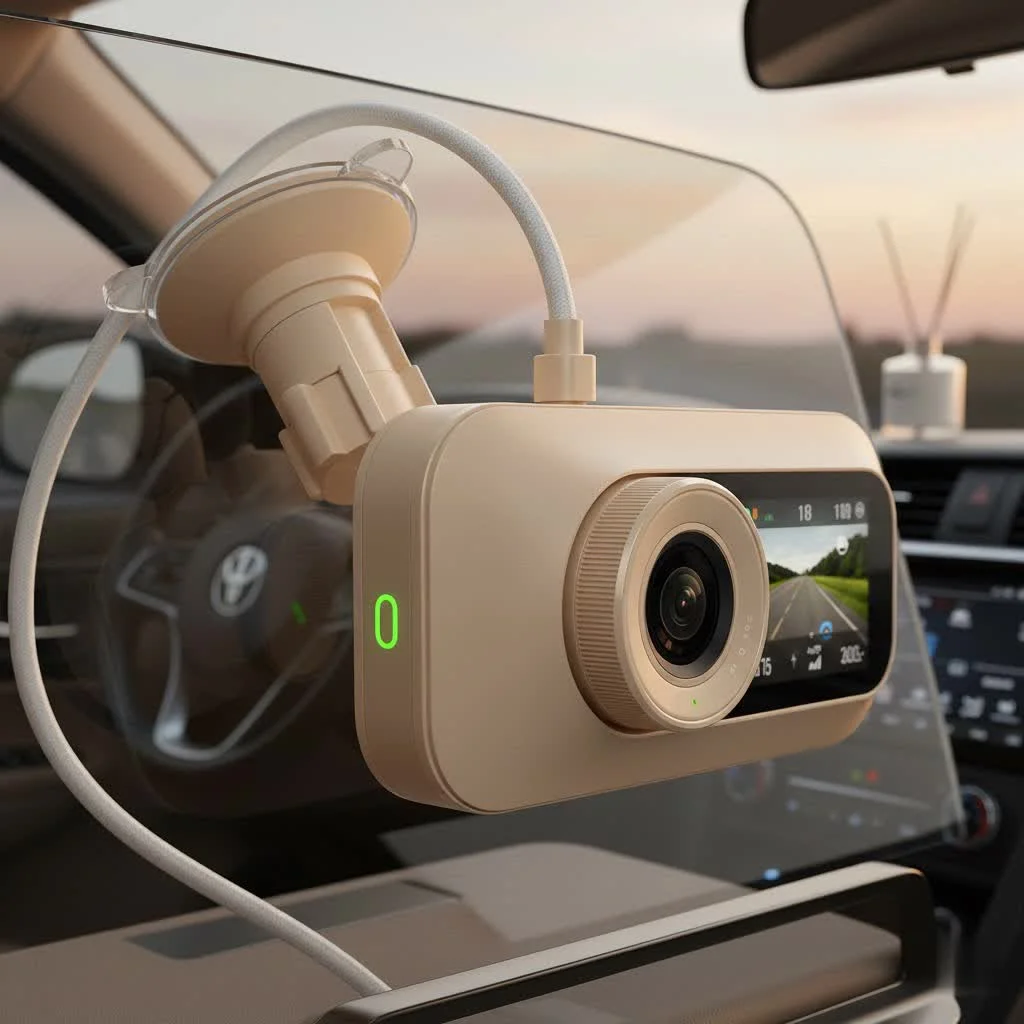
This in-depth review explores every facet of the U1000, from its impressive video quality and robust parking mode to its cloud capabilities. We’ll examine its core features, guide you through installation, and see how it stacks up against its rivals to help you decide if this is the right investment for protecting you and your vehicle. For best automotive dash roundups on this site.
What Makes the Thinkware U1000 Stand Out?
The Thinkware U1000 isn’t just another camera; it’s a comprehensive surveillance system. Its main draw is the forward-facing camera’s true 4K Ultra HD resolution, but the magic lies in its ecosystem of features. It combines high-end video capture with intelligent parking surveillance, cloud connectivity, and driver assistance systems, making it one of the most feature-rich dash cams available.
Unlike many competitors that focus solely on video, Thinkware has built a complete package designed for total peace of mind, whether you’re driving on a busy highway or leaving your car parked overnight.
Core Features Deep Dive: More Than Just a Camera
To truly understand this device’s value, we need to look beyond the spec sheet and see how its features perform in the real world.
True 4K UHD Video Quality
At the heart of the U1000 is a powerful 8.42-megapixel Sony STARVIS image sensor, which records in stunning 4K (3840 x 2160) resolution at 30 frames per second. This isn’t upscaled or interpolated 4K; it’s the real deal. In practical terms, this means you can capture crucial details like license plates, street signs, and faces with exceptional clarity, even from a distance.
The front camera offers a 150-degree wide-angle view, providing excellent coverage of the road ahead without the excessive “fisheye” distortion seen in lower-quality lenses. Whether it’s a sun-drenched afternoon or a rainy evening, the video remains sharp and detailed, which is critical when you need undeniable proof.
Dual-Channel Recording Capability
The U1000 is available as a 2-channel system, which includes a rear-facing camera. This secondary camera records in 2K QHD (2560 x 1440) resolution, offering significantly more detail than the standard 1080p rear cameras found in many other dual-channel setups. Having a high-resolution rear camera is invaluable for capturing incidents from behind, such as rear-end collisions or parking lot bumps.
Super Night Vision 2.0
|
Our Picks for the Best Dash Cam in 2026
As an Amazon Associate I earn from qualifying purchases.
|
||
| Num | Product | Action |
|---|---|---|
| 1 | Dash Cam Front and Rear, 1080P Dash Camera for Cars, 3 Channel Car Camera Front Rear and Inside with 32GB Card, Loop Recording, Night Vision, HDR, 24Hr Parking, G-Sensor |

|
| 2 | IIWEY N5 4 Channel Dash Cam 360° View, 1080P Front and Rear Inside, Left Right Dash Camera for Cars, 8 IR Lamps Night Vision, 5G WiFi & APP Control, G-Sensor, Parking Mode, with a Free 128GB SD Card |
|
| 3 | Navycrest 4K Dash Cam Front and Rear with 64GB Card, Built-in 5G WiFi, Dash Camera for Cars 4K Front and 1080P Rear, Dashcams for Cars Loop Recording, Gravity Sensor, 24-Hours Parking Mode |
|
| 4 | REDTIGER 4K Dash Cam Front Rear, STARVIS 2 Sensor, Free Card Included, 5.8GHz WiFi-20MB/s Fast Download, Dash Camera for Cars with GPS, WDR Night Vision, 170°Wide Angle, 24H Parking Mode(F7NP) |
|
| 5 | ROVE R2-4K DUAL Dash Cam Front and Rear, STARVIS 2 Sensor, FREE 128GB Card Included, 5G WiFi - up to 20MB/s Fastest Download Speed with App, 4K 2160P/FHD Dash Camera for Cars, 3\" IPS, 24H Parking Mode |
|
| 6 | 4K Dash Cam Front, Built-in 5G WiFi, 64GB Card Included, Dash Camera for Cars, Mini Dashcam with Super Night Vision, Loop Recording, G-Sensor, 24 Hours Parking Monitor, Support 256GB Max |
|
| 7 | Dash Cam 1296P Front Dashcam, V300 WiFi Dash Camera for Cars with App, Night Vision, Mini Hidden Single Car Camera, Loop Recording, 24H Parking Mode, Support 256GB Max, Black |
|
| 8 | VIOFO A229 Plus Dash Cam Front and Rear, Dual STARVIS 2 Sensors, 2 Channel HDR, 1440P+1440P Voice Control Car Dash Camera, 5GHz Wi-Fi, Voice Control, Ultra-Precise GPS (SD Card Not Included) |
|
| 9 | Dash Cam Front and Rear, 2.5K+1080P Dual Dash Camera for Cars, 2’’ Display Mini Car Camera, G-Sensor Dashcam, Night Vision, 24H Parking Mode, Loop Recording, 170°Wide Angle, 32GB Card Included |
|
| 10 | REDTIGER 4K STARVIS 2 Dash Cam Front and Rear, 5GHz WiFi 20MB/s Download, 128GB Card Included, Voice Control, Dash Camera for Cars with 3.18\" Touch Screen, GPS, Loop Recording, Parking Mode(F7N Touch) |
|
Recording in low light is where most dash cams struggle, but the U1000 excels thanks to its Super Night Vision 2.0 technology. By leveraging advanced image signal processing (ISP), it dramatically reduces noise and enhances brightness in dark environments. The result is clearer, more usable footage during nighttime driving and in poorly lit parking garages—scenarios where incidents are more likely to occur.
Advanced Parking Mode
This is arguably one of the U1000’s most significant advantages. When hardwired to the vehicle, it offers a sophisticated parking surveillance suite.
- Motion and Impact Detection: The camera automatically records when it detects motion or if the built-in G-sensor registers an impact.
- Time-Lapse Mode: Records at 2 frames per second to reduce file size, allowing it to record for long periods without overwriting footage. It will switch to standard recording if an impact is detected.
- Energy Saving 2.0: This is a major upgrade for long-term parking. The U1000 goes into a deep sleep state, only waking up to record if an impact is detected. This reduces battery consumption by up to 90%, allowing it to protect your vehicle for weeks instead of days.
- Optional RADAR Sensor: For even better performance, you can add an optional RADAR sensor. In Energy Saving Mode, the RADAR detects motion with minimal power draw, waking the camera to start recording before an impact occurs.
As car electronics specialist David Chen notes, “The U1000’s energy-saving parking mode, especially with the RADAR module, is a breakthrough. It solves the long-standing problem of battery drain for users who need extended surveillance without starting their car every day.”
Cloud Connectivity: Thinkware Cloud 2.0
By using your phone’s mobile hotspot or a dedicated in-car Wi-Fi connection, the Thinkware U1000 dash cam unlocks a suite of cloud features. These are designed to keep you connected to your car, no matter where you are.
- Impact Notifications: If an impact is detected while parked or driving, you’ll receive a push notification on your smartphone.
- Live View: Remotely stream video from your front and rear cameras to check on your vehicle in real-time.
- Geo-Fencing: Set up virtual zones and get alerts when your vehicle enters or leaves them—perfect for monitoring teen drivers or valets.
- Vehicle Locator: Forgot where you parked? The app will show you your vehicle’s last known location.
How to Install the Thinkware U1000 Dash Cam
Proper installation is key to getting the most out of the U1000. You have two main options:
-
12V Cigarette Lighter Adapter (Basic Installation):
- This is the simplest method and takes only minutes.
- Mount the front camera to the windshield, typically behind the rearview mirror.
- Connect the power cable and run it along the headliner and A-pillar down to the 12V socket.
- If you have the rear camera, connect it to the front unit and run the cable neatly to the rear window.
- Note: This method will not enable parking mode.
-
Hardwiring Kit (Professional Installation Recommended):
- This method connects the dash cam directly to your car’s fuse box.
- It enables all advanced parking mode features and keeps your 12V socket free.
- The process involves identifying constant power, ignition-switched power, and a ground connection in the fuse box.
- Warning: While DIY-possible for those with experience, we strongly recommend professional installation to avoid electrical issues or damage to your vehicle.
Thinkware U1000 vs. The Competition
To provide context, let’s see how the U1000 compares to another top-tier competitor, the BlackVue DR970X-2CH.
| Feature | Thinkware U1000 (2-CH) | BlackVue DR970X-2CH |
|---|---|---|
| Front Resolution | 4K UHD @ 30fps | 4K UHD @ 30fps |
| Rear Resolution | 2K QHD @ 30fps | 1080p FHD @ 30fps |
| Front Angle of View | 150° | 155° |
| Parking Mode | Advanced (Motion, Impact, Time-Lapse, Energy Saving, RADAR) | Advanced (Motion, Impact, Time-Lapse) |
| Cloud Features | Yes (Thinkware Cloud 2.0) | Yes (BlackVue Cloud) |
| Built-in GPS | Yes | Yes |
| Built-in Wi-Fi | Yes (2.4GHz / 5GHz) | Yes (2.4GHz / 5GHz) |
As the table shows, the U1000’s primary hardware advantage is its superior 2K rear camera resolution. While both offer excellent cloud services and 4K front cameras, the added detail from the U1000’s rear unit can make a significant difference.
Is the Thinkware U1000 Worth the Investment in 2025?
The Thinkware U1000 dash cam remains a top-tier choice for those who prioritize video quality and advanced security features.
Pros:
- Exceptional 4K front and 2K rear video quality.
- Industry-leading parking mode with energy-saving options.
- Robust cloud features for remote monitoring.
- Discreet, screenless design that doesn’t obstruct your view.
- Reliable performance with high-temperature resistance.
Cons:
- Premium price point.
- Cloud features require a constant internet connection.
- The most advanced parking features require hardwiring and the optional RADAR sensor.
This device is ideal for tech-savvy users, safety-conscious drivers, and anyone who needs reliable, long-term surveillance for their vehicle. If you want a “set it and forget it” system that provides uncompromising evidence and protection, the U1000 is one of the best investments you can make for your vehicle.
Frequently Asked Questions (FAQ)
What is the maximum SD card size for the Thinkware U1000?
The Thinkware U1000 officially supports microSD cards up to 128GB. Using a high-endurance card designed for dash cams is highly recommended for reliability.
Does the Thinkware U1000 have built-in GPS?
Yes, the U1000 has a built-in GPS antenna. It embeds speed and location data into your video files and enables safety camera alerts and ADAS features.
Is the RADAR sensor required for parking mode?
No, the RADAR sensor is an optional accessory. The standard parking mode works excellently with motion and impact detection. The RADAR sensor primarily enhances the Energy Saving 2.0 mode by providing pre-impact recording with minimal power draw.
How do the cloud features work?
The dash cam needs to be connected to an internet-enabled Wi-Fi hotspot. This can be your phone’s hotspot or a dedicated in-car LTE device. Once connected, it communicates with the Thinkware Cloud servers to provide remote features.
Can I view footage on my smartphone?
Yes. You can connect directly to the dash cam via its built-in Wi-Fi to view, download, and share footage using the Thinkware Dash Cam Link app. You can also view live video remotely through the Thinkware Cloud app if you have an internet connection.
Final Thoughts
The Thinkware U1000 dash cam has solidified its place as a market leader for good reason. It delivers on its promise of superior video quality while offering a suite of intelligent features that provide 24/7 protection. While it comes at a premium price, the performance, reliability, and peace of mind it offers are unmatched. For drivers unwilling to compromise on security, the U1000 remains a benchmark for excellence in dash cams.
Frequently Asked Questions
What is the maximum SD card size supported by the Thinkware U1000?
The Thinkware U1000 officially supports microSD cards up to 128GB. For optimal reliability and performance, it is highly recommended to use a high-endurance card specifically designed for dash cams.
Does the Thinkware U1000 include built-in GPS functionality?
Yes, the Thinkware U1000 features a built-in GPS antenna. This allows the dash cam to embed crucial speed and location data directly into your video files, and it also enables safety camera alerts and advanced driver-assistance system (ADAS) features.
Is the RADAR sensor a mandatory component for the U1000's parking mode?
No, the RADAR sensor is an optional accessory for the Thinkware U1000. The standard parking mode functions effectively with motion and impact detection. The RADAR sensor primarily enhances the Energy Saving 2.0 mode by enabling pre-impact recording with minimal power consumption.
How do the cloud features operate on the Thinkware U1000?
For cloud features to work, the Thinkware U1000 dash cam requires a connection to an internet-enabled Wi-Fi hotspot. This can be a mobile phone's hotspot or a dedicated in-car LTE device. Once connected, the dash cam communicates with Thinkware Cloud servers to provide remote functionalities like impact notifications and live view.
Can I review recorded footage directly on my smartphone?
Yes, you can view footage on your smartphone. You can connect directly to the dash cam via its built-in Wi-Fi to view, download, and share footage using the Thinkware Dash Cam Link app. Additionally, live video can be viewed remotely through the Thinkware Cloud app if an internet connection is active.
Install the Thinkware U1000 Dash Cam
Proper installation is crucial for maximizing the performance of your Thinkware U1000 dash cam. You have two primary installation methods: basic via a 12V adapter or advanced hardwiring for full parking mode features.
Mount the front camera securely to your windshield, typically positioning it behind the rearview mirror to ensure an unobstructed view. Ensure the camera is level and has a clear line of sight to the road ahead.
For basic installation, connect the power cable to the front camera and route it neatly along the headliner and A-pillar down to your vehicle's 12V cigarette lighter socket. This method is quick but does not enable advanced parking mode features.
If you have a dual-channel system, connect the rear camera to the front unit and carefully run the cable to the rear window. Ensure the cable is tucked away to avoid interference with airbags or other vehicle components.
For advanced parking mode features, use a hardwiring kit to connect the dash cam directly to your car's fuse box. This involves identifying constant power, ignition-switched power, and a ground connection. Professional installation is highly recommended to prevent electrical issues.
Get our weekly buyer guide
Practical specs, not advice. Unsubscribe anytime.
The advanced parking surveillance on this dash cam is a game-changer for me. I live in an apartment complex with a busy parking lot, and having the peace of mind that my car is monitored 24/7 is huge. The cloud connectivity is also a nice bonus, letting me check in remotely. It’s a solid investment for vehicle security.
I finally pulled the trigger on the Thinkware U1000 after reading about its 4K front and 2K rear recording. The video quality is seriously impressive, especially at night. I feel so much safer knowing I have such clear footage if anything happens. The installation was also pretty straightforward, which was a relief.
This Thinkware U1000 is everything I hoped for. The dual-channel system covers all angles, and the 30fps for the front camera provides really smooth playback. I was looking for something that offered comprehensive surveillance, and this definitely delivers. Worth every penny for the peace of mind.
I like the overall performance of the U1000, especially the Sony STARVIS sensor for the front camera, which really does make a difference in image clarity. My only minor gripe is that the app can be a bit clunky sometimes when trying to download footage. It’s not a dealbreaker, but it could be smoother.