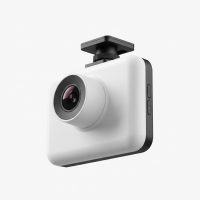
When you hear the term wireless dash cam, you probably picture a sleek, compact device sticking to your windshield with absolutely no cables—a true set-it-and-forget-it solution. While the industry is getting closer to that dream, the reality is a bit more nuanced. As a 15-year veteran in the automotive tech space, I’m here to demystify what “wireless” truly means in the world of dash cams and guide you to the perfect setup for your vehicle.
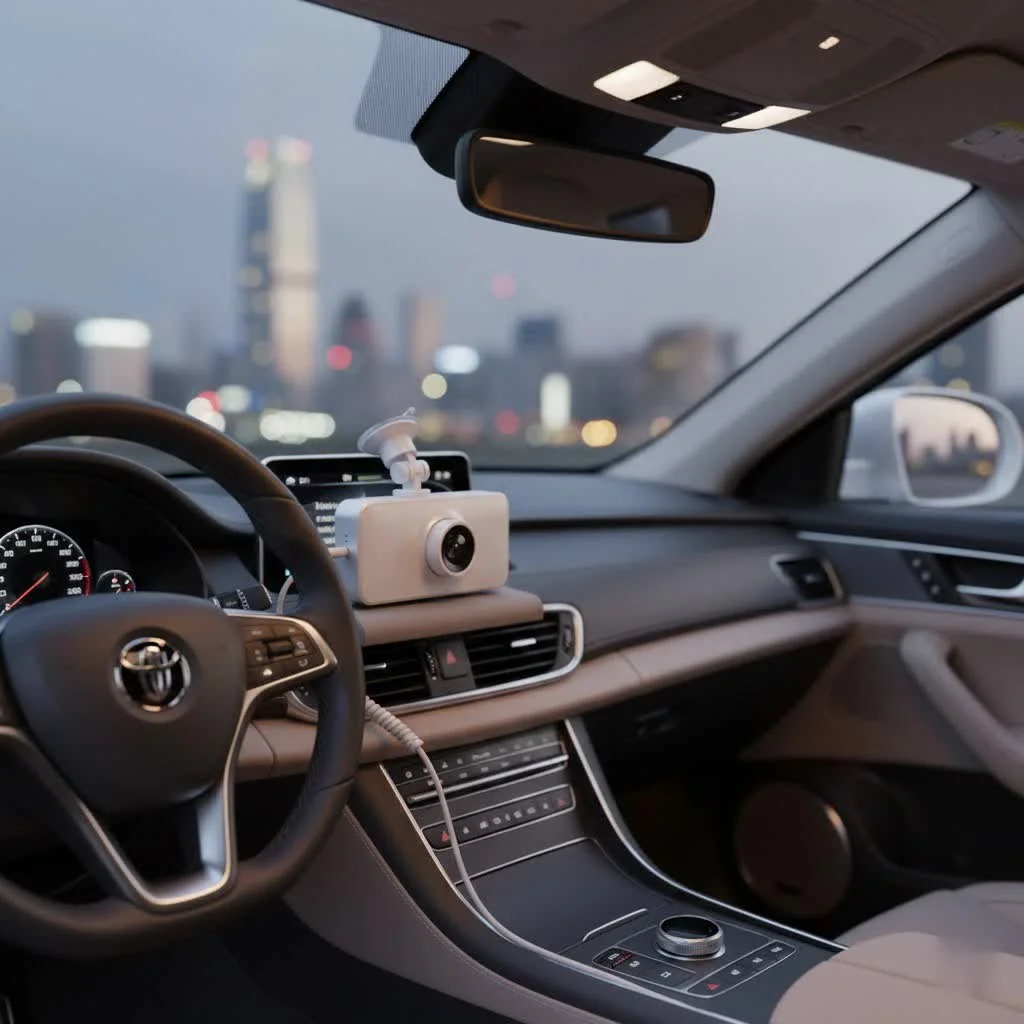
The demand for a cleaner, cable-free installation has skyrocketed, and manufacturers have responded. However, the term “wireless” primarily refers to how the camera transfers data, not how it gets power. Let’s break down this crucial distinction and explore everything you need to know.
What Does “Wireless Dash Cam” Really Mean?
In 9 out of 10 cases, a wireless dash cam refers to a camera that uses a Wi-Fi or Bluetooth connection to communicate with your smartphone. This is a game-changing feature, but it doesn’t mean the camera operates without a power cord.
Think of it in two parts:
- Wireless Data Transfer: This is the core feature. Instead of needing to take the tiny microSD card out of the camera and plug it into a computer, you can connect your phone directly to the dash cam’s local Wi-Fi network. Through a dedicated app, you can view live footage, browse recorded clips, download important videos to your phone, and even adjust camera settings.
- Power Source: This is where the wires usually come in. Every dash cam needs a consistent power source to operate. While some models feature small internal batteries, they are not designed for continuous recording and typically last only a short time. Most “wireless” models still need to be plugged into your car.
“The biggest misconception we see at Welmb.com is the expectation of a completely wire-free experience,” notes our lead technician, David Chen. “A ‘wireless’ dash cam gives you wireless access to your video files. It doesn’t defy the laws of physics; it still needs a reliable power source to protect you on the road.”
How Do Wireless Dash Cams Get Power?
Understanding the power options is essential to choosing the right device and avoiding disappointment. Here are the most common methods used to power a wireless dash cam.
1. The 12V Cigarette Lighter Adapter
This is the most straightforward and common method. The dash cam comes with a long USB cable and an adapter that plugs into your car’s 12V power outlet (the cigarette lighter). The wire is typically long enough to be neatly tucked along the headliner, down the A-pillar, and under the dashboard for a clean, almost invisible installation.
- Pros: Extremely easy to set up, no technical skill required, and works in any vehicle.
- Cons: Occupies your 12V socket and usually won’t provide power when the car is turned off, meaning features like Parking Mode won’t work.
2. Built-in Batteries
|
Our Picks for the Best Dash Cam in 2026
As an Amazon Associate I earn from qualifying purchases.
|
||
| Num | Product | Action |
|---|---|---|
| 1 | 4K Dash Cam Front, Built-in 5G WiFi, 64GB Card Included, Dash Camera for Cars, Mini Dashcam with Super Night Vision, Loop Recording, G-Sensor, 24 Hours Parking Monitor, Support 256GB Max |

|
| 2 | Dash Cam Front and Rear, 1080P Dash Camera for Cars, 3 Channel Car Camera Front Rear and Inside with 32GB Card, Loop Recording, Night Vision, HDR, 24Hr Parking, G-Sensor |
|
| 3 | REDTIGER 4K Dash Cam Front Rear, STARVIS 2 Sensor, Free Card Included, 5.8GHz WiFi-20MB/s Fast Download, Dash Camera for Cars with GPS, WDR Night Vision, 170°Wide Angle, 24H Parking Mode(F7NP) |
|
| 4 | ROVE R2-4K DUAL Dash Cam Front and Rear, STARVIS 2 Sensor, FREE 128GB Card Included, 5G WiFi - up to 20MB/s Fastest Download Speed with App, 4K 2160P/FHD Dash Camera for Cars, 3\" IPS, 24H Parking Mode |
|
| 5 | IIWEY N5 4 Channel Dash Cam 360° View, 1080P Front and Rear Inside, Left Right Dash Camera for Cars, 8 IR Lamps Night Vision, 5G WiFi & APP Control, G-Sensor, Parking Mode, with a Free 128GB SD Card |
|
| 6 | Dash Cam Front and Rear, 2.5K+1080P Dual Dash Camera for Cars, 2’’ Display Mini Car Camera, G-Sensor Dashcam, Night Vision, 24H Parking Mode, Loop Recording, 170°Wide Angle, 32GB Card Included |
|
| 7 | REDTIGER 4K STARVIS 2 Dash Cam Front and Rear, 5GHz WiFi 20MB/s Download, 128GB Card Included, Voice Control, Dash Camera for Cars with 3.18\" Touch Screen, GPS, Loop Recording, Parking Mode(F7N Touch) |
|
| 8 | Navycrest 4K Dash Cam Front and Rear with 64GB Card, Built-in 5G WiFi, Dash Camera for Cars 4K Front and 1080P Rear, Dashcams for Cars Loop Recording, Gravity Sensor, 24-Hours Parking Mode |
|
| 9 | Dash Cam 1296P Front Dashcam, V300 WiFi Dash Camera for Cars with App, Night Vision, Mini Hidden Single Car Camera, Loop Recording, 24H Parking Mode, Support 256GB Max, Black |
|
| 10 | VIOFO A229 Plus Dash Cam Front and Rear, Dual STARVIS 2 Sensors, 2 Channel HDR, 1440P+1440P Voice Control Car Dash Camera, 5GHz Wi-Fi, Voice Control, Ultra-Precise GPS (SD Card Not Included) |
|
A few models on the market are truly wire-free, operating on a rechargeable internal battery. These are designed for ultimate portability and convenience, often attaching to the windshield via a magnetic mount.
- Pros: 100% wire-free installation, easy to move between vehicles.
- Cons: Very limited battery life (often lasting only a few hours of recording), requires frequent recharging, and is not a reliable solution for daily commuting or security. They are best suited for short trips or occasional use.
3. Hardwiring Kits
For those who want to unlock the full potential of their dash cam, including 24/7 parking surveillance, a hardwiring kit is the best solution. This kit connects the camera directly to your car’s fuse box. It provides constant power and has a voltage cutoff feature to prevent the dash cam from draining your car’s battery.
- Pros: Enables Parking Mode, frees up your 12V socket, provides a completely hidden and professional-looking installation.
- Cons: Requires more effort to install and a basic understanding of your car’s electrical system. Professional installation is recommended if you’re not comfortable with the process.
4. OBD-II Port Connection
A great middle-ground between the 12V adapter and a full hardwire kit is an OBD-II power cable. This cable plugs directly into your car’s On-Board Diagnostics port, which is usually located under the steering wheel. It provides constant power for Parking Mode and is a simple plug-and-play solution.
- Pros: Much easier to install than a hardwire kit, enables Parking Mode, and is easily reversible.
- Cons: The OBD-II port location can sometimes be awkward, and the cable may be more visible.
Key Features to Demand in a Modern Wireless Dash Cam
Beyond connectivity, here are the essential features that separate a great wireless dash cam from a mediocre one.
- Excellent Video Quality: Look for a minimum of 1080p (Full HD) resolution. For superior clarity, especially for reading license plates at a distance, 2K (1440p) or 4K (2160p) is highly recommended.
- Reliable Wi-Fi and App: The wireless experience is only as good as the app. Look for brands known for stable apps that make it easy to connect, view, and download footage without crashing.
- G-Sensor (Gravity Sensor): This is a non-negotiable feature. The G-sensor detects sudden impacts, such as a collision or heavy braking, and automatically locks the current video file, protecting it from being overwritten by the loop recording.
- Loop Recording: Every modern dash cam should have this. It continuously records video, and once the memory card is full, it automatically overwrites the oldest unlocked files, ensuring you never run out of space.
- Parking Mode: If you want surveillance while your car is parked, this is essential. When the G-sensor detects a bump or impact, the camera will “wake up” and record a short clip, capturing evidence of a hit-and-run or vandalism. This feature requires a constant power source from a hardwire or OBD-II kit.
- GPS Integration: An embedded GPS module logs your vehicle’s location and speed, embedding it into the video footage. This can provide crucial context and evidence in the event of an incident.
A Step-by-Step Guide to a Clean Installation
Even with a power cable, you can achieve a very clean, professional-looking installation for your wireless dash cam in under 15 minutes.
- Choose the Position: Mount the dash cam on the windshield, typically behind the rearview mirror. This keeps it out of your line of sight while giving it a clear view of the road.
- Route the Power Cable: Start at the dash cam and gently tuck the cable into the gap between the windshield and the headliner. No tools are usually needed.
- Run Down the A-Pillar: Continue tucking the wire along the headliner over to the passenger side. Then, gently pull back the rubber weatherstripping on the door frame and tuck the cable down along the A-pillar.
- Go Under the Dashboard: Once you reach the bottom of the A-pillar, route the cable underneath the glove box towards the center console. You can often use existing trim pieces to hide it.
- Plug it In: Connect the cable to your 12V adapter or OBD-II port. Any excess cable can be bundled with a zip tie and tucked away out of sight.
Frequently Asked Questions (FAQ)
Are wireless dash cams truly 100% wireless?
Rarely. The term almost always refers to wireless data transfer via Wi-Fi. While a few battery-powered models exist, they have significant drawbacks in recording time and are not recommended for everyday security and reliability.
How long does a battery-powered dash cam last?
The battery life on truly wireless models varies but is generally short, ranging from 1 to 4 hours of continuous recording on a full charge. This makes them unsuitable for most drivers who need reliable, all-day coverage.
Can a wireless dash cam record when my car is off?
Yes, but only if it has a Parking Mode feature and is connected to a constant power source. This is achieved through a hardwire kit connected to the fuse box or an OBD-II power cable, which allows the camera to draw a small amount of power without draining the car’s battery.
How do I get the video from my wireless dash cam?
You connect your smartphone to the dash cam’s built-in Wi-Fi hotspot. Then, you open the manufacturer’s app on your phone. From the app, you can view a live feed, browse all recorded files on the SD card, and download any important clips directly to your phone’s photo gallery for easy sharing.
The Final Verdict
A wireless dash cam is an excellent choice for the modern driver who values convenience and seamless access to their video footage. The ability to instantly review an incident on your phone at the roadside is a powerful feature that removes a lot of hassle.
However, it’s crucial to understand that a power cable is still a necessary part of the equation for reliable, continuous recording. By choosing a model with a stable app and planning for a clean installation using the 12V socket, OBD-II port, or a hardwire kit, you get the best of both worlds: the convenience of wireless data and the steadfast reliability of wired power. Drive smart, and drive safe.
Get our weekly buyer guide
Practical specs, not advice. Unsubscribe anytime.