Upgrading to a 4K dash cam is the smartest choice for your car because it offers four times the pixel resolution of 1080p cameras (3840 x 2160 pixels), ensuring crystal-clear capture of critical details like license plates and road signs. This enhanced clarity provides superior evidence for insurance claims and police reports, significantly improving your security and peace of mind on the road. With over 15 years of experience in automotive electronics, 4K resolution is recognized as the new gold standard for dash cam performance.
What Exactly Defines a 4K Dash Cam?
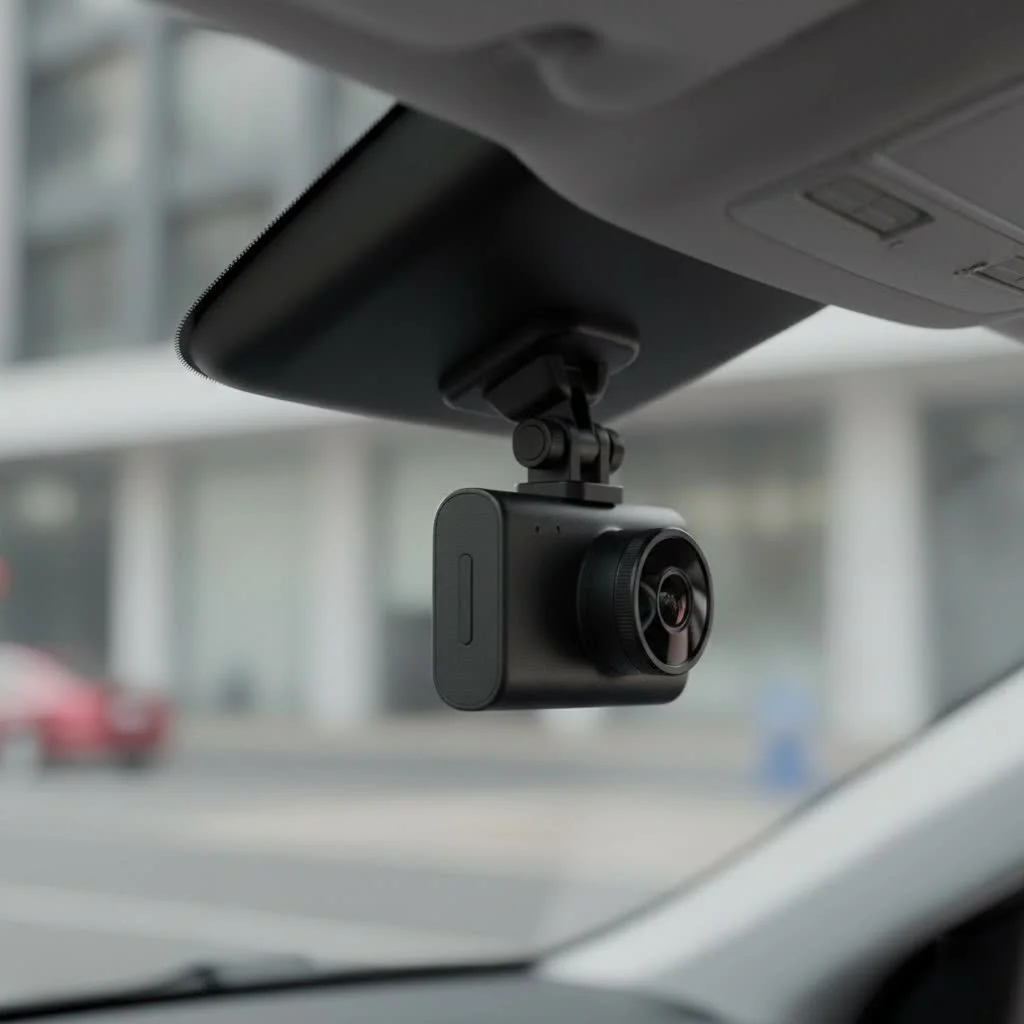
Before we dive into the benefits, let’s clarify what “4K” really means. A 4K dash cam records video at a resolution of 3840 x 2160 pixels. This is four times the number of pixels as a standard 1080p “Full HD” camera. Think of it like the difference between a standard television and an Ultra HD one. More pixels mean a sharper, more detailed, and clearer image. This isn’t just about making scenic road trip videos look better; it’s about capturing the crucial details when you need them most.
The Undeniable Advantages of 4K Resolution
Upgrading to 4K might seem like overkill to some, but the practical benefits are impossible to ignore. The difference in quality isn’t just noticeable; it’s a major upgrade for evidence collection and overall safety.
Crystal-Clear Evidence: Reading License Plates
The single most important reason to choose a 4K dash cam is its unparalleled ability to capture license plates and other fine details, like road signs or street names. In 1080p footage, plates on moving cars or vehicles at a distance often blur into an indecipherable block. With 4K, the higher pixel density keeps these details sharp and legible, even from further away or in less-than-ideal weather conditions. This can be the deciding factor in an insurance claim or a police report.
The Power of Digital Zoom
When you need to examine a specific part of a video, you’ll likely have to zoom in. This is where lower-resolution footage falls apart. Zooming into a 1080p video often results in a pixelated, blurry image. Because a 4K video contains so much more data, you can zoom in significantly while retaining clarity. This allows you to isolate and identify critical details—like a specific car model, a company logo on a commercial vehicle, or even the face of a driver—without losing the quality of the evidence.
Superior Performance in Low Light
Many accidents happen at dawn, dusk, or during the night. A 4K dash cam typically comes equipped with a more advanced image sensor and lens to handle the massive amount of data being processed. A common feature is a Sony STARVIS sensor, renowned for its exceptional low-light performance. Paired with 4K resolution, this technology provides brighter, clearer, and less grainy nighttime footage, making it easier to see what’s happening on poorly lit roads.
As veteran automotive electronics installer David Chen often says, “I’ve installed hundreds of dash cams, and the leap from 1080p to 4K is the most significant I’ve seen. Clients come back and tell me the nighttime clarity alone was worth the upgrade. It captures details in the dark that other cameras completely miss.”
Key Features to Demand in Your 4K Dash Cam
Not all 4K dash cams are created equal. Beyond the resolution, several key features separate a great device from a mediocre one. Here’s what you should look for:
- High-Quality Image Sensor: The sensor is the heart of the camera. Look for reputable brands like Sony (especially the STARVIS series) or OmniVision, as they are crucial for image quality, especially at night.
- High Dynamic Range (HDR) or Wide Dynamic Range (WDR): These technologies help balance the light and dark areas of your footage. HDR is essential for preventing the “blown-out” look of skies and the “crushed” blacks of shadows, ensuring you can see details clearly in challenging lighting, like when driving into direct sunlight or exiting a tunnel.
- Reliable Parking Mode: A good parking mode will monitor your vehicle when it’s turned off. Look for systems that use motion and impact detection (G-sensor) to automatically record any bumps or break-in attempts, providing 24/7 protection.
- Built-in GPS: GPS logging embeds your vehicle’s speed and location data directly into the video file. This provides indisputable proof of where and when an incident occurred and how fast you were traveling.
- Loop Recording and G-Sensor: These are standard but vital. Loop recording ensures your camera never runs out of space by overwriting the oldest files. The G-sensor detects sudden impacts (like a collision) and automatically locks the current video file, preventing it from being overwritten.
4K vs. 2K and 1080p: A Visual Breakdown
To put it in perspective, let’s compare the resolutions. While technical specs are useful, understanding the practical difference is key.
| Feature | 1080p (Full HD) | 2K (QHD) | 4K (UHD) |
|---|---|---|---|
| Resolution | 1920 x 1080 | 2560 x 1440 | 3840 x 2160 |
| Total Pixels | ~2.1 Million | ~3.7 Million | ~8.3 Million |
| License Plate Clarity | Fair, struggles at distance | Good, clearer than 1080p | Excellent, clear at distance |
| Digital Zoom Quality | Poor, becomes very pixelated | Moderate, better than 1080p | Good, retains detail |
| Typical File Size | Standard | Larger | Largest |
While 4K files are larger, the advent of more efficient video codecs (like H.265) and affordable high-capacity microSD cards has made storage a non-issue for most users.
A Quick Guide to Installation
Installing a 4K dash cam is simpler than you might think. While you can always have it professionally installed, a DIY setup is very achievable.
- Choose the Location: Mount the dash cam behind your rearview mirror. This spot is out of your direct line of sight and provides a central, clear view of the road.
- Clean the Windshield: Use an alcohol wipe to clean the area where the adhesive mount will go. This ensures a strong, lasting bond.
- Route the Power Cable: Run the power cable across the headliner, down the A-pillar (the pillar between the windshield and the front door), under the glove box, and into your car’s 12V power outlet. Most kits come with a trim tool to help you neatly tuck the wire away.
- Connect the Rear Camera (if applicable): If you have a dual-channel system, you’ll run a second cable to the back of the car for the rear camera, mounting it on the rear windshield.
- Format the SD Card: Before you start recording, make sure to format the microSD card inside the dash cam itself. This ensures compatibility and proper function.
Frequently Asked Questions about 4K Dash Cams
Is a 4K dash cam worth the extra cost?
|
Our Picks for the Best Dash Cam in 2026
As an Amazon Associate I earn from qualifying purchases.
|
||
| Num | Product | Action |
|---|---|---|
| 1 | ROVE R2-4K DUAL Dash Cam Front and Rear, STARVIS 2 Sensor, FREE 128GB Card Included, 5G WiFi - up to 20MB/s Fastest Download Speed with App, 4K 2160P/FHD Dash Camera for Cars, 3\" IPS, 24H Parking Mode |

|
| 2 | Dash Cam Front and Rear, 1080P Dash Camera for Cars, 3 Channel Car Camera Front Rear and Inside with 32GB Card, Loop Recording, Night Vision, HDR, 24Hr Parking, G-Sensor |
|
| 3 | Navycrest 4K Dash Cam Front and Rear with 64GB Card, Built-in 5G WiFi, Dash Camera for Cars 4K Front and 1080P Rear, Dashcams for Cars Loop Recording, Gravity Sensor, 24-Hours Parking Mode |
|
| 4 | REDTIGER 4K Dash Cam Front Rear, STARVIS 2 Sensor, Free Card Included, 5.8GHz WiFi-20MB/s Fast Download, Dash Camera for Cars with GPS, WDR Night Vision, 170°Wide Angle, 24H Parking Mode(F7NP) |
|
| 5 | IIWEY N5 4 Channel Dash Cam 360° View, 1080P Front and Rear Inside, Left Right Dash Camera for Cars, 8 IR Lamps Night Vision, 5G WiFi & APP Control, G-Sensor, Parking Mode, with a Free 128GB SD Card |
|
| 6 | REDTIGER 4K STARVIS 2 Dash Cam Front and Rear, 5GHz WiFi 20MB/s Download, 128GB Card Included, Voice Control, Dash Camera for Cars with 3.18\" Touch Screen, GPS, Loop Recording, Parking Mode(F7N Touch) |
|
| 7 | VIOFO A229 Plus Dash Cam Front and Rear, Dual STARVIS 2 Sensors, 2 Channel HDR, 1440P+1440P Voice Control Car Dash Camera, 5GHz Wi-Fi, Voice Control, Ultra-Precise GPS (SD Card Not Included) |
|
| 8 | Dash Cam Front and Rear, 2.5K+1080P Dual Dash Camera for Cars, 2’’ Display Mini Car Camera, G-Sensor Dashcam, Night Vision, 24H Parking Mode, Loop Recording, 170°Wide Angle, 32GB Card Included |
|
| 9 | 4K Dash Cam Front, Built-in 5G WiFi, 64GB Card Included, Dash Camera for Cars, Mini Dashcam with Super Night Vision, Loop Recording, G-Sensor, 24 Hours Parking Monitor, Support 256GB Max |
|
| 10 | Dash Cam 1296P Front Dashcam, V300 WiFi Dash Camera for Cars with App, Night Vision, Mini Hidden Single Car Camera, Loop Recording, 24H Parking Mode, Support 256GB Max, Black |
|
Absolutely. The significant improvement in video clarity, especially for capturing license plates and other details, provides a level of security and evidence quality that lower-resolution cameras simply cannot match. It’s an investment in better protection.
Do 4K dash cams overheat?
High-resolution recording generates more heat. Reputable brands design their cameras with proper heat dissipation, often using supercapacitors instead of lithium-ion batteries, which are more heat-resistant and safer for use in a hot car. Always choose a well-reviewed model from a trusted manufacturer.
What size microSD card do I need for a 4K dash cam?
Due to the larger file sizes, a larger card is recommended. A 128GB or 256GB high-endurance microSD card is ideal. “High-endurance” cards are specifically designed to handle the constant rewriting that dash cams perform.
Does a 4K dash cam use more data for cloud features?
Yes, uploading 4K files to the cloud will use more data and take longer than 1080p files. However, most cloud-enabled dash cams are configured to only upload critical event files (like impacts), not continuous footage, which helps manage data usage.
The Final Verdict
in automotive safety, clarity is king. While a 1080p dash cam is better than no camera at all, the jump to a 4K dash cam provides a substantial and meaningful upgrade. The ability to clearly capture license plates, zoom in on details without losing quality, and benefit from superior low-light performance transforms your dash cam from a simple recording device into a powerful evidentiary tool. Don’t wait until you need a license plate number you can’t read. Make the smart choice and invest in the clarity and security that only 4K can provide.
Install a 4K Dash Cam in Your Car
This guide provides a simple, step-by-step procedure for installing a 4K dash cam in your vehicle, ensuring optimal placement and functionality.
Mount the dash cam discreetly behind your rearview mirror. This position keeps it out of your direct line of sight while providing a central and clear view of the road ahead, maximizing its recording effectiveness.
Before attaching the mount, use an alcohol wipe to thoroughly clean the specific area on your windshield where the adhesive mount will be placed. This crucial step ensures a strong, lasting bond for the dash cam.
Run the power cable along the headliner, down the A-pillar (the pillar between the windshield and the front door), and under the glove box to your car's 12V power outlet. Most dash cam kits include a trim tool to help you tuck the wire away neatly and out of sight.
For dual-channel systems, route a second cable from the main dash cam unit to the back of your car. Mount the rear camera on the rear windshield, ensuring it has a clear view of the traffic behind your vehicle.
Before beginning any recording, insert the microSD card into the dash cam and format it using the camera's internal settings. This step is vital for ensuring proper compatibility and optimal function of the storage card with your new 4K dash cam.
Get our weekly buyer guide
Practical specs, not advice. Unsubscribe anytime.
I finally upgraded to a 4K dash cam after my old 1080p one just wasn’t cutting it. The difference in clarity is insane! I can actually read license plates now, which is a huge relief. Definitely worth the investment for the peace of mind knowing I have solid evidence if anything happens.
I’ve been using a 4K dash cam for about a month now and I’m really impressed with the video quality. It’s so much sharper than my previous camera. My only minor complaint is that the file sizes are pretty big, so I had to get a larger SD card than I expected. Still, the superior evidence for insurance claims makes it a good trade-off.
The 4K resolution is definitely a step up, and I appreciate the detail it captures. However, I found the initial setup a bit more complicated than I anticipated. The instructions weren’t super clear on mounting it perfectly to avoid glare. Once it’s set up, though, the video is great, especially for capturing road signs.
As someone who’s been into automotive electronics for years, I can confirm that 4K is absolutely the new gold standard. The jump from 1080p to 3840 x 2160 pixels is a game-changer for security on the road. You won’t regret making this upgrade.