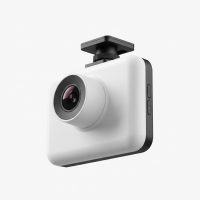
In today’s world, a reliable eyewitness on the road is invaluable, and that’s exactly what a quality dash cam provides. For years, the Rove dash cam lineup has carved out a significant space in the market, offering a compelling blend of high-end features like 4K recording, GPS, and Wi-Fi connectivity at a price point that doesn’t break the bank. As a dash cam specialist with over 15 years of experience testing and installing these devices, I’ve seen countless brands come and go. Rove has consistently impressed me with its commitment to bringing advanced technology to the everyday driver. This guide will walk you through everything you need to know about choosing, installing, and getting the most out of your Rove dash cam.

What Makes a Rove Dash Cam Stand Out?
When drivers ask me for recommendations, they’re usually looking for three things: video quality, ease of use, and value. Rove consistently hits the mark on all three. While premium brands might offer slightly more polished software, Rove delivers the core features that matter most without the hefty price tag.
- Sharp 4K Video: Most Rove models, like the popular R2-4K Pro, are equipped with sensors capable of recording in 4K resolution. This means clearer footage, making it easier to read license plates and identify crucial details in the event of an incident.
- Integrated GPS: Built-in GPS is a feature you don’t always find in this price range. It automatically logs your vehicle’s location and speed, embedding it into your video footage. This data can be crucial for insurance claims or legal disputes.
- Seamless Wi-Fi and App Control: Rove cams use built-in dual-band Wi-Fi to connect to your smartphone via the Rove app. This allows you to view a live feed, change settings, and download saved recordings directly to your phone without needing to remove the microSD card.
- Reliable Core Functions: Features like a G-sensor for automatic incident detection, loop recording to manage storage space, and a hardwire-enabled parking mode provide a comprehensive safety net for your vehicle.
“In my experience, the true value of a Rove dash cam is its accessibility. It packages essential, modern features into a device that’s both affordable and user-friendly, making advanced road safety available to a wider audience.” – Alex Carver, Automotive Technology Expert.
Top Rove Dash Cam Models Explored
While Rove has several models, two stand out for most drivers: the single-channel R2-4K Pro and the dual-channel R2-4K Dual for front and rear coverage.
The All-Rounder: Rove R2-4K Pro
|
Our Picks for the Best Dash Cam in 2026
As an Amazon Associate I earn from qualifying purchases.
|
||
| Num | Product | Action |
|---|---|---|
| 1 | Navycrest 4K Dash Cam Front and Rear with 64GB Card, Built-in 5G WiFi, Dash Camera for Cars 4K Front and 1080P Rear, Dashcams for Cars Loop Recording, Gravity Sensor, 24-Hours Parking Mode |

|
| 2 | VIOFO A229 Plus Dash Cam Front and Rear, Dual STARVIS 2 Sensors, 2 Channel HDR, 1440P+1440P Voice Control Car Dash Camera, 5GHz Wi-Fi, Voice Control, Ultra-Precise GPS (SD Card Not Included) |
|
| 3 | Dash Cam Front and Rear, 1080P Dash Camera for Cars, 3 Channel Car Camera Front Rear and Inside with 32GB Card, Loop Recording, Night Vision, HDR, 24Hr Parking, G-Sensor |
|
| 4 | 4K Dash Cam Front, Built-in 5G WiFi, 64GB Card Included, Dash Camera for Cars, Mini Dashcam with Super Night Vision, Loop Recording, G-Sensor, 24 Hours Parking Monitor, Support 256GB Max |
|
| 5 | REDTIGER 4K Dash Cam Front Rear, STARVIS 2 Sensor, Free Card Included, 5.8GHz WiFi-20MB/s Fast Download, Dash Camera for Cars with GPS, WDR Night Vision, 170°Wide Angle, 24H Parking Mode(F7NP) |
|
| 6 | REDTIGER 4K STARVIS 2 Dash Cam Front and Rear, 5GHz WiFi 20MB/s Download, 128GB Card Included, Voice Control, Dash Camera for Cars with 3.18\" Touch Screen, GPS, Loop Recording, Parking Mode(F7N Touch) |
|
| 7 | ROVE R2-4K DUAL Dash Cam Front and Rear, STARVIS 2 Sensor, FREE 128GB Card Included, 5G WiFi - up to 20MB/s Fastest Download Speed with App, 4K 2160P/FHD Dash Camera for Cars, 3\" IPS, 24H Parking Mode |
|
| 8 | Dash Cam 1296P Front Dashcam, V300 WiFi Dash Camera for Cars with App, Night Vision, Mini Hidden Single Car Camera, Loop Recording, 24H Parking Mode, Support 256GB Max, Black |
|
| 9 | IIWEY N5 4 Channel Dash Cam 360° View, 1080P Front and Rear Inside, Left Right Dash Camera for Cars, 8 IR Lamps Night Vision, 5G WiFi & APP Control, G-Sensor, Parking Mode, with a Free 128GB SD Card |
|
| 10 | Dash Cam Front and Rear, 2.5K+1080P Dual Dash Camera for Cars, 2’’ Display Mini Car Camera, G-Sensor Dashcam, Night Vision, 24H Parking Mode, Loop Recording, 170°Wide Angle, 32GB Card Included |
|
This is arguably Rove’s most popular model and the one I recommend most for drivers who want a simple, effective, forward-facing camera. It’s a workhorse that gets the job done.
- Video Quality: Captures crisp 4K video at 30fps with a wide 150-degree field of view. Its nighttime performance is particularly strong for its class, thanks to a quality Sony sensor that handles low-light conditions well.
- Best For: Daily commuters, rideshare drivers, and anyone who wants a high-quality, “set it and forget it” dash cam focused on the road ahead.
- Considerations: As a single-channel camera, it does not record what’s happening behind your vehicle.
The Complete Package: Rove R2-4K Dual
For those wanting comprehensive coverage, the R2-4K Dual is the logical next step. It includes a second camera to monitor the rear of your vehicle, providing a complete picture of any incident.
- Video Quality: The front camera records in 4K, while the rear camera captures footage in 1080p or 2K, depending on the specific version. While the rear camera’s quality isn’t as high as the front’s, it’s more than sufficient to capture context and identify vehicles behind you.
- Best For: Anyone concerned with rear-end collisions, parking lot incidents, or simply wanting 360-degree peace of mind.
- Considerations: Installation is slightly more involved, as you’ll need to run a cable from the front unit to the rear window.
How to Install Your Rove Dash Cam: A Step-by-Step Guide
One of the most common points of hesitation for new dash cam owners is the installation. The good news is that setting up a Rove dash cam is a straightforward process that most people can complete in under 30 minutes.
- Choose the Right Spot: Find a location on your windshield that gives the camera a clear view of the road without obstructing your vision. The best place is typically behind the rearview mirror. Use the included transparent film before attaching the mount to make removal easier later.
- Mount the Camera: Rove provides both a suction cup mount for temporary placement and an adhesive mount for a more permanent installation. Attach the camera to the mount, then fix the mount to the windshield.
- Route the Power Cable: This is the key to a clean installation. Tuck the USB power cable into the headliner (the fabric ceiling of your car). Run it along the headliner to the passenger-side A-pillar, down the weather stripping along the door frame, under the glove box, and finally to your car’s 12V power outlet.
- Power It Up and Format the SD Card: Insert a high-endurance microSD card (Class 10, U3 required for 4K recording). Plug in the power adapter and start your car. The dash cam will power on. Navigate to the settings menu and use the “Format” option to prepare the SD card for use. This step is crucial for reliable recording.
- Connect to the App: Enable Wi-Fi on the dash cam, connect to it from your phone’s Wi-Fi settings, and open the Rove app to confirm you have a live view and can access the settings.
Getting the Most Out of Key Features
A Rove dash cam is packed with technology designed to work automatically in the background. Understanding these features helps you appreciate what’s happening.
Loop Recording
You don’t have to worry about your memory card filling up. Loop recording continuously records video in short segments (e.g., 1, 3, or 5 minutes). When the card is full, the camera automatically overwrites the oldest, unlocked video file to make space for new recordings.
G-Sensor and Emergency Lock
The built-in G-sensor detects sudden impacts, such as from a collision or heavy braking. When triggered, it automatically locks the current video file, protecting it from being overwritten by the loop recording feature. This ensures that crucial evidence is always preserved.
Parking Mode
To use this feature, you’ll need to hardwire the dash cam to your car’s fuse box using an optional hardwire kit. When enabled, the camera will enter a low-power state when the car is parked. If the G-sensor detects an impact (like a bump in a parking lot), the camera will wake up and record a short video clip, capturing the event even when you’re away.
Frequently Asked Questions (FAQ)
Is Rove a good dash cam brand?
Yes, Rove is considered a very reputable brand, especially in the budget-to-mid-range market. It offers an excellent balance of features, performance, and price, making it a popular choice for both first-time buyers and experienced users.
Do I have to use the Rove app?
While you can operate the dash cam and view recordings directly on its built-in screen, the app provides significant convenience. It makes changing settings easier and allows you to download important footage to your phone for safekeeping or sharing.
How much recording time can I get on a microSD card?
This depends on the card size and video resolution. A 128GB microSD card recording in 4K can typically hold around 8-10 hours of footage before loop recording begins overwriting the oldest files.
Can a Rove dash cam record audio?
Yes, all Rove dash cams have a built-in microphone to record audio inside the vehicle. This feature can be easily disabled in the settings menu if you prefer not to record sound.
What is the difference between WDR and HDR?
WDR (Wide Dynamic Range) and HDR (High Dynamic Range) are both technologies that help the camera capture more balanced images in tricky lighting conditions, such as driving into direct sunlight or at night with bright headlights. Newer models often feature improved HDR for better clarity and reduced glare.
Your Reliable Witness on the Road
Choosing a Rove dash cam is a smart investment in your safety and peace of mind. These devices provide the high-quality video evidence you need to protect yourself from false claims and document unexpected events on the road. With robust features, user-friendly operation, and an accessible price point, Rove has proven that you don’t need to spend a fortune to get reliable protection. By following the guidance in this article, you can confidently select, install, and operate your new dash cam, ensuring you have a trustworthy witness with you on every drive.
Get our weekly buyer guide
Practical specs, not advice. Unsubscribe anytime.