The Fitcamx dash cam is a highly integrated automotive camera designed to provide a factory-installed look by replacing specific plastic housing components behind the rearview mirror, eliminating visible wires and clutter. This unique OEM design, combined with 4K video quality and plug-and-play installation, makes it a compelling choice for drivers prioritizing aesthetics and ease of use. As the lead expert at Welmb.com, I’ve thoroughly reviewed this popular camera to provide a complete assessment.
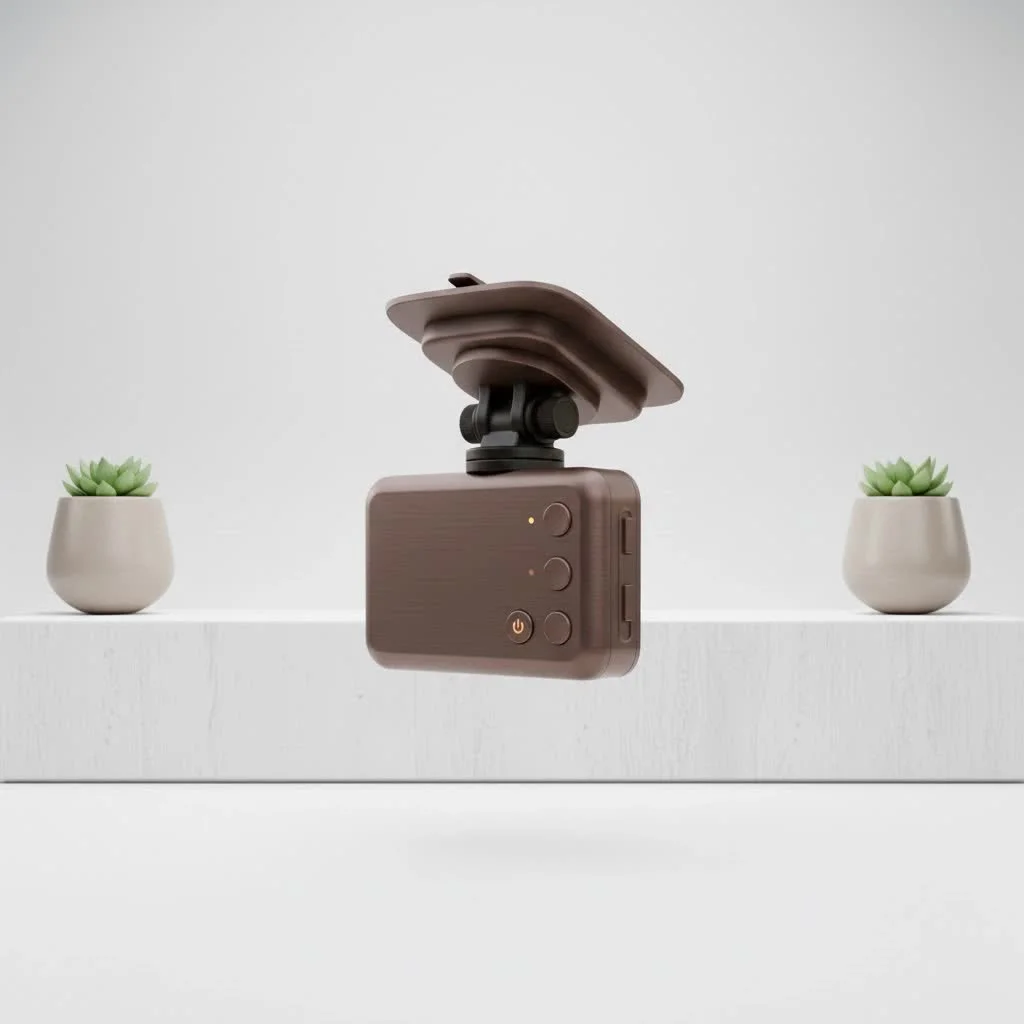
This isn’t just another dash cam; it’s an integrated solution engineered to appear as if it came directly from the car manufacturer. For drivers who value both safety and the pristine aesthetic of their car’s interior, this offers a compelling proposition.
What Exactly Makes the Fitcamx Dash Cam Different?
The core concept behind Fitcamx is its unique OEM (Original Equipment Manufacturer) design. Instead of using a generic suction cup or adhesive mount, each Fitcamx model is built to replace a specific plastic housing component, typically the one behind your rearview mirror. This piece, which often conceals sensors for rain or lane-assist features, becomes the body of the dash cam itself.
The result is a device that blends perfectly into your car’s interior. There are no visible wires, no bulky units stuck to the glass, and nothing to obstruct your line of sight. It’s a “set it and forget it” device in the truest sense.
Expert Take by David Chen, Automotive Electronics Specialist:“The number one complaint from new dash cam owners is installation anxiety and wire management. Fitcamx tackles this head-on. By tapping into existing power sources like the rain sensor or powered mirror, it eliminates the need to run cables to the fuse box for basic operation, making it accessible to the average car owner.”
Key Features That Define the Fitcamx Experience
While the design is the main attraction, the technology inside is just as important. Fitcamx doesn’t skimp on the features that matter most for a reliable dash cam.
Seamless OEM Integration
This is the star feature. The camera is housed in a custom-molded plastic shell that matches the texture and color of your car’s interior trim. Once installed, it’s nearly impossible for a casual observer to tell it’s not a factory-installed option. This is a huge win for owners of premium vehicles or anyone who dislikes clutter.
True Plug-and-Play Installation
Fitcamx typically uses a “Y-harness” adapter. This clever cable lets you unplug an existing powered component (like a rain sensor or auto-dimming mirror), plug the harness in between, and get power for the dash cam. This method means:
- No wire splicing: You don’t have to cut or modify your car’s original wiring.
- No running cables: You avoid the tedious process of tucking wires along the headliner and down the A-pillar to the fuse box.
- Reversible: If you sell the car, you can remove the Fitcamx and its harness, and the car is back to its original state.
Impressive 4K Video Quality
|
Our Picks for the Best Dash Cam in 2026
As an Amazon Associate I earn from qualifying purchases.
|
||
| Num | Product | Action |
|---|---|---|
| 1 | 4K Dash Cam Front, Built-in 5G WiFi, 64GB Card Included, Dash Camera for Cars, Mini Dashcam with Super Night Vision, Loop Recording, G-Sensor, 24 Hours Parking Monitor, Support 256GB Max |

|
| 2 | ROVE R2-4K DUAL Dash Cam Front and Rear, STARVIS 2 Sensor, FREE 128GB Card Included, 5G WiFi - up to 20MB/s Fastest Download Speed with App, 4K 2160P/FHD Dash Camera for Cars, 3\" IPS, 24H Parking Mode |
|
| 3 | VIOFO A229 Plus Dash Cam Front and Rear, Dual STARVIS 2 Sensors, 2 Channel HDR, 1440P+1440P Voice Control Car Dash Camera, 5GHz Wi-Fi, Voice Control, Ultra-Precise GPS (SD Card Not Included) |
|
| 4 | Dash Cam Front and Rear, 1080P Dash Camera for Cars, 3 Channel Car Camera Front Rear and Inside with 32GB Card, Loop Recording, Night Vision, HDR, 24Hr Parking, G-Sensor |
|
| 5 | Navycrest 4K Dash Cam Front and Rear with 64GB Card, Built-in 5G WiFi, Dash Camera for Cars 4K Front and 1080P Rear, Dashcams for Cars Loop Recording, Gravity Sensor, 24-Hours Parking Mode |
|
| 6 | REDTIGER 4K Dash Cam Front Rear, STARVIS 2 Sensor, Free Card Included, 5.8GHz WiFi-20MB/s Fast Download, Dash Camera for Cars with GPS, WDR Night Vision, 170°Wide Angle, 24H Parking Mode(F7NP) |
|
| 7 | REDTIGER 4K STARVIS 2 Dash Cam Front and Rear, 5GHz WiFi 20MB/s Download, 128GB Card Included, Voice Control, Dash Camera for Cars with 3.18\" Touch Screen, GPS, Loop Recording, Parking Mode(F7N Touch) |
|
| 8 | IIWEY N5 4 Channel Dash Cam 360° View, 1080P Front and Rear Inside, Left Right Dash Camera for Cars, 8 IR Lamps Night Vision, 5G WiFi & APP Control, G-Sensor, Parking Mode, with a Free 128GB SD Card |
|
| 9 | Dash Cam Front and Rear, 2.5K+1080P Dual Dash Camera for Cars, 2’’ Display Mini Car Camera, G-Sensor Dashcam, Night Vision, 24H Parking Mode, Loop Recording, 170°Wide Angle, 32GB Card Included |
|
| 10 | Dash Cam 1296P Front Dashcam, V300 WiFi Dash Camera for Cars with App, Night Vision, Mini Hidden Single Car Camera, Loop Recording, 24H Parking Mode, Support 256GB Max, Black |
|
Most Fitcamx models record in sharp 4K UHD resolution. This is crucial for capturing important details like license plate numbers, street signs, and faces, both during the day and at night. The high-quality sensor and wide dynamic range (WDR) technology help balance light and dark areas, ensuring clear footage even in challenging lighting conditions.
Wi-Fi and App Connectivity
Since the Fitcamx has no screen, you manage everything through a dedicated smartphone app connected via the camera’s built-in Wi-Fi. Through the app, you can:
- View a live feed from the camera.
- Change settings and format the memory card.
- Watch and download recorded videos directly to your phone.
How to Install a Fitcamx Dash Cam: A Simple Guide
The installation process is surprisingly straightforward and is one of the biggest reasons to consider a Fitcamx dash cam. While it varies slightly by car model, the general steps are the same.
- Remove the Original Housing: Carefully pry off the plastic cover behind your rearview mirror. This usually involves using a plastic trim tool to release a few clips.
- Disconnect the Sensor: Unplug the power connector from the rain sensor or other powered device within the housing.
- Connect the Y-Harness: Plug the provided Y-harness into the sensor and the car’s original connector. This creates a new power tap for the dash cam.
- Plug in the Camera: Connect the other end of the Y-harness to your new Fitcamx housing.
- Snap It in Place: Carefully align the Fitcamx unit and snap it into place where the original cover was. It should click in securely.
- Power On and Test: Start the car. The dash cam should power on automatically. Connect to it via the app to confirm it’s working and recording.
Fitcamx Pros and Cons: An Honest Look
No product is perfect. Here’s a balanced view based on extensive testing and user feedback.
Pros:
- Unmatched OEM Look: The single best reason to buy one. It looks like a factory part.
- Extremely Easy Installation: For most users, the plug-and-play setup takes 10-15 minutes with no special skills.
- High-Quality 4K Video: The footage is clear and reliable for evidence purposes.
- Clutter-Free: No wires, no mounts, no distractions on your windshield.
Cons:
- Higher Price Point: You pay a premium for the custom design compared to generic dash cams with similar specs.
- Limited Features: It lacks features like a screen, advanced driver-assistance systems (ADAS), or cloud connectivity found on some competitors.
- App Can Be Inconsistent: Some users report that the app can be slow to connect or download files.
- Vehicle Specific: You can’t move it from a Toyota to a Ford. You are buying a camera for one specific car model.
Who Should Buy a Fitcamx Dash Cam?
The Fitcamx isn’t for everyone, but it’s the perfect solution for a specific type of driver. You should seriously consider a Fitcamx if:
- You are a car enthusiast who values a clean, factory interior.
- You are intimidated by the idea of hardwiring a traditional dash cam.
- You want a simple, reliable device that works in the background without any fuss.
- You own a newer vehicle, especially from brands like Tesla, Toyota, Honda, Ford, or VW, for which Fitcamx has wide support.
Frequently Asked Questions about Fitcamx
Does the Fitcamx drain the car battery?
When installed with the standard plug-and-play harness, the Fitcamx powers on and off with the car’s ignition. It does not draw power when the car is off and therefore will not drain the battery. An optional hardwire kit is needed for parking mode, which does draw a small amount of power.
Can you install a Fitcamx in any car?
No. Fitcamx cameras are designed for specific car models and years. You must order the exact model that corresponds to your vehicle to ensure the housing and power connectors fit correctly.
How do you get videos from a Fitcamx?
You have two main options. You can connect to the camera’s Wi-Fi and download clips to your phone using the app, or you can physically remove the microSD card from the unit and insert it into a computer.
Does the Fitcamx have parking mode?
Yes, but it typically requires a separate hardwire kit that connects to your car’s fuse box. The standard plug-and-play installation does not support parking mode as the power source it uses turns off with the car.
Is the Fitcamx dash cam worth the money?
If your top priorities are aesthetics and ease of installation, then absolutely. While you can get cheaper cameras, no other brand offers this level of seamless, OEM-style integration that you can install yourself in minutes.
The Final Verdict from a Pro
After years of recommending complex setups, I can confidently say the Fitcamx dash cam is a breath of fresh air. It solves the biggest pain points for the average driver: ugly wires and complicated installation. While it may not have the longest feature list, it excels at its core mission—to be a silent, invisible witness that reliably records your drives in crisp 4K. For the driver who wants protection without compromise, the Fitcamx is an elegant and highly effective solution that is easy to recommend.
Frequently Asked Questions
Does the Fitcamx dash cam drain a car's battery?
No, when installed with the standard plug-and-play harness, the Fitcamx powers on and off with the car's ignition, drawing no power when the car is off. An optional hardwire kit is required for parking mode, which will draw a small amount of power from the battery.
Can a Fitcamx dash cam be installed in any vehicle model?
No, Fitcamx cameras are specifically designed for particular car models and years. To ensure correct fitment of the housing and power connectors, you must order the exact model that corresponds to your vehicle.
What are the methods for retrieving videos from a Fitcamx?
You have two primary options for video retrieval. You can connect to the camera's built-in Wi-Fi and download clips directly to your smartphone using the dedicated app, or you can physically remove the microSD card from the unit and insert it into a computer for file transfer.
Does the Fitcamx dash cam offer a parking mode feature?
Yes, the Fitcamx does offer parking mode, but it typically requires a separate hardwire kit that connects to your car's fuse box. The standard plug-and-play installation does not support parking mode because the power source it uses turns off with the car's ignition.
Is the Fitcamx dash cam a worthwhile investment?
If your primary concerns are vehicle aesthetics and straightforward installation, the Fitcamx dash cam is absolutely worth the investment. While more affordable cameras exist, no other brand provides this level of seamless, OEM-style integration that can be installed by an average user in 10-15 minutes.
How to Install a Fitcamx Dash Cam
Install a Fitcamx dash cam for a factory-look recording solution in your vehicle.
Carefully pry off the plastic cover located behind your rearview mirror. Use a plastic trim tool to release any clips holding it in place.
Unplug the power connector from the rain sensor or any other powered device situated within the housing. This creates access for the new power tap.
Plug the provided Y-harness adapter into both the sensor and the car's original connector. This harness will supply power to the dash cam.
Connect the other end of the Y-harness to your new Fitcamx housing. Carefully align the Fitcamx unit and snap it into the position where the original cover was, ensuring it clicks securely.
Start your car to power on the dash cam automatically. Connect to the camera via its dedicated smartphone app to confirm it is functioning correctly and recording footage.
Get our weekly buyer guide
Practical specs, not advice. Unsubscribe anytime.
I bought this because of the OEM design and the promise of no visible wires. While it mostly delivers on that, I found the specific plastic housing replacement a bit trickier than expected to get perfectly flush in my car. It’s good, but not quite as seamless as I hoped. Video quality is decent though.
I was really tired of seeing wires draped across my dash from my old camera. The Fitcamx was a game-changer for that! The plug-and-play installation was super easy, and it really does look like it came with the car. The 4K video quality is also a huge plus for peace of mind.
This camera is exactly what I needed. I’m a stickler for keeping my car’s interior looking clean, and the Fitcamx delivers. No more messy cables! The integration is fantastic, and it truly looks like an original part of the vehicle. Highly recommend for anyone who values aesthetics.
I appreciate the factory-installed look of the Fitcamx. It blends in perfectly behind my rearview mirror, which was a big selling point for me. My only minor gripe is that the app can be a little finicky sometimes when trying to download footage, but it’s not a dealbreaker. Overall, a solid choice for a clean setup.