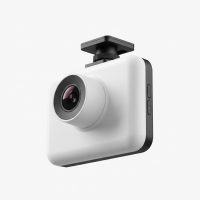
In today’s world of busy roads and unpredictable drivers, a dash cam has shifted from a novelty gadget to an essential tool for any vehicle owner. Think of it as an impartial, always-on witness riding shotgun with you on every journey. Whether you’re commuting to work, embarking on a road trip, or simply running errands, this small device provides peace of mind, security, and crucial evidence should you ever need it. But with a market flooded with options, how do you choose the right one? This comprehensive guide, backed by over 15 years of hands-on experience, will break down everything you need to know.
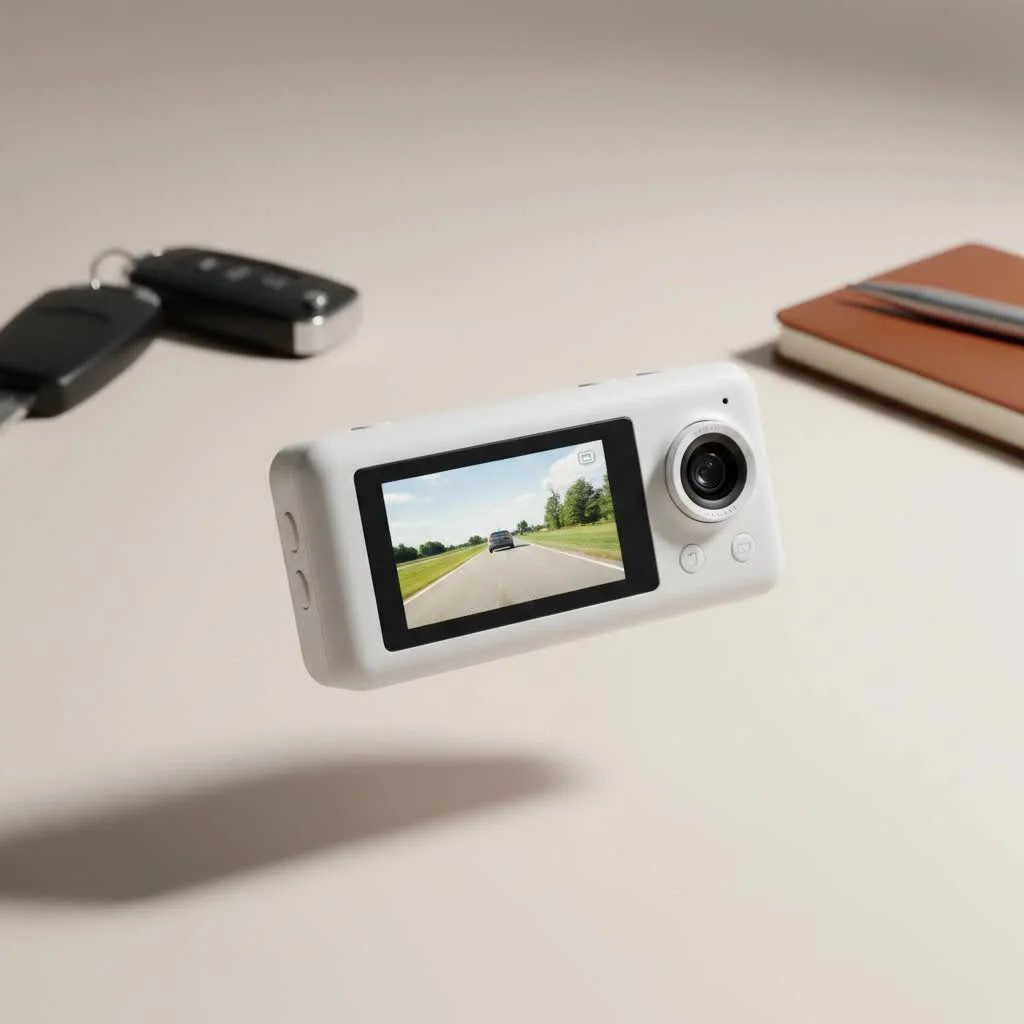
What Are the Different Types of Dash Cams?
The first step in your journey is understanding the main categories of dash cams available. Your choice will depend on your specific needs and how much coverage you want for your vehicle. For more automotive dash guides on this site.
Single-Channel (Forward-Facing)
This is the most common and basic type of dash cam. It consists of a single lens that records the view through your front windshield. It’s excellent for capturing accidents that happen in front of you, documenting road trips, and deterring potential insurance fraud.
- Best for: Everyday commuters, budget-conscious buyers, and those looking for a simple setup.
- Limitation: It offers no visibility of what’s happening behind or inside the vehicle.
Dual-Channel (Front and Rear)
A dual-channel system includes two cameras: one for the front and one for the rear windshield. This provides comprehensive coverage, recording events both in front of and behind your car, which is invaluable for rear-end collisions.
- Best for: Anyone wanting more complete protection, including ride-share drivers and families.
- Consideration: Installation is slightly more complex as it involves running a wire to the rear of the vehicle.
Three-Channel (Front, Rear, and Interior)
Often called a “rideshare camera,” this setup adds a third lens that records the vehicle’s interior. This is the ultimate solution for professional drivers, as it documents interactions with passengers and provides a complete picture of any in-car incident.
- Best for: Uber, Lyft, and taxi drivers, or parents wanting to keep an eye on teen drivers.
- Note: Be aware of local regulations regarding recording passengers, which may require consent.
Key Features That Truly Matter in a Dash Cam
Beyond the number of channels, the specific features of a dash cam determine its effectiveness. Don’t get lost in marketing jargon; focus on these core functionalities.
1. Video Quality and Resolution
|
Our Picks for the Best Dash Cam in 2026
As an Amazon Associate I earn from qualifying purchases.
|
||
| Num | Product | Action |
|---|---|---|
| 1 | REDTIGER 4K STARVIS 2 Dash Cam Front and Rear, 5GHz WiFi 20MB/s Download, 128GB Card Included, Voice Control, Dash Camera for Cars with 3.18\" Touch Screen, GPS, Loop Recording, Parking Mode(F7N Touch) |

|
| 2 | Dash Cam 1296P Front Dashcam, V300 WiFi Dash Camera for Cars with App, Night Vision, Mini Hidden Single Car Camera, Loop Recording, 24H Parking Mode, Support 256GB Max, Black |
|
| 3 | REDTIGER 4K Dash Cam Front Rear, STARVIS 2 Sensor, Free Card Included, 5.8GHz WiFi-20MB/s Fast Download, Dash Camera for Cars with GPS, WDR Night Vision, 170°Wide Angle, 24H Parking Mode(F7NP) |
|
| 4 | Navycrest 4K Dash Cam Front and Rear with 64GB Card, Built-in 5G WiFi, Dash Camera for Cars 4K Front and 1080P Rear, Dashcams for Cars Loop Recording, Gravity Sensor, 24-Hours Parking Mode |
|
| 5 | Dash Cam Front and Rear, 1080P Dash Camera for Cars, 3 Channel Car Camera Front Rear and Inside with 32GB Card, Loop Recording, Night Vision, HDR, 24Hr Parking, G-Sensor |
|
| 6 | ROVE R2-4K DUAL Dash Cam Front and Rear, STARVIS 2 Sensor, FREE 128GB Card Included, 5G WiFi - up to 20MB/s Fastest Download Speed with App, 4K 2160P/FHD Dash Camera for Cars, 3\" IPS, 24H Parking Mode |
|
| 7 | VIOFO A229 Plus Dash Cam Front and Rear, Dual STARVIS 2 Sensors, 2 Channel HDR, 1440P+1440P Voice Control Car Dash Camera, 5GHz Wi-Fi, Voice Control, Ultra-Precise GPS (SD Card Not Included) |
|
| 8 | Dash Cam Front and Rear, 2.5K+1080P Dual Dash Camera for Cars, 2’’ Display Mini Car Camera, G-Sensor Dashcam, Night Vision, 24H Parking Mode, Loop Recording, 170°Wide Angle, 32GB Card Included |
|
| 9 | 4K Dash Cam Front, Built-in 5G WiFi, 64GB Card Included, Dash Camera for Cars, Mini Dashcam with Super Night Vision, Loop Recording, G-Sensor, 24 Hours Parking Monitor, Support 256GB Max |
|
| 10 | IIWEY N5 4 Channel Dash Cam 360° View, 1080P Front and Rear Inside, Left Right Dash Camera for Cars, 8 IR Lamps Night Vision, 5G WiFi & APP Control, G-Sensor, Parking Mode, with a Free 128GB SD Card |
|
Crystal-clear video is non-negotiable. The ability to read a license plate or capture small details can be the difference-maker in an insurance claim.
- Full HD (1080p): This is the minimum standard you should accept. It provides clear footage for most daytime and nighttime conditions.
- 4K Ultra HD: Offers superior clarity and detail, making it easier to identify distant objects and license plates. It’s a worthy upgrade if your budget allows.
“I’ve reviewed countless accident clips over the years,” notes Alex Carter, an automotive electronics specialist with over a decade of experience. “The jump from 1080p to 4K is significant. In hit-and-run scenarios, that extra detail in a 4K recording can be the key piece of evidence police need to identify a vehicle.”
2. Loop Recording
This is a fundamental feature of any modern dash cam. It continuously records video in short segments (e.g., 1, 3, or 5 minutes). When the memory card is full, it automatically overwrites the oldest, non-essential file to make room for new footage. This ensures your camera is always recording without you ever needing to manually clear space.
3. G-Sensor (Gravity Sensor)
A built-in G-sensor detects sudden impacts, such as a collision or harsh braking. When triggered, it automatically locks the current video file, preventing it from being overwritten by the loop recording feature. This ensures your critical evidence is safely stored for later review.
4. Parking Mode
This feature allows the dash cam to monitor your vehicle even when it’s parked and the engine is off. It typically uses motion or impact detection to wake up and record any suspicious activity, such as a bump in a parking lot or a break-in attempt. For this to work, the camera needs a continuous power supply, which usually requires a special hardwiring kit.
5. GPS
An integrated GPS module geotags your video footage with location and speed data. This can provide crucial context to an accident, proving where and when it occurred and how fast you were traveling. This information adds another layer of credibility to your video evidence.
A Step-by-Step Guide to Installing Your Dash Cam
While professional installation is always an option, most dash cams are designed for a simple DIY setup. Here’s a general guide to get you started.
- Choose the Mounting Location: Position the camera behind your rearview mirror. This spot is out of your direct line of sight and is often cleared by your windshield wipers, ensuring a clean view.
- Clean the Windshield: Use a glass cleaner or alcohol wipe to clean the area where the adhesive mount will go. A clean surface ensures a strong, lasting bond.
- Mount the Camera: Peel the backing from the adhesive pad and press the mount firmly against the glass. Hold it for about 30 seconds. Attach the dash cam to the mount.
- Route the Power Cable: This is the key to a clean installation. Start by tucking the cable into the headliner above the windshield.
- Run Down the A-Pillar: Gently pry open the A-pillar cover (the pillar between the windshield and the side window) and tuck the cable alongside the existing wiring.
- Conceal Under the Dashboard: Continue running the cable under the passenger-side dashboard or through the glove box.
- Plug it In: Finally, plug the power adapter into your vehicle’s 12V socket (cigarette lighter). Any excess cable can be bundled with a zip tie and tucked away.
Frequently Asked Questions (FAQ)
Here are answers to some of the most common questions about dash cams.
Do dash cams drain your car battery?
If plugged into a 12V socket that turns off with the car, a dash cam will not drain the battery. If you use a hardwire kit for parking mode, it will draw a small amount of power. However, these kits have a built-in voltage cutoff to prevent the camera from draining your battery completely.
Is it legal to have a dash cam in my car?
In most places, including the United States, dash cams are legal for personal use. However, there are some restrictions on windshield mounting that you should be aware of. Always check your local and state laws to ensure you are compliant.
How much video can a 32GB SD card hold?
A 32GB card can typically hold about 3-4 hours of 1080p Full HD footage. If you are recording in 4K, this time will be significantly less. For most users, a 64GB or 128GB high-endurance SD card is recommended.
Do I need a dash cam with Wi-Fi?
Wi-Fi is a convenience feature that allows you to connect your dash cam to a smartphone app. This makes it easy to view, download, and share footage without needing to remove the SD card and plug it into a computer.
Will a dash cam lower my insurance premium?
While some insurance companies offer a discount for having a dash cam, it is not yet a universal practice. However, the true value lies in its ability to prove you were not at fault in an accident, which can save you from paying a deductible and prevent your premium from increasing.
Making the Right Choice for Your Peace of Mind
Investing in a dash cam is one of the smartest, most proactive decisions a driver can make. It’s a silent guardian that provides an unbiased record of events, protecting you from false claims, hit-and-runs, and road rage incidents. By understanding the different types, focusing on essential features like video quality and a G-sensor, and choosing a model that fits your driving habits, you can equip your vehicle with a powerful tool for safety and security. Drive smarter, drive safer, and never hit the road without your trusted witness on board.
Get our weekly buyer guide
Practical specs, not advice. Unsubscribe anytime.