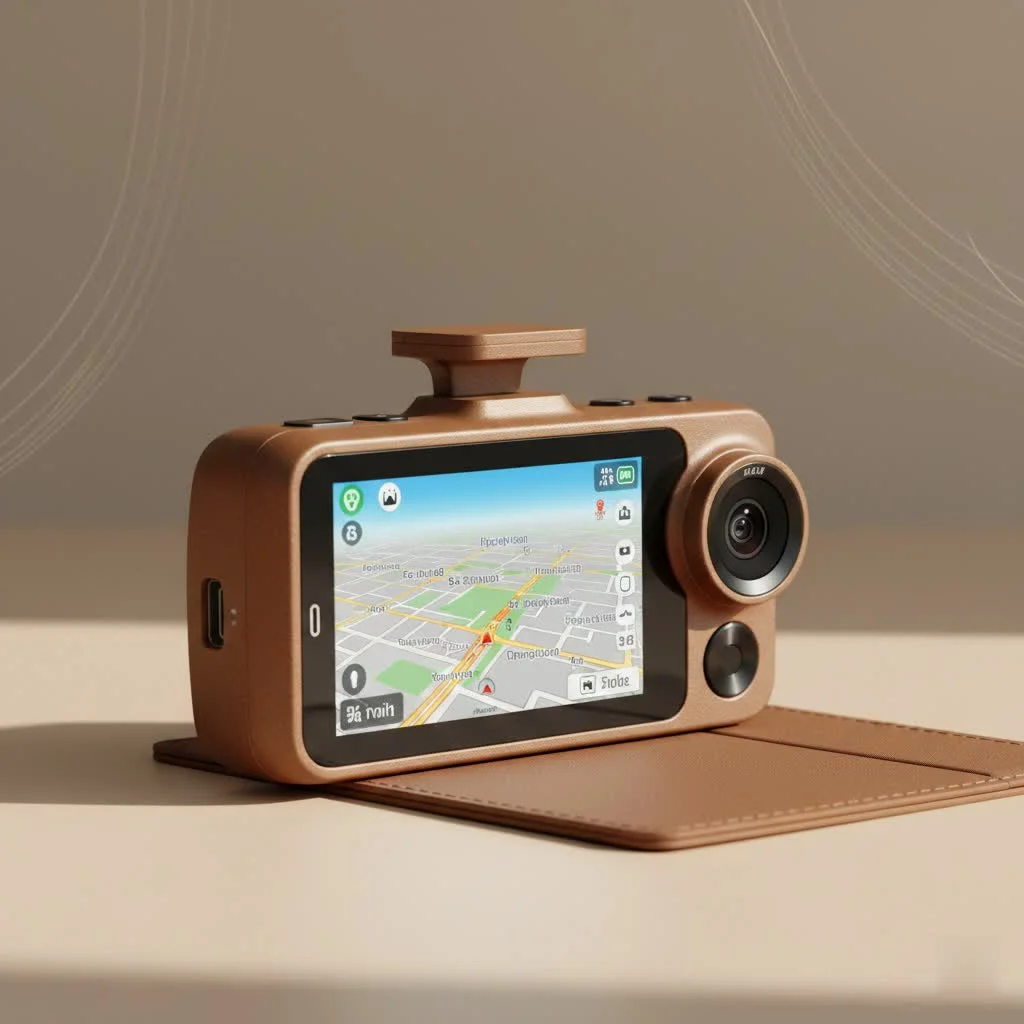
The best dash cam front and rear system provides comprehensive video coverage for your vehicle, offering protection from multiple angles against false claims, unexpected events, and parking incidents. These dual-channel systems are crucial for insurance claims, capturing evidence of hit-and-runs, and reporting dangerous drivers, ensuring 360-degree peace of mind on the road and while parked.
Why a Dual-Channel Dash Cam is a Non-Negotiable Upgrade
Many drivers think a front-only camera is sufficient. However, a significant portion of traffic incidents are not head-on collisions. Common scenarios like being rear-ended at a stoplight, unsafe lane changes from behind, or someone backing into your vehicle in a crowded parking garage often lack objective evidence without a rear camera.
A front and rear dash cam setup, also known as a dual-channel system, provides comprehensive coverage that protects you from multiple angles. This is crucial for:
- Insurance Claims: Providing undeniable video proof of who was at fault in an accident, especially in rear-end collisions where fault is often disputed.
- Parking Incidents: Capturing footage of hit-and-runs or vandalism that occurs when your vehicle is unattended.
- Reporting Dangerous Drivers: Recording evidence of tailgating, road rage, or other reckless behaviors that put everyone at risk.
- Complete Peace of Mind: Knowing that every angle of your vehicle is being monitored, whether you’re driving or parked.
“Many drivers focus only on what’s ahead, but a significant number of incidents, from rear-end collisions to parking lot bumps, happen from behind. A quality front and rear dash cam isn’t a luxury; it’s a necessity for 360-degree peace of mind.” – John Carter, Lead Technician at Welmb.com.
Key Features to Look for in the Best Dash Cam Front and Rear
Choosing a dual-camera system can feel overwhelming with all the technical jargon. Let’s break down the essential features you need to focus on to make an informed decision.
Video Quality: Is 4K a Must-Have?
Video resolution is perhaps the most critical feature. The ability to clearly read a license plate number from a distance can be the difference between a successful insurance claim and a frustrating dead end.
- Front Camera: Aim for a minimum of 1440p (QHD), but 4K (2160p) is highly recommended. The higher resolution provides superior clarity and allows you to zoom in on details without significant pixelation.
- Rear Camera: A resolution of 1080p (Full HD) is generally sufficient. It provides clear, usable footage of events behind your vehicle without requiring massive amounts of storage.
Low-Light Performance and Night Vision
Accidents don’t just happen in broad daylight. Your dash cam must be able to perform well in low-light conditions, at dusk, and at night. Look for models equipped with high-quality image sensors, like Sony’s STARVIS, and features like Wide Dynamic Range (WDR). WDR helps balance the light and dark areas of the footage, preventing overexposure from headlights and underexposure in shadows.
Essential Recording and Safety Features
|
Our Picks for the Best Dash Cam in 2026
As an Amazon Associate I earn from qualifying purchases.
|
||
| Num | Product | Action |
|---|---|---|
| 1 | REDTIGER 4K Dash Cam Front Rear, STARVIS 2 Sensor, Free Card Included, 5.8GHz WiFi-20MB/s Fast Download, Dash Camera for Cars with GPS, WDR Night Vision, 170°Wide Angle, 24H Parking Mode(F7NP) |

|
| 2 | VIOFO A229 Plus Dash Cam Front and Rear, Dual STARVIS 2 Sensors, 2 Channel HDR, 1440P+1440P Voice Control Car Dash Camera, 5GHz Wi-Fi, Voice Control, Ultra-Precise GPS (SD Card Not Included) |
|
| 3 | Dash Cam Front and Rear, 1080P Dash Camera for Cars, 3 Channel Car Camera Front Rear and Inside with 32GB Card, Loop Recording, Night Vision, HDR, 24Hr Parking, G-Sensor |
|
| 4 | Navycrest 4K Dash Cam Front and Rear with 64GB Card, Built-in 5G WiFi, Dash Camera for Cars 4K Front and 1080P Rear, Dashcams for Cars Loop Recording, Gravity Sensor, 24-Hours Parking Mode |
|
| 5 | IIWEY N5 4 Channel Dash Cam 360° View, 1080P Front and Rear Inside, Left Right Dash Camera for Cars, 8 IR Lamps Night Vision, 5G WiFi & APP Control, G-Sensor, Parking Mode, with a Free 128GB SD Card |
|
| 6 | REDTIGER 4K STARVIS 2 Dash Cam Front and Rear, 5GHz WiFi 20MB/s Download, 128GB Card Included, Voice Control, Dash Camera for Cars with 3.18\" Touch Screen, GPS, Loop Recording, Parking Mode(F7N Touch) |
|
| 7 | Dash Cam 1296P Front Dashcam, V300 WiFi Dash Camera for Cars with App, Night Vision, Mini Hidden Single Car Camera, Loop Recording, 24H Parking Mode, Support 256GB Max, Black |
|
| 8 | Dash Cam Front and Rear, 2.5K+1080P Dual Dash Camera for Cars, 2’’ Display Mini Car Camera, G-Sensor Dashcam, Night Vision, 24H Parking Mode, Loop Recording, 170°Wide Angle, 32GB Card Included |
|
| 9 | 4K Dash Cam Front, Built-in 5G WiFi, 64GB Card Included, Dash Camera for Cars, Mini Dashcam with Super Night Vision, Loop Recording, G-Sensor, 24 Hours Parking Monitor, Support 256GB Max |
|
| 10 | ROVE R2-4K DUAL Dash Cam Front and Rear, STARVIS 2 Sensor, FREE 128GB Card Included, 5G WiFi - up to 20MB/s Fastest Download Speed with App, 4K 2160P/FHD Dash Camera for Cars, 3\" IPS, 24H Parking Mode |
|
Beyond video quality, several core functions make a dash cam reliable and effective.
- G-Sensor: This accelerometer detects sudden impacts, such as a collision or heavy braking. When triggered, it automatically locks the current video file, preventing it from being overwritten by the loop recording feature.
- Loop Recording: Dash cams record continuously. To manage storage, loop recording automatically overwrites the oldest unlocked video files on the memory card when it’s full. This ensures you never run out of space.
- Intelligent Parking Mode: This feature provides surveillance while your car is parked. There are two main types:
- Impact-Based: The camera enters a low-power state and only wakes up to record when the G-sensor detects a bump or impact.
- Time-Lapse/Buffered: The camera records continuously at a low frame rate or buffers footage, so when an impact is detected, it saves the clip including the moments before the event occurred. This requires a hardwire kit to draw power from the car’s battery.
Connectivity and Convenience
Modern dash cams offer features that make accessing and managing your footage easier than ever.
- GPS: An integrated or external GPS module geotags your video files with location and speed data. This can be vital for providing context to an incident.
- Wi-Fi and App Control: Wi-Fi allows you to connect your smartphone directly to the dash cam. Through a dedicated app, you can view live footage, change settings, and download saved videos without needing to remove the SD card.
Top Picks for the Best Front and Rear Dash Cams of 2025
After countless hours of testing and installation, here are my top recommendations that deliver on performance, reliability, and value.
| Model | Front Resolution | Rear Resolution | Key Feature | Ideal For |
|---|---|---|---|---|
| Vantrue N4 Pro | 4K | 1080p | 3-Channel Ready | All-around protection |
| Thinkware U3000 | 4K | 1440p | Radar Parking Mode | Advanced parking security |
| Garmin Dash Cam 67W | 1440p | 1080p | Voice Control | Simplicity and ease of use |
| Viofo A129 Pro Duo | 4K | 1080p | Excellent Value | Budget-conscious buyers |
Best Overall: Vantrue N4 Pro
The Vantrue N4 Pro is a powerhouse. It offers a crystal-clear 4K front camera and a 1080p rear camera, but its standout feature is the option to add a 1080p interior camera, making it a 3-channel system. The night vision is exceptional, thanks to its Sony STARVIS 2 sensor, and the buffered parking mode is incredibly reliable when hardwired.
Best for Advanced Parking Security: Thinkware U3000
If protecting your vehicle while parked is your top priority, the Thinkware U3000 is in a class of its own. It uses radar technology in its energy-saving parking mode, allowing it to detect motion with minimal power consumption and “wake up” to record before an impact happens. With a 4K front and 2K rear camera, the video quality is second to none.
Best for Simplicity: Garmin Dash Cam 67W
For those who want a set-it-and-forget-it solution, the Garmin 67W is perfect. It’s incredibly compact, and the voice control feature (“OK, Garmin, save video”) is genuinely useful. While it doesn’t offer 4K, its 1440p front camera provides excellent clarity, and the Garmin ecosystem is known for its reliability and user-friendly app.
A Quick Guide to Installation
Installing a front and rear dash cam might seem daunting, but it’s a straightforward process for most vehicles.
- Mount the Front Camera: Find a discreet spot behind your rearview mirror. Ensure it doesn’t obstruct your view. Clean the windshield before applying the adhesive mount.
- Route the Power Cable: Tuck the power cable into the headliner, down the A-pillar (the pillar between the windshield and the front door), under the glove box, and into your car’s 12V power outlet.
- Mount the Rear Camera: Place the rear camera at the top center of your rear windshield.
- Route the Rear Camera Cable: This is the longest cable. Tuck it along the headliner all the way to the back of the car. You may need to gently pry open plastic panels to hide the wire completely.
- Connect Everything: Connect the rear camera cable to the front unit and plug in the main power adapter.
- Format the SD Card: Use the dash cam’s menu to format the memory card. This ensures optimal performance.
For parking mode functionality, a hardwire kit is required. This involves connecting the dash cam directly to your car’s fuse box. If you’re not comfortable with vehicle electronics, I strongly recommend professional installation.
Frequently Asked Questions (FAQ)
Do front and rear dash cams drain the car battery?When properly installed with a hardwire kit that has a voltage cutoff feature, a dash cam will not drain your battery. The kit monitors the battery’s voltage and will automatically shut off the dash cam if the voltage drops below a safe level, ensuring you can always start your car.
Is a high-endurance SD card really necessary?Yes, absolutely. Dash cams are constantly writing and rewriting data, which is very demanding on a memory card. A high-endurance microSD card is specifically designed for this heavy workload and is far more reliable than a standard card, preventing file corruption and recording failures.
How is the rear dash cam powered?The rear camera is not powered independently. It connects to the main front dash cam unit via a long USB-style cable, which provides both power and data transfer.
Can I view both cameras at the same time?Most dash cams with a built-in screen will show a picture-in-picture view, allowing you to see both front and rear feeds simultaneously. You can also typically switch to a full-screen view of either camera.
What is the average cost for professional installation?The cost for professional hardwire installation of a front and rear dash cam typically ranges from $100 to $250, depending on the vehicle’s complexity and the rates in your area.
Final Thoughts
Choosing the best dash cam front and rear system is an investment in your safety and financial protection. It provides an unbiased record of events, empowers you in disputes, and offers invaluable security when you’re away from your vehicle. By focusing on key features like 4K resolution, excellent night vision, and a reliable parking mode, you can equip your car with a witness that never blinks. Drive smarter, drive safer, and never hit the road without complete coverage again.
Frequently Asked Questions
Do front and rear dash cams drain the car battery?
No, when properly installed with a hardwire kit that includes a voltage cutoff feature, a dash cam will not drain your car battery. The kit monitors the battery's voltage and automatically shuts off the dash cam if the voltage drops below a safe level, ensuring your car can always start.
Is a high-endurance SD card necessary for dash cams?
Yes, a high-endurance microSD card is absolutely necessary for dash cams. Dash cams constantly write and rewrite data, which is a demanding workload for a memory card. High-endurance cards are specifically designed for this continuous operation, preventing file corruption and recording failures that standard cards might experience.
How is the rear dash cam powered and connected?
The rear camera is not powered independently; it connects to the main front dash cam unit via a long USB-style cable. This single cable provides both power to the rear camera and facilitates data transfer back to the front unit for recording and storage.
Can I view footage from both front and rear cameras simultaneously?
Yes, most dash cams with a built-in screen offer a picture-in-picture view, allowing you to see both front and rear feeds simultaneously. Users can typically switch between a combined view and a full-screen view of either the front or rear camera as needed.
What is the typical cost for professional dash cam installation?
The average cost for professional hardwire installation of a front and rear dash cam typically ranges from $100 to $250. This cost can vary based on the complexity of the vehicle's electrical system and the labor rates in your specific geographic area.
Install a Front and Rear Dash Cam
This guide outlines the steps to install a dual-channel dash cam system in your vehicle, covering mounting, cable routing, and setup.
Find a discreet location behind your rearview mirror that does not obstruct your view. Clean the windshield thoroughly before applying the adhesive mount to ensure a secure attachment.
Tuck the main power cable into the headliner, guide it down the A-pillar (the pillar between the windshield and the front door), and then under the glove box to your car's 12V power outlet. Use trim tools if necessary to hide the cable neatly.
Position the rear camera at the top center of your rear windshield. Ensure it has a clear view and is securely attached with its adhesive mount.
Route the long rear camera cable along the headliner all the way to the back of the car. Gently pry open plastic panels to hide the wire completely, ensuring it is not visible or interfering with airbags.
Connect the rear camera cable to the front unit and plug in the main power adapter. Finally, use the dash cam's menu to format the memory card, which ensures optimal performance and prepares it for recording.
Get our weekly buyer guide
Practical specs, not advice. Unsubscribe anytime.
I finally pulled the trigger on a dual-channel system after reading about how important they are for parking incidents. My old front-only cam wouldn’t have caught anything if someone dinged my car in the lot. This new setup gives me so much more peace of mind, especially with all the crazy drivers out there. Definitely worth the investment for the comprehensive coverage.
I got one of the mid-range front and rear dash cams mentioned, hoping to get better protection against false claims. It does record well, but I’ve had a couple of instances where the parking mode didn’t activate properly, which is a bummer. I’m still trying to figure out if it’s a setting issue or the camera itself. When it works, it’s good, but that inconsistency is a concern.
I’ve been using a front and rear dash cam for about a month now, and it’s been great. The video quality is super clear, and I love knowing I have evidence from both directions. My only minor complaint is that the installation for the rear camera was a bit trickier than I expected, even with the guides. Still, it’s working perfectly now and I feel much safer on the road.
After getting rear-ended last year and having a hard time proving it wasn’t my fault, I knew I needed a better solution than just a front camera. This guide really highlighted why a dual-channel system is a non-negotiable upgrade. I went with one of the higher-rated models, and it’s been fantastic. The footage is crystal clear, and I feel so much more secure knowing I’m covered from all angles.