In a world of ever-busier roads, having a reliable, impartial eyewitness on your dashboard has shifted from a novelty to a necessity. As a dash cam specialist with over 15 years of experience at welmb.com, I’ve seen countless devices, but few manage to blend performance, discretion, and intelligence as seamlessly as the Garmin Dash Cam 67W. This isn’t just another camera; it’s a compact guardian for your journey, packing high-end features into a body barely larger than a matchbox. If you’re looking for a “set it and forget it” device that delivers when it matters most, this comprehensive review will show you why the 67W deserves your attention.
Why the Garmin 67W Is Your Perfect Co-Pilot
The true value of a dash cam is revealed in its ability to capture critical details, operate without fuss, and fit unobtrusively into your vehicle. The Garmin 67W excels in these core areas, setting a high benchmark for what a premium, compact dash cam should be.
Crystal-Clear Evidence: 1440p HDR Video Quality
When an incident occurs, video clarity is non-negotiable. The Garmin 67W records in 1440p resolution, which is a significant step up from the standard 1080p Full HD. This higher pixel count means sharper, more detailed images, making it easier to read license plates and street signs.
But resolution is only half the story. The camera also features Garmin’s Clarity™ HDR (High Dynamic Range) technology. This is crucial for handling challenging lighting conditions.
- Bright Sunlight: HDR prevents the sky from being overexposed and washing out details in shadowed areas.
- Low Light & Night: It brightens up darker parts of the scene without creating excessive grain, capturing crucial details even after sunset.
The result is balanced, clear footage across a wide range of driving environments, ensuring your evidence is always usable.
See the Whole Picture: The 180-Degree Wide-Angle Lens
What happens at the edges of the frame can be just as important as what happens directly in front. The “W” in 67W stands for “Wide,” and its 180-degree field of view is one of its standout features. This ultra-wide perspective captures an expansive view of the road, often covering multiple lanes and activity on the sidewalks. This is invaluable for documenting events like someone merging into your lane or a pedestrian stepping out unexpectedly. While there is a slight “fisheye” distortion at the very edges, it’s a small trade-off for the immense benefit of capturing a more complete picture of any incident.
Small but Mighty: A Design That Disappears
|
Our Picks for the Best Dash Cam in 2026
As an Amazon Associate I earn from qualifying purchases.
|
||
| Num | Product | Action |
|---|---|---|
| 1 | REDTIGER 4K Dash Cam Front Rear, STARVIS 2 Sensor, Free Card Included, 5.8GHz WiFi-20MB/s Fast Download, Dash Camera for Cars with GPS, WDR Night Vision, 170°Wide Angle, 24H Parking Mode(F7NP) |

|
| 2 | ROVE R2-4K DUAL Dash Cam Front and Rear, STARVIS 2 Sensor, FREE 128GB Card Included, 5G WiFi - up to 20MB/s Fastest Download Speed with App, 4K 2160P/FHD Dash Camera for Cars, 3\" IPS, 24H Parking Mode |
|
| 3 | 4K Dash Cam Front, Built-in 5G WiFi, 64GB Card Included, Dash Camera for Cars, Mini Dashcam with Super Night Vision, Loop Recording, G-Sensor, 24 Hours Parking Monitor, Support 256GB Max |
|
| 4 | IIWEY N5 4 Channel Dash Cam 360° View, 1080P Front and Rear Inside, Left Right Dash Camera for Cars, 8 IR Lamps Night Vision, 5G WiFi & APP Control, G-Sensor, Parking Mode, with a Free 128GB SD Card |
|
| 5 | Dash Cam 1296P Front Dashcam, V300 WiFi Dash Camera for Cars with App, Night Vision, Mini Hidden Single Car Camera, Loop Recording, 24H Parking Mode, Support 256GB Max, Black |
|
| 6 | Navycrest 4K Dash Cam Front and Rear with 64GB Card, Built-in 5G WiFi, Dash Camera for Cars 4K Front and 1080P Rear, Dashcams for Cars Loop Recording, Gravity Sensor, 24-Hours Parking Mode |
|
| 7 | Dash Cam Front and Rear, 1080P Dash Camera for Cars, 3 Channel Car Camera Front Rear and Inside with 32GB Card, Loop Recording, Night Vision, HDR, 24Hr Parking, G-Sensor |
|
| 8 | VIOFO A229 Plus Dash Cam Front and Rear, Dual STARVIS 2 Sensors, 2 Channel HDR, 1440P+1440P Voice Control Car Dash Camera, 5GHz Wi-Fi, Voice Control, Ultra-Precise GPS (SD Card Not Included) |
|
| 9 | Dash Cam Front and Rear, 2.5K+1080P Dual Dash Camera for Cars, 2’’ Display Mini Car Camera, G-Sensor Dashcam, Night Vision, 24H Parking Mode, Loop Recording, 170°Wide Angle, 32GB Card Included |
|
| 10 | REDTIGER 4K STARVIS 2 Dash Cam Front and Rear, 5GHz WiFi 20MB/s Download, 128GB Card Included, Voice Control, Dash Camera for Cars with 3.18\" Touch Screen, GPS, Loop Recording, Parking Mode(F7N Touch) |
|
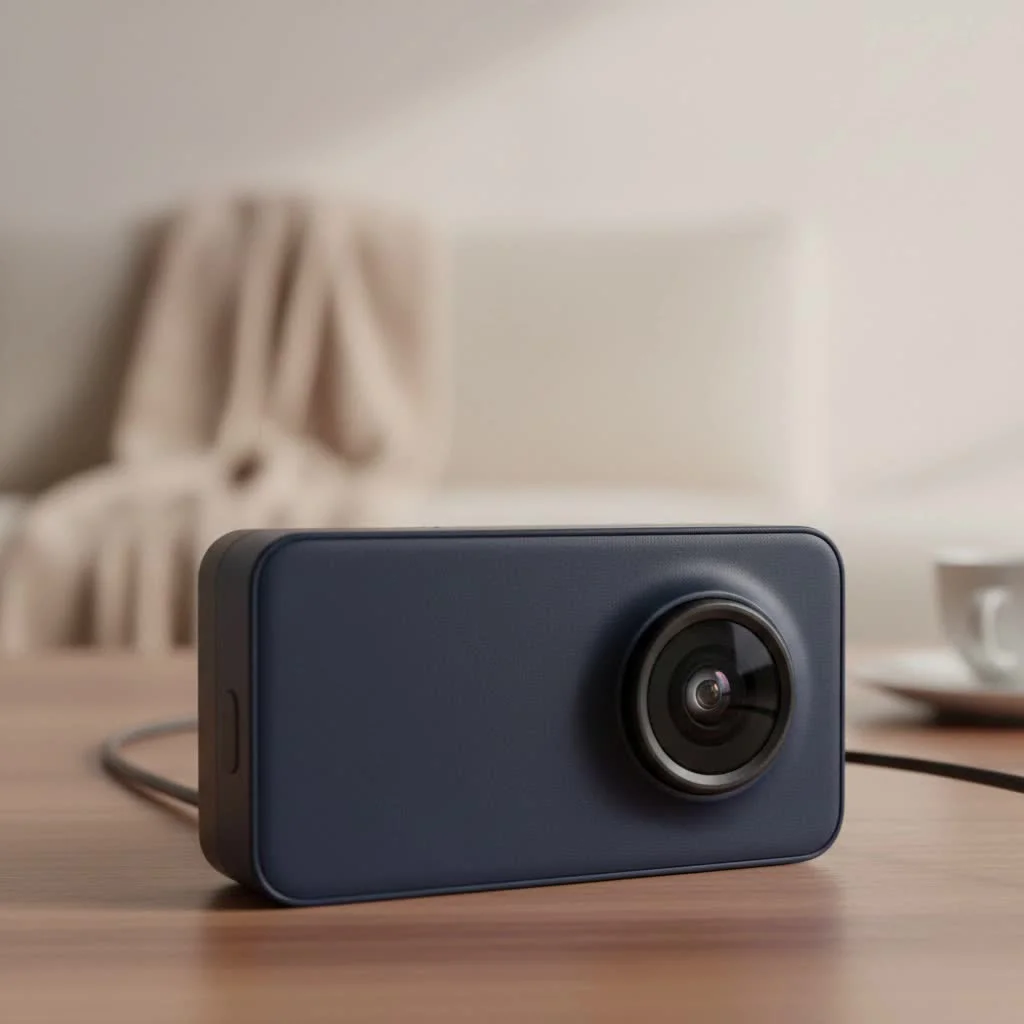
One of the best things about the 67W is that you’ll quickly forget it’s even there. Its incredibly compact, matchbox-sized design allows it to be tucked away neatly behind the rearview mirror, avoiding any obstruction of your view. This subtlety also makes it less of a target for thieves.
Garmin pairs this small form factor with a brilliant mounting system. Instead of a bulky suction cup, it uses a small, coin-sized magnet that adheres to your windshield. The dash cam then snaps onto this mount, holding it securely while allowing for easy removal. It’s a simple, elegant, and highly effective solution.
Smart Features That Actually Make a Difference
The Garmin 67W goes beyond simple recording, integrating a suite of smart features that enhance its usability and provide extra layers of security and convenience.
Your Voice is the Command
Fiddling with buttons on any device while driving is a bad idea. Garmin’s voice control feature solves this problem beautifully. By starting with the simple prompt “OK, Garmin,” you can use your voice for key functions:
- Save a video clip permanently.
- Take a picture.
- Start or stop audio recording.
- Start or stop the Travelapse™ video capture feature.
The voice commands are responsive and reliable, allowing you to control the camera without ever taking your hands off the wheel.
Always Connected: Wi-Fi, the Drive App, and Cloud Storage
Built-in Wi-Fi is the gateway to the 67W’s connected features, all managed through the Garmin Drive™ app on your smartphone. Once connected, you can easily view, edit, and share saved footage.
The most significant connected feature is the Vault Storage. When an incident is detected, the camera can automatically upload the saved clip to Garmin’s secure online cloud via a trusted Wi-Fi network (like your home’s). The clip is stored for free for 24 hours, with options for extended storage plans. This provides a crucial off-site backup, ensuring your evidence is safe even if the camera or SD card is stolen or damaged.
For those who hardwire the camera for constant power, you can also access Live View to remotely see what your camera sees, offering peace of mind when you’re away from your vehicle.
Built-in GPS: More Than Just a Video
A video clip of an incident is good, but a video clip with verified data is even better. The integrated GPS automatically embeds every recording with crucial information, including the precise location, date, time, and your vehicle’s speed. This data provides vital context and can be invaluable for police reports and insurance claims, leaving no room for dispute about when and where an event occurred.
The Real-World Experience: Living with the 67W
Technical specifications are one thing, but how a device performs day-to-day is what truly matters.
Installation and Setup: A Breeze for Anyone
Getting the Garmin 67W up and running is remarkably straightforward. The box includes a long power cable that can be easily tucked along the headliner and down the A-pillar to the 12V outlet, as well as a shorter cable. The dual-USB 12V adapter is a thoughtful touch, allowing you to power the dash cam while still having a port free to charge your phone. The initial setup is guided by on-screen prompts and is intuitive, even for those new to dash cams.
The Driver “Aids”: Helpful or Annoying?
The 67W comes equipped with a suite of driver assistance features, such as Forward Collision Warnings and Lane Departure Warnings. While the intention is to improve safety, their sensitivity can sometimes lead to frequent alerts in stop-and-go city traffic, which some drivers may find distracting. Thankfully, Garmin makes it very easy to disable any or all of these alerts through the menu, allowing you to customize the experience to your preference.
Are There Any Downsides?
No device is perfect, and the Garmin 67W has a few considerations. The premium features come with a premium price tag, though it has become more competitive since its launch. It also does not include a microSD card in the box, so you’ll need to purchase a high-endurance card separately. Finally, to unlock the full potential of features like Parking Guard and Live View, the camera requires a constant power source, which means using Garmin’s hardwire kit (sold separately) and potentially having it professionally installed.
Expert Verdict: Who Should Buy the Garmin Dash Cam 67W?
After extensive testing and comparison, the Garmin Dash Cam 67W stands out as a top-tier choice for the discerning driver who values performance, discretion, and reliability.
As an industry veteran, I can say that the Garmin 67W truly embodies the evolution of dash cams from bulky novelties to essential, compact guardians. Its combination of a super-wide lens and crisp 1440p HDR video in such a tiny package is what sets it apart. It’s a device you set up once and trust to capture the details that matter, no questions asked. – Alex Carter, Welmb.com
This dash cam is ideal for daily commuters, road trippers, and anyone who wants irrefutable video evidence without a cluttered windshield. If you prioritize excellent video quality, a wide viewing angle, and a “fire-and-forget” user experience backed by useful smart features, the Garmin Dash Cam 67W is one of the best investments you can make for your safety and peace of mind on the road.
Frequently Asked Questions (FAQ)
What is the Garmin Vault feature?
Garmin Vault is a secure online cloud storage service. When the 67W is connected to a trusted Wi-Fi network, it can automatically upload videos of saved incidents. The footage is stored for free for 24 hours, giving you time to access and download it.
Does the Garmin 67W record audio?
Yes, the Garmin 67W has a built-in microphone to record audio inside the vehicle, which can be crucial for capturing conversations during an incident. You can easily turn audio recording on or off at any time using the side buttons or a voice command.
Do I need to hardwire the Garmin 67W?
No, you do not need to hardwire the camera for normal driving operation; it works perfectly when plugged into your car’s 12V power outlet. However, to use advanced features like Parking Guard (which monitors for incidents while parked) and Live View, a constant power source from a hardwire kit is required.
What size SD card does the Garmin 67W use?
The Garmin Dash Cam 67W requires a microSD card of at least 8 GB, Class 10 or faster. For best performance and reliability with high-resolution video, it is highly recommended to use a high-endurance microSD card designed specifically for dash cams or security cameras.
Can you turn off the driver alerts on the 67W?
Yes, absolutely. All driver assistance features, including the Forward Collision Warning, Lane Departure Warning, and “Go” alerts, can be individually enabled or disabled in the camera’s settings menu, allowing you to customize the device to your personal preference.
Get our weekly buyer guide
Practical specs, not advice. Unsubscribe anytime.
After reading about the Garmin 67W’s performance, I decided to upgrade, and I’m so glad I did. The incident detection has already given me peace of mind on a couple of occasions. It’s definitely a reliable, impartial eyewitness on the dashboard, just as described. Worth every penny for the security it provides.
This dash cam is a solid choice. I appreciate the high-end features packed into such a tiny device. My only minor complaint is that the initial setup took a little longer than I expected to get all the settings just right. Once it’s going though, it’s a compact guardian for sure.
The Garmin 67W does a good job capturing details, especially the wide-angle view is impressive. However, I found the voice control to be a bit finicky at times, not always responding on the first try. It’s not a dealbreaker, but something to be aware of if you rely on that feature a lot.
I’ve been using the Garmin 67W for a few weeks now and it’s exactly what I needed. The ‘set it and forget it’ aspect is spot on. I love how small it is; it really does fit unobtrusively behind my rearview mirror, barely noticeable from outside. The video quality is fantastic, even at night, which was a big concern for me.