As a car owner, you understand the importance of protecting your investment and ensuring your safety on the road. For years, aftermarket dash cams have been the go-to solution, but Toyota has changed the game with its own genuine accessory: the Toyota Integrated Dash Cam. This device promises seamless integration, reliable performance, and the peace of mind that comes with an Original Equipment Manufacturer (OEM) product. But is it the right choice for you compared to the countless other options on the market?
With over 15 years of hands-on experience with every type of dash cam imaginable, I’ve seen the technology evolve from bulky, low-resolution gadgets to the sleek, smart devices we have today. At Welmb.com, we’re dedicated to cutting through the noise and giving you the expert, unbiased information you need. Let’s take a deep dive into the Toyota Integrated Dash Cam and see if it truly delivers on its promises.
What Exactly Is the Toyota Integrated Dash Cam?
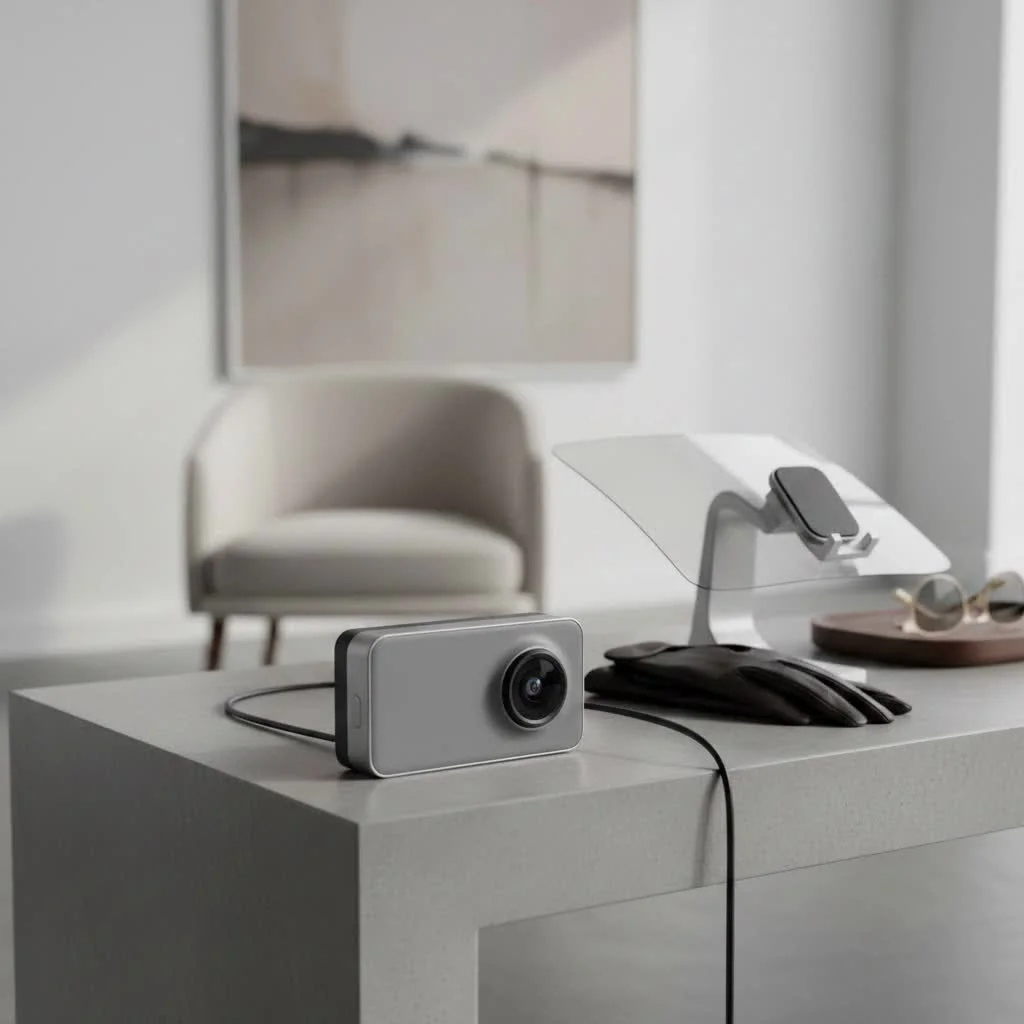
The Toyota Integrated Dash Cam is a video recording device designed by Toyota, specifically for its vehicles. Unlike universal dash cams that often require messy wiring and suction cup mounts, this camera is designed to blend seamlessly with the vehicle’s interior. It’s typically installed behind the rearview mirror, offering a clean, factory-fitted look that doesn’t obstruct the driver’s view.
Its primary function is to continuously record your drives, automatically capturing events like accidents or sudden stops. This footage can be invaluable for insurance claims, reporting dangerous drivers, or simply capturing unexpected moments on the road.
Key Features That Set It Apart
While features can vary slightly by model year and region, the core functionality of the Toyota Integrated Dash Cam is built around reliability and ease of use.
- Full HD Recording: It captures clear 1080p video, ensuring that important details like license plates and road signs are legible.
- Automatic Incident Recording: An integrated G-force sensor detects impacts, such as a collision or heavy braking, and automatically locks the video file to prevent it from being overwritten.
- Parking Surveillance: This is a crucial feature. When the vehicle is parked and turned off, the camera can enter a surveillance mode. It uses its internal battery to wake up and record if it detects an impact, helping you capture hit-and-runs or vandalism.
- Wi-Fi and App Connectivity: You can connect the dash cam to your smartphone via a dedicated app (like the “Toyota Integrated Dashcam” app). This allows you to view live video, change settings, and download recorded footage directly to your phone without needing to remove the SD card.
- Industrial-Grade SD Card: Toyota typically includes a high-endurance microSD card designed to withstand the constant rewriting and extreme temperatures inside a vehicle, which is a major point of failure for cheaper dash cams.
- Discreet, OEM Design: Perhaps its biggest selling point is the clean installation. It looks like it’s part of the car, which deters theft and avoids the clutter of dangling wires.
As an expert in vehicle electronics, I can’t overstate the value of a professional, integrated installation. “The main advantage of the Toyota Integrated Dash Cam is its flawless integration with the vehicle’s power system,” says automotive tech specialist David Chen. “It’s designed to work without draining your car’s main battery or interfering with other onboard electronics, which is a common issue with improperly installed aftermarket units.”
Which Toyota Models Offer the Integrated Dash Cam?
The Toyota Integrated Dash Cam is available as an optional accessory for a wide range of new and recent Toyota models. Compatibility is constantly expanding, but it’s commonly offered on popular vehicles, including:
- Camry
- RAV4
- Highlander
- Tacoma
- Sienna
- Corolla
- 4Runner
The best way to confirm availability is to check with your local Toyota dealership when purchasing a new vehicle or inquiring about adding it to your existing one. It’s often installed by the dealer, ensuring it’s done correctly and covered under warranty.
How to Choose the Right Dash Cam: Toyota vs. Aftermarket
This is the central question for most buyers. The choice between Toyota’s integrated solution and a third-party brand like BlackVue, Vantrue, or Garmin depends on your priorities.
The Case for the Toyota Integrated Dash Cam
|
Our Picks for the Best Dash Cam in 2026
As an Amazon Associate I earn from qualifying purchases.
|
||
| Num | Product | Action |
|---|---|---|
| 1 | Dash Cam 1296P Front Dashcam, V300 WiFi Dash Camera for Cars with App, Night Vision, Mini Hidden Single Car Camera, Loop Recording, 24H Parking Mode, Support 256GB Max, Black |

|
| 2 | ROVE R2-4K DUAL Dash Cam Front and Rear, STARVIS 2 Sensor, FREE 128GB Card Included, 5G WiFi - up to 20MB/s Fastest Download Speed with App, 4K 2160P/FHD Dash Camera for Cars, 3\" IPS, 24H Parking Mode |
|
| 3 | Dash Cam Front and Rear, 1080P Dash Camera for Cars, 3 Channel Car Camera Front Rear and Inside with 32GB Card, Loop Recording, Night Vision, HDR, 24Hr Parking, G-Sensor |
|
| 4 | Dash Cam Front and Rear, 2.5K+1080P Dual Dash Camera for Cars, 2’’ Display Mini Car Camera, G-Sensor Dashcam, Night Vision, 24H Parking Mode, Loop Recording, 170°Wide Angle, 32GB Card Included |
|
| 5 | VIOFO A229 Plus Dash Cam Front and Rear, Dual STARVIS 2 Sensors, 2 Channel HDR, 1440P+1440P Voice Control Car Dash Camera, 5GHz Wi-Fi, Voice Control, Ultra-Precise GPS (SD Card Not Included) |
|
| 6 | 4K Dash Cam Front, Built-in 5G WiFi, 64GB Card Included, Dash Camera for Cars, Mini Dashcam with Super Night Vision, Loop Recording, G-Sensor, 24 Hours Parking Monitor, Support 256GB Max |
|
| 7 | REDTIGER 4K STARVIS 2 Dash Cam Front and Rear, 5GHz WiFi 20MB/s Download, 128GB Card Included, Voice Control, Dash Camera for Cars with 3.18\" Touch Screen, GPS, Loop Recording, Parking Mode(F7N Touch) |
|
| 8 | Navycrest 4K Dash Cam Front and Rear with 64GB Card, Built-in 5G WiFi, Dash Camera for Cars 4K Front and 1080P Rear, Dashcams for Cars Loop Recording, Gravity Sensor, 24-Hours Parking Mode |
|
| 9 | REDTIGER 4K Dash Cam Front Rear, STARVIS 2 Sensor, Free Card Included, 5.8GHz WiFi-20MB/s Fast Download, Dash Camera for Cars with GPS, WDR Night Vision, 170°Wide Angle, 24H Parking Mode(F7NP) |
|
| 10 | IIWEY N5 4 Channel Dash Cam 360° View, 1080P Front and Rear Inside, Left Right Dash Camera for Cars, 8 IR Lamps Night Vision, 5G WiFi & APP Control, G-Sensor, Parking Mode, with a Free 128GB SD Card |
|
- Simplicity and Peace of Mind: You buy it, the dealer installs it, and it works. It’s covered by a Toyota accessory warranty, and you have a single point of contact for any issues.
- Perfect Integration: There are no wires to hide and no mounts to worry about falling off the windshield in extreme heat. The aesthetic is perfect.
- Reliability: It’s built to Toyota’s standards with high-quality components, like the industrial-grade SD card, designed for the automotive environment.
The Case for Aftermarket Dash Cams
- Advanced Features: High-end aftermarket models often offer superior features, such as 4K resolution, better low-light performance with premium image sensors (like Sony STARVIS), cloud connectivity for remote viewing, and more robust parking modes.
- More Options: You can choose from single-channel (front-only), dual-channel (front and rear), or even three-channel (front, rear, and interior) systems.
- Potentially Lower Cost: While not always the case, you can often find an aftermarket dash cam with comparable or better specs for a lower price, especially if you’re comfortable with a DIY installation.
| Feature | Toyota Integrated Dash Cam | High-End Aftermarket Dash Cam |
|---|---|---|
| Video Resolution | Typically 1080p Full HD | Often 2K or 4K Ultra HD |
| Installation | Professional, seamless, dealer-installed | DIY or professional install; may have visible wires |
| Warranty | Covered by Toyota Accessory Warranty | Manufacturer’s warranty (typically 1-2 years) |
| App/Connectivity | Basic app for viewing/downloading | Advanced apps with cloud features, GPS mapping |
| Parking Mode | Impact-detection based | Advanced options (time-lapse, motion detection) |
| Price | Mid-to-high range (including installation) | Wide range, from budget to premium |
Step-by-Step Guide to Using Your Toyota Dash Cam
Once your dash cam is installed, using it is straightforward. Here’s a quick rundown of the typical process:
- Download the App: Search for the “Toyota Integrated Dashcam” app on the Apple App Store or Google Play Store.
- Connect to the Dash Cam’s Wi-Fi: Turn your vehicle on. In your phone’s Wi-Fi settings, look for a network broadcast by the dash cam (the name will be in the user manual) and connect to it using the default password.
- Launch the App: Open the app. You should now be able to see a live view from the camera.
- Review Footage: Navigate the app to view recorded files. They are usually categorized into “Continuous,” “Incident,” and “Parked” folders.
- Download and Save: Select the clips you want to save and download them directly to your phone’s camera roll for easy sharing or saving.
- Adjust Settings: Use the app to adjust settings like G-sensor sensitivity, video quality, and audio recording preferences.
Frequently Asked Questions (FAQ)
Does the Toyota dash cam record audio?
Yes, it has a built-in microphone to record audio inside the cabin. This feature can be turned off through the companion app if you prefer privacy.
How does the parking mode work without draining my car battery?
The dash cam has a small, built-in battery. It’s designed to power the device for short periods to record incidents detected while parked. It doesn’t draw power from the main car battery, preventing drainage.
What happens when the SD card is full?
The dash cam uses a feature called loop recording. When the memory card is full, it automatically overwrites the oldest, non-protected files. Incident files, which are locked by the G-sensor, are protected from being overwritten.
Can I install the Toyota Integrated Dash Cam myself?
While it might be technically possible for someone with advanced knowledge of car electronics, it is strongly recommended to have it installed by a certified Toyota technician. This ensures it’s wired correctly and doesn’t void your vehicle’s warranty.
Is the video quality good enough for insurance purposes?
Absolutely. The 1080p resolution is the industry standard and is more than sufficient to clearly capture the details needed for an insurance claim or police report, such as vehicle movements, road conditions, and license plates in most lighting conditions.
The Final Verdict: Is It Worth It?
The Toyota Integrated Dash Cam is an excellent choice for the Toyota owner who values convenience, reliability, and a clean, factory-finish look above all else. It eliminates the guesswork of choosing from hundreds of online brands and the hassle of installation. You get a solid, dependable device that does its job without any fuss, backed by the assurance of the Toyota brand.
However, if you are a tech enthusiast who wants the absolute best video quality (4K), advanced cloud features, or a multi-channel setup that includes a rear camera, you will likely be better served by a top-tier aftermarket solution.
Ultimately, the decision comes down to your personal needs. For a seamless, set-it-and-forget-it safety solution, Toyota’s integrated offering is a fantastic and worthwhile investment in your peace of mind on the road.
Get our weekly buyer guide
Practical specs, not advice. Unsubscribe anytime.
After reading about the benefits of an OEM product, I decided to go with the Toyota Integrated Dash Cam for my Highlander. It was super easy to get installed at the dealership, and I haven’t had any issues with it. The reliable performance is key for me, and it’s been consistently recording without any glitches. Definitely a solid choice if you want something hassle-free.
I’ve tried so many different dash cams over the years, from cheap ones to really expensive aftermarket models. The Toyota Integrated Dash Cam really stands out because of how well it works with my Tundra. It’s great to have a product that’s designed specifically for the vehicle, and the peace of mind from knowing it’s a genuine accessory is worth it.
I’ve been looking for a dash cam that doesn’t look like an afterthought in my RAV4, and the Toyota Integrated Dash Cam is exactly what I needed. The seamless integration is a huge plus, it really looks like it came with the car. The video quality is excellent, even at night, and it gives me a lot of peace of mind knowing I have that extra layer of protection.
I picked up the Toyota Integrated Dash Cam for my new Camry, and while it’s generally good, I was a bit disappointed with the app interface. It feels a little clunky compared to some aftermarket options I’ve used before. The OEM quality is there, but I wish the software experience was a bit more polished for the price.