A small dash cam is a compact, discreet vehicle camera designed to provide security and evidence without obstructing the driver’s view or cluttering the dashboard. These devices are engineered for minimalism, often lacking screens and relying on adhesive mounts to blend seamlessly into a car’s interior, making them less noticeable to potential thieves and ensuring an unobstructed field of vision for the driver.
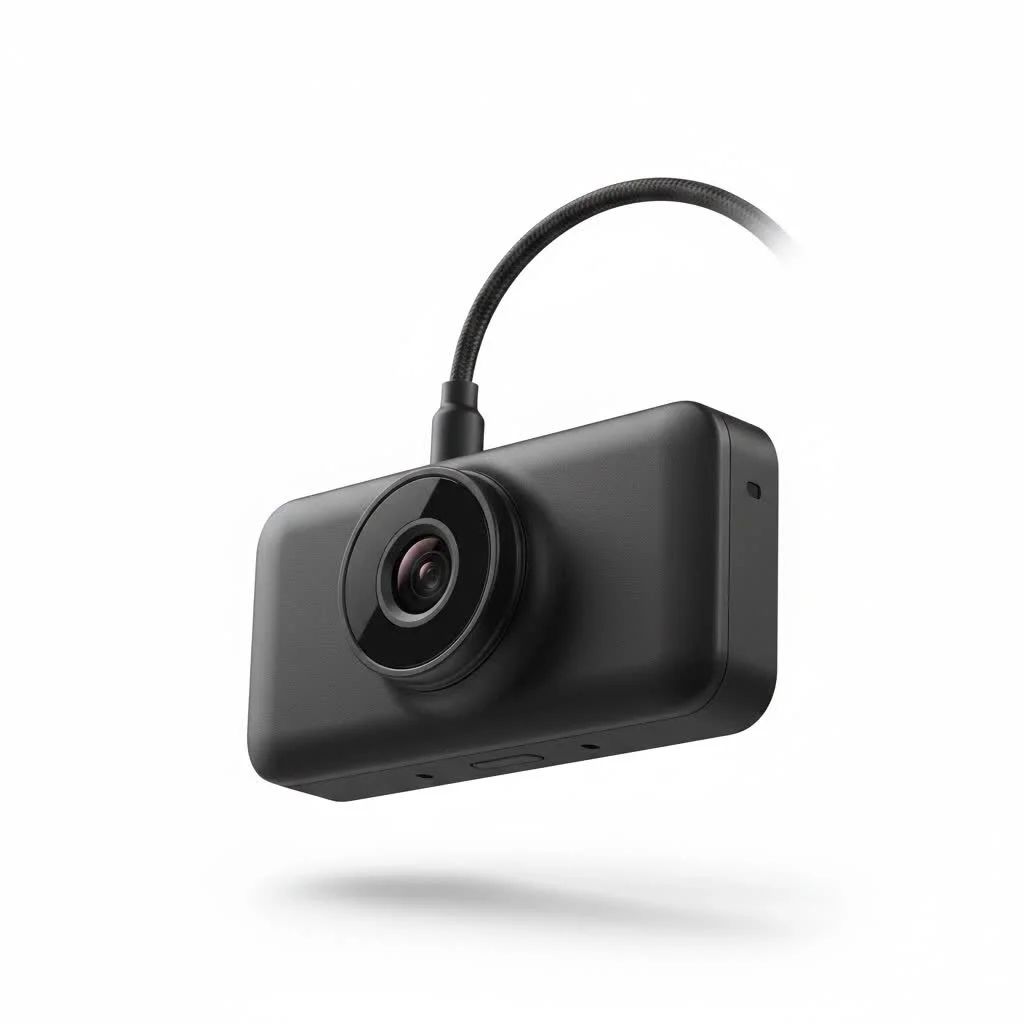 dash cam mounted discreetly behind a car’s rearview mirror” style=”margin: 20px auto;width: 800px;max-width: 100%;height: auto” />
What Defines a “Small” or “Discreet” Dash Cam?
When we talk about a small dash cam, we’re not just referring to its physical dimensions. We’re talking about a design philosophy centered on minimalism and stealth. These devices are engineered to blend in, not stand out.
- Form Factor: The most discreet models often lack a screen. They adopt shapes like a small wedge that tucks neatly behind the rearview mirror, a compact cylinder, or a tiny cube. The goal is to be nearly invisible from both inside and outside the car.
- Mounting: They typically use a strong adhesive mount directly on the windshield rather than a bulky suction cup. This creates a more permanent, flush, and less noticeable installation.
- Minimalist Design: These cameras have few, if any, buttons and often rely on a companion smartphone app for settings and video playback. The focus is purely on recording the road ahead without distraction.
The Overlooked Benefits of a Compact Dash Cam
Choosing a smaller device isn’t about compromise; it’s about making a smart, strategic choice for safety and security. A small dash cam offers unique advantages over its larger counterparts.
An Unobstructed View is a Safer View
The single most important reason to choose a compact dash cam is safety. A large device mounted in the center of your windshield can create a dangerous blind spot. A small camera, correctly positioned behind your rearview mirror, becomes part of the car’s existing structure, preserving your full field of vision. It’s a classic “set it and forget it” tool that does its job without ever getting in your way.
Stealth is Your Best Security Feature
A large, flashy dash cam with a bright screen can be a tempting target for thieves, who might break into your car hoping the device itself is valuable or to steal the memory card containing potentially incriminating footage. A discreet, small dash cam is far less likely to be noticed, reducing your risk of a break-in. It protects your car by simply not drawing attention to itself.
As our lead automotive tech specialist at Welmb, David Chen, often says, “The best security camera is the one no one knows is there. A small dash cam captures everything you need without advertising its presence to potential criminals.”
Preserving Your Car’s Interior Aesthetics
|
Our Picks for the Best Dash Cam in 2026
As an Amazon Associate I earn from qualifying purchases.
|
||
| Num | Product | Action |
|---|---|---|
| 1 | VIOFO A229 Plus Dash Cam Front and Rear, Dual STARVIS 2 Sensors, 2 Channel HDR, 1440P+1440P Voice Control Car Dash Camera, 5GHz Wi-Fi, Voice Control, Ultra-Precise GPS (SD Card Not Included) |

|
| 2 | Dash Cam Front and Rear, 2.5K+1080P Dual Dash Camera for Cars, 2’’ Display Mini Car Camera, G-Sensor Dashcam, Night Vision, 24H Parking Mode, Loop Recording, 170°Wide Angle, 32GB Card Included |
|
| 3 | REDTIGER 4K STARVIS 2 Dash Cam Front and Rear, 5GHz WiFi 20MB/s Download, 128GB Card Included, Voice Control, Dash Camera for Cars with 3.18\" Touch Screen, GPS, Loop Recording, Parking Mode(F7N Touch) |
|
| 4 | ROVE R2-4K DUAL Dash Cam Front and Rear, STARVIS 2 Sensor, FREE 128GB Card Included, 5G WiFi - up to 20MB/s Fastest Download Speed with App, 4K 2160P/FHD Dash Camera for Cars, 3\" IPS, 24H Parking Mode |
|
| 5 | Dash Cam 1296P Front Dashcam, V300 WiFi Dash Camera for Cars with App, Night Vision, Mini Hidden Single Car Camera, Loop Recording, 24H Parking Mode, Support 256GB Max, Black |
|
| 6 | IIWEY N5 4 Channel Dash Cam 360° View, 1080P Front and Rear Inside, Left Right Dash Camera for Cars, 8 IR Lamps Night Vision, 5G WiFi & APP Control, G-Sensor, Parking Mode, with a Free 128GB SD Card |
|
| 7 | Navycrest 4K Dash Cam Front and Rear with 64GB Card, Built-in 5G WiFi, Dash Camera for Cars 4K Front and 1080P Rear, Dashcams for Cars Loop Recording, Gravity Sensor, 24-Hours Parking Mode |
|
| 8 | 4K Dash Cam Front, Built-in 5G WiFi, 64GB Card Included, Dash Camera for Cars, Mini Dashcam with Super Night Vision, Loop Recording, G-Sensor, 24 Hours Parking Monitor, Support 256GB Max |
|
| 9 | Dash Cam Front and Rear, 1080P Dash Camera for Cars, 3 Channel Car Camera Front Rear and Inside with 32GB Card, Loop Recording, Night Vision, HDR, 24Hr Parking, G-Sensor |
|
| 10 | REDTIGER 4K Dash Cam Front Rear, STARVIS 2 Sensor, Free Card Included, 5.8GHz WiFi-20MB/s Fast Download, Dash Camera for Cars with GPS, WDR Night Vision, 170°Wide Angle, 24H Parking Mode(F7NP) |
|
You’ve chosen your car carefully, and you appreciate its design. The last thing you want is a clunky piece of plastic with dangling wires ruining the clean lines of your dashboard. A small dash cam respects your car’s interior, integrating seamlessly for a professional, factory-installed look.
Key Features to Demand from a Small Dash Cam
Just because a dash cam is small doesn’t mean it should be light on features. Modern technology allows for incredible power to be packed into a tiny chassis. Here’s what to look for.
Crystal Clear Video Quality
The primary job of any dash cam is to record clear, usable footage. Don’t settle for less than Full HD (1080p). However, for capturing fine details like license plates from a distance, consider a model with 2K (1440p) or even 4K resolution. Excellent low-light performance, often referred to as “night vision,” is also critical.
Intelligent Parking Mode
This is a non-negotiable feature for a discreet camera. Parking mode allows the dash cam to monitor your vehicle even when it’s turned off. It uses motion or impact detection (via a G-sensor) to automatically wake up and record any bumps, scrapes, or break-in attempts. This requires the camera to be hardwired to the car’s battery, a process that is much easier with a compact unit.
Wi-Fi and Smartphone App Connectivity
Since many small dash cams don’t have a built-in screen, Wi-Fi is essential. This feature allows the camera to connect directly to your smartphone. Through a dedicated app, you can:
- View a live feed to perfect the camera angle during installation.
- Change settings and customize features.
- Review and download recorded footage directly to your phone.
- Easily share video clips with insurance companies or law enforcement.
Capacitor Power for Durability
Look for a small dash cam that uses a supercapacitor instead of a traditional lithium-ion battery. Capacitors are far more resistant to extreme heat and cold. A camera left on a windshield can get incredibly hot in the summer, which can cause batteries to swell, leak, and fail. Capacitors are safer, more reliable, and have a much longer lifespan in these harsh conditions.
Our Top Picks for the Best Small Dash Cam
After extensive testing and review, here are a few models that consistently deliver performance, reliability, and, most importantly, discretion.
| Feature | Garmin Dash Cam Mini 2 | VIOFO A119 Mini 2 | Thinkware F200 Pro |
|---|---|---|---|
| Why It’s Great | Incredibly tiny, voice control | Excellent 2K video, great value | Reliable, dual-channel option |
| Max Resolution | 1080p HDR | 2K (1440p) HDR | 1080p |
| Field of View | 140 degrees | 140 degrees | 140 degrees |
| Power Source | Capacitor | Capacitor | Capacitor |
| Parking Mode | Yes (requires cable) | Yes (advanced, requires cable) | Yes (requires cable) |
| Wi-Fi / GPS | Yes / No (via app) | Yes / Yes (built-in) | Yes / Optional (external) |
| Screen | No | Yes (1.5-inch) | No |
How to Install Your Small Dash Cam for Maximum Discretion
A professional-looking installation is key. Follow these steps to make your camera virtually disappear.
- Find the Sweet Spot: The best location is almost always high up on the passenger side of the rearview mirror. This hides the unit from the driver’s view and makes it less visible from outside.
- Clean the Glass: Use an alcohol wipe to thoroughly clean the area where the adhesive mount will go. This ensures a strong, lasting bond.
- Mount the Camera: Peel the backing off the adhesive pad and press the mount firmly against the glass for at least 30 seconds.
- Tuck the Power Cable: This is the most crucial step. Start by tucking the USB cable into the headliner above the windshield. Gently use a plastic trim tool or your fingers to push it in.
- Route Down the A-Pillar: Run the cable along the headliner to the passenger-side A-pillar (the post between the windshield and the passenger door). Gently pull back the rubber weatherstripping and tuck the cable inside the pillar trim.
- Cross Under the Dash: Continue routing the cable down the A-pillar, under the glove box, and towards your car’s 12V power outlet or fuse box (for hardwiring). Use zip ties to secure any loose cable under the dash.
- Power It Up: Plug the camera in and check that it powers on with the car. Use the smartphone app’s live view to ensure the camera is level and aimed correctly.
Frequently Asked Questions (FAQ)
Are small dash cams legal to use?
Yes, in most places, using a dash cam for personal use is perfectly legal. However, regulations can vary by state or country regarding where you can mount it on the windshield. The general rule is not to obstruct the driver’s view, which is another reason why a small dash cam is an excellent choice.
Do small dash cams overheat?
Any electronic device can overheat, but high-quality compact dash cams are designed for the harsh environment of a car’s interior. Choosing a model with a supercapacitor instead of a battery is the best way to prevent heat-related failure.
Can a small dash cam record when the car is off?
Absolutely. This feature is called “parking mode.” To use it, the dash cam needs a continuous power supply, which is achieved by hardwiring it to your car’s fuse box using a special hardwire kit. These kits also have a voltage cutoff to prevent the camera from draining your car’s battery.
How do I get footage from a dash cam with no screen?
Dash cams without a screen use Wi-Fi to connect to a companion app on your smartphone. From the app, you can view, download, and share any recorded video clips wirelessly. You can also remove the microSD card from the camera and plug it into a computer.
Your Discreet Witness on the Road
Investing in a small dash cam is one of the smartest, most affordable upgrades you can make for your vehicle. It’s a silent partner that provides a reliable, unbiased record of your journeys. It works tirelessly to protect you from false claims, document unexpected events, and give you the confidence that comes from knowing you always have a witness on your side. Choose a compact model, install it discreetly, and drive with an extra layer of invaluable security.
Install Your Small Dash Cam for Maximum Discretion
Follow these seven steps to install your compact dash cam discreetly, ensuring it's virtually invisible and provides optimal security without obstructing your view.
Identify the ideal mounting location, typically high up on the passenger side of the rearview mirror. This position effectively hides the unit from the driver's line of sight and minimizes its visibility from outside the vehicle.
Thoroughly clean the windshield area where the adhesive mount will be placed using an alcohol wipe. This crucial step ensures a strong, long-lasting bond for the camera mount.
Peel the backing off the adhesive pad and firmly press the mount against the cleaned glass for at least 30 seconds. This secures the camera in its chosen discreet position.
Begin routing the USB power cable by tucking it into the headliner above the windshield. Use a plastic trim tool or your fingers to gently push the cable into the gap, concealing it from view.
Continue running the cable along the headliner to the passenger-side A-pillar. Gently pull back the rubber weatherstripping and tuck the cable inside the pillar trim for a clean, hidden installation.
Get our weekly buyer guide
Practical specs, not advice. Unsubscribe anytime.
I’ve tried a few dash cams, and the compact cube design is by far the best for being unobtrusive. It’s amazing how much tech they pack into such a tiny package. I appreciate not having a bright screen distracting me at night, and it records everything I need without being a visual nuisance. Great for anyone who wants security without the bulk.
My biggest concern was always having a big camera drawing attention, so the focus on minimalism and stealth in these small dash cams was exactly what I needed. I got a cylindrical one, and it’s barely noticeable from outside the car. It’s great for keeping a low profile and not inviting trouble. The adhesive mount has held up really well too.
I picked up one of the screenless dash cams after reading about them. While I love how small it is and that it doesn’t clutter my dash, I do sometimes miss having a screen for quick playback. Connecting to my phone to review footage is a bit clunky, especially if I just want to check something fast. It’s good for security, but the convenience factor isn’t quite there.
I was really looking for something that wouldn’t block my view, and the wedge-shaped model mentioned here is perfect. It tucks right behind my rearview mirror and I honestly forget it’s even there. The footage is clear, and it gives me peace of mind knowing I have it for insurance purposes. Definitely recommend a discreet option like this.