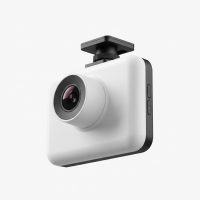
Hello, and welcome to Welmb. After more than 15 years of installing, testing, and living with dash cams, I’ve seen it all. From grainy, unreliable gadgets to stunning 4K powerhouses, the technology has evolved at an incredible pace. If you’re looking for the best vehicle dash cam, you’ve come to the right place. This isn’t just about specs on a page; it’s about finding a silent witness for your journey, a device that offers peace of mind every time you turn the key. Let’s cut through the jargon and find the perfect co-pilot for your car.
Why Every Driver Needs a Vehicle Dash Cam
In an ideal world, every drive would be uneventful. But reality is unpredictable. A dash cam is your unbiased witness in case of an accident, providing crystal-clear evidence that can be invaluable for insurance claims and legal disputes. It’s not just about accidents, though. A good dash cam can deter theft and vandalism when your car is parked, capture unexpected moments on the road, and even help you become a better driver. Think of it as the most affordable insurance policy you can buy, one that works for you 24/7. For see our automotive dash recommendations on this site.
The Different Types of Vehicle Dash Cams Explained
Before you can choose the best one, you need to know the main categories. Dash cams are typically classified by the number of channels, or cameras, they use.
Single-Channel (Forward-Facing) Dash Cams
This is the most common and affordable type. A single-channel dash cam mounts to your windshield and records the road ahead. It’s perfect for capturing most traffic incidents, like someone pulling out in front of you. For the everyday commuter, this is often all you need.
Dual-Channel (Front and Rear) Dash Cams
A dual-channel system includes a second camera to record what’s happening behind your vehicle. This is a significant upgrade, as it provides crucial context for rear-end collisions—one of the most common types of accidents. The rear camera is typically smaller and connects to the main front unit via a long cable.
Three-Channel (Front, Rear, and Cabin) Dash Cams
Offering the most comprehensive coverage, a three-channel system adds an interior-facing camera to the front and rear setup. This is the gold standard for rideshare drivers (like Uber and Lyft) or company vehicle operators, as it records interactions with passengers and provides a complete picture of any event. The cabin camera often includes infrared LEDs for clear night vision inside the car.
How to Choose the Best Vehicle Dash Cam: Key Features to Look For
Choosing the right dash cam can feel overwhelming with all the technical terms. Let’s break down the features that truly matter.
- Video Quality (Resolution & Frame Rate): This is non-negotiable. You need a camera that can clearly capture license plates and road signs, day or night. Look for a minimum of 1080p (Full HD) resolution, but 1440p (QHD) or 4K (UHD) is highly recommended for the front camera. A frame rate of 30 or 60 frames per second (fps) ensures smooth video playback.
- Low-Light Performance: Accidents don’t just happen in broad daylight. A camera with a high-quality image sensor, like Sony’s STARVIS, and a wide aperture lens (e.g., f/1.6) will perform significantly better in low-light and nighttime conditions.
- Loop Recording: This is a standard and essential feature. The dash cam continuously records video in short segments (e.g., 1, 3, or 5 minutes). When the memory card is full, it automatically overwrites the oldest, unlocked file, ensuring you never run out of space.
- G-Sensor (Gravity Sensor): The G-sensor detects sudden impacts, like a collision or heavy braking. When triggered, it automatically locks the current video file, preventing it from being overwritten by the loop recording feature. This ensures your critical evidence is saved.
- GPS: Built-in GPS logs your vehicle’s location and speed, embedding this data into the video file. This can provide crucial context for an accident, proving where and how fast you were traveling.
- Parking Mode: This feature allows the dash cam to monitor your vehicle even when it’s parked and the engine is off. It can be triggered by motion or impact (via the G-sensor).
Pro Tip: To use parking mode without draining your car’s battery, you’ll need to either hardwire the dash cam to your car’s fuse box using a special kit or use a dedicated dash cam battery pack.
- Wi-Fi & App Connectivity: Modern dash cams use Wi-Fi to connect to a smartphone app. This makes it incredibly easy to view, download, and share your recorded footage without needing to remove the microSD card and plug it into a computer.
Our Top Picks for the Best Vehicle Dash Cam in 2025
After extensive testing, here are our recommendations across different categories. These models consistently deliver on performance, reliability, and value.
| Model | Type | Key Feature | Price Range |
|---|---|---|---|
| VIOFO A229 Pro | Dual-Channel (4K + 2K) | Exceptional 4K video quality with Sony STARVIS 2 sensors | $250 – $350 |
| Vantrue N4 Pro | Three-Channel (4K + 1080p + 1080p) | True 3-channel 4K recording with superb night vision | $300 – $400 |
| Garmin Dash Cam Live | Single-Channel (1440p) | LTE connectivity for remote live view | $350 – $450 |
| Rove R2-4K Pro | Single-Channel (4K) | Great value 4K camera with built-in GPS & Wi-Fi | $100 – $150 |
| Garmin Mini 2 | Single-Channel (1080p) | Incredibly discreet, “set it and forget it” design | $100 – $130 |
As our lead automotive technician at Welmb, David Chen, often says, “The best dash cam isn’t just the one with the highest resolution. It’s the one that you can install and forget about, knowing it will be there for you when you need it most. Reliability is everything.”
Step-by-Step Guide to Installing Your Dash Cam
A professional installation is always an option, but most dash cams are designed for easy DIY setup. Here’s a quick guide:
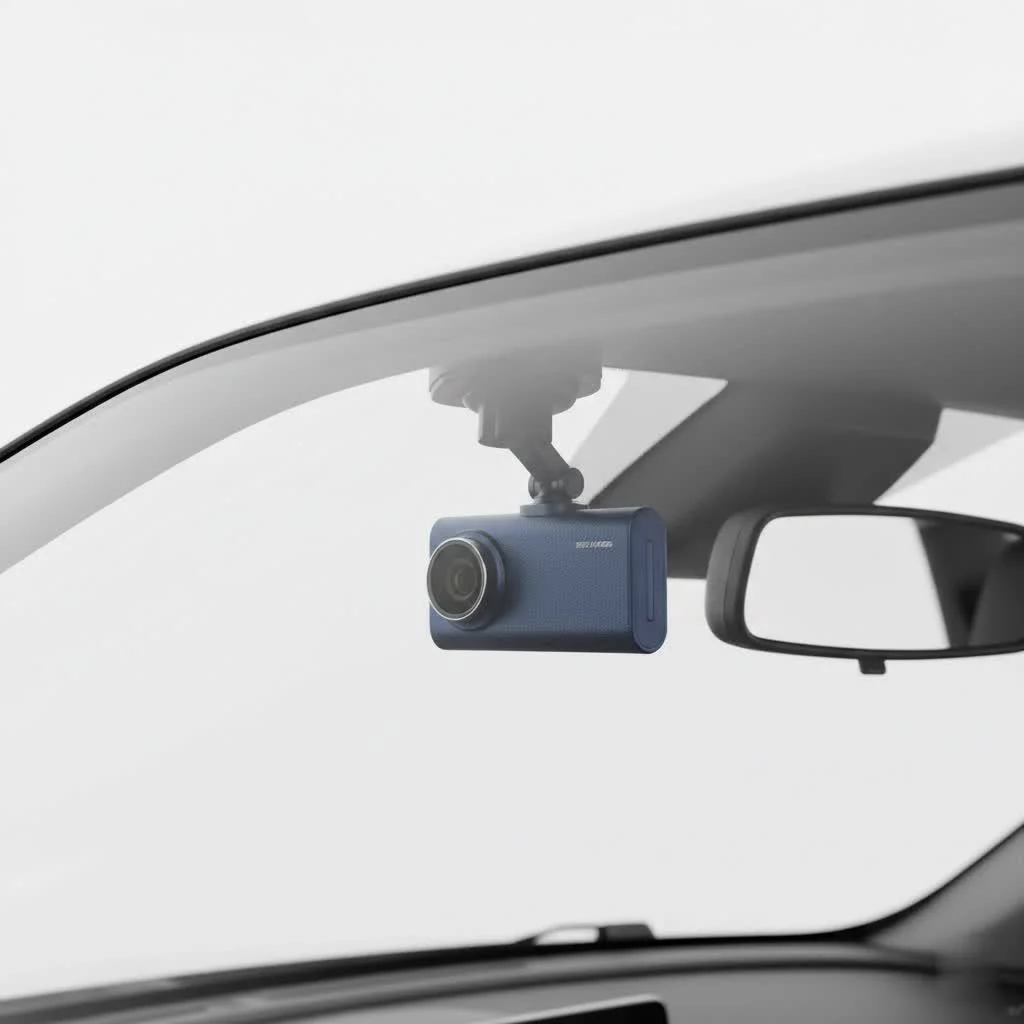
- Find the Perfect Spot: Position the dash cam on your windshield where it has a clear view but doesn’t obstruct your vision. The best place is usually behind the rearview mirror.
- Clean the Area: Thoroughly clean the glass with an alcohol wipe to ensure the adhesive mount sticks firmly.
- Mount the Camera: Peel the backing off the adhesive pad and press the mount firmly against the glass for at least 30 seconds.
- Route the Power Cable: This is the key to a clean installation. Tuck the power cable into the headliner, down the A-pillar (the pillar between the windshield and the side window), under the glove box, and to your car’s power outlet. Most dash cams come with a small trim tool to help with this.
- Connect to Power: Plug the cable into the 12V power adapter and into your car’s socket. The camera should power on automatically when you start the car.
Frequently Asked Questions (FAQ)
How much should I spend on a dash cam?
|
Our Picks for the Best Dash Cam in 2026
As an Amazon Associate I earn from qualifying purchases.
|
||
| Num | Product | Action |
|---|---|---|
| 1 | Dash Cam Front and Rear, 1080P Dash Camera for Cars, 3 Channel Car Camera Front Rear and Inside with 32GB Card, Loop Recording, Night Vision, HDR, 24Hr Parking, G-Sensor |

|
| 2 | VIOFO A229 Plus Dash Cam Front and Rear, Dual STARVIS 2 Sensors, 2 Channel HDR, 1440P+1440P Voice Control Car Dash Camera, 5GHz Wi-Fi, Voice Control, Ultra-Precise GPS (SD Card Not Included) |
|
| 3 | REDTIGER 4K Dash Cam Front Rear, STARVIS 2 Sensor, Free Card Included, 5.8GHz WiFi-20MB/s Fast Download, Dash Camera for Cars with GPS, WDR Night Vision, 170°Wide Angle, 24H Parking Mode(F7NP) |
|
| 4 | ROVE R2-4K DUAL Dash Cam Front and Rear, STARVIS 2 Sensor, FREE 128GB Card Included, 5G WiFi - up to 20MB/s Fastest Download Speed with App, 4K 2160P/FHD Dash Camera for Cars, 3\" IPS, 24H Parking Mode |
|
| 5 | REDTIGER 4K STARVIS 2 Dash Cam Front and Rear, 5GHz WiFi 20MB/s Download, 128GB Card Included, Voice Control, Dash Camera for Cars with 3.18\" Touch Screen, GPS, Loop Recording, Parking Mode(F7N Touch) |
|
| 6 | IIWEY N5 4 Channel Dash Cam 360° View, 1080P Front and Rear Inside, Left Right Dash Camera for Cars, 8 IR Lamps Night Vision, 5G WiFi & APP Control, G-Sensor, Parking Mode, with a Free 128GB SD Card |
|
| 7 | Dash Cam 1296P Front Dashcam, V300 WiFi Dash Camera for Cars with App, Night Vision, Mini Hidden Single Car Camera, Loop Recording, 24H Parking Mode, Support 256GB Max, Black |
|
| 8 | 4K Dash Cam Front, Built-in 5G WiFi, 64GB Card Included, Dash Camera for Cars, Mini Dashcam with Super Night Vision, Loop Recording, G-Sensor, 24 Hours Parking Monitor, Support 256GB Max |
|
| 9 | Navycrest 4K Dash Cam Front and Rear with 64GB Card, Built-in 5G WiFi, Dash Camera for Cars 4K Front and 1080P Rear, Dashcams for Cars Loop Recording, Gravity Sensor, 24-Hours Parking Mode |
|
| 10 | Dash Cam Front and Rear, 2.5K+1080P Dual Dash Camera for Cars, 2’’ Display Mini Car Camera, G-Sensor Dashcam, Night Vision, 24H Parking Mode, Loop Recording, 170°Wide Angle, 32GB Card Included |
|
You can find decent entry-level models for under $100, but the sweet spot for a reliable, high-quality dash cam with key features like GPS and good night vision is typically between $150 and $250. Advanced multi-channel or 4K systems can cost more.
Do dash cams drain your car battery?
When powered by your car’s 12V socket, a dash cam only draws power when the car is on. If you hardwire it for parking mode, it will draw a small amount of power when parked. However, hardwire kits have a built-in voltage cutoff to prevent the dash cam from completely draining your battery.
Is it legal to use a dash cam?
In most places, including the United States, it is legal to use a dash cam for personal use. However, laws regarding audio recording and placement on the windshield can vary by state and country. Always check your local regulations. For example, some jurisdictions require you to inform passengers that they are being recorded.
How long do dash cams record for?
The recording time depends on the size of your microSD card and the video resolution. A 128GB card can typically store about 10-15 hours of 1080p footage or 5-8 hours of 4K footage before the loop recording feature begins overwriting the oldest files.
Can I easily transfer a dash cam to another car?
Yes, most dash cams that use an adhesive mount can be moved. You will typically need a new adhesive pad for the mount. Some models offer suction cup mounts, which are even easier to transfer between vehicles.
Final Thoughts from a Dash Cam Expert
Choosing the best vehicle dash cam is one of the smartest decisions you can make as a driver. It’s a small investment that delivers immense value, whether it’s saving you from a fraudulent insurance claim or simply capturing a beautiful scenic drive. Don’t focus solely on getting the highest resolution or the most features. Instead, prioritize reliability and ease of use. A camera that records clear, stable footage every single time you drive is the one that will protect you when it counts. Drive safe, and let your dash cam handle the rest.
Get our weekly buyer guide
Practical specs, not advice. Unsubscribe anytime.