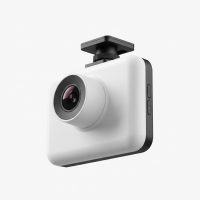
In my fifteen years of fitting cars with every gadget imaginable, I’ve seen dash cams evolve from bulky, screen-clad boxes to sleek, feature-packed devices. But every so often, a product comes along that truly redefines its category. The Garmin Dash Cam Mini is one of those products. It’s a marvel of miniaturization, a keychain-sized device that promises full-scale protection without obstructing your view or advertising its presence to potential thieves. But can something so small really deliver the performance and reliability you need when it matters most?
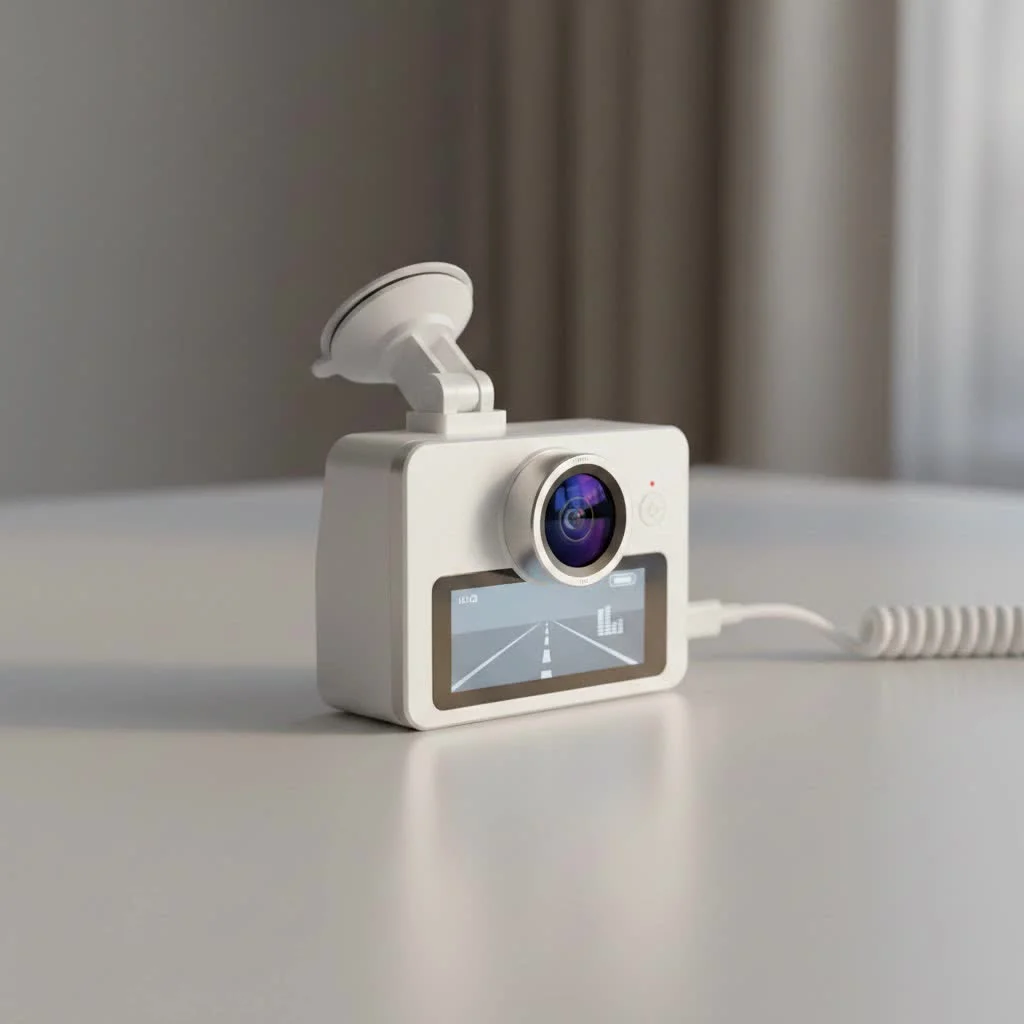
As the founder of Welmb.com, I’ve put hundreds of dash cams through their paces. This tiny camera from a GPS giant intrigued me from the moment it was announced. It’s designed for the minimalist, the driver who wants a set-it-and-forget-it solution that seamlessly blends into the car’s interior. In this in-depth review, we’ll explore if the Garmin Dash Cam Mini is the powerful, discreet guardian your vehicle deserves. For complete automotive dash library on this site.
What Makes the Garmin Dash Cam Mini Stand Out?
The primary appeal of the Garmin Dash Cam Mini is its impossibly small footprint. It’s one of the smallest dash cams you can buy from a major brand, measuring just over an inch wide and two inches tall. Once mounted behind your rearview mirror, it becomes virtually invisible from the driver’s seat and inconspicuous from the outside. This solves a major complaint many drivers have with larger, more distracting models.
But its size belies its capability. This isn’t just a tiny camera; it’s a fully-functional dash cam engineered with Garmin’s reputation for quality and reliability. It’s built for drivers who value simplicity and discretion above all else. If you want a camera that does its job without needing constant attention, this is a top contender.
A Deep Dive into the Core Features
You don’t get a screen, and you have very few buttons. All the magic happens under the hood and through its companion app. Let’s break down the essential features that make this camera tick.
Crystal-Clear 1080p HD Video
Despite its size, the Garmin Dash Cam Mini records high-quality 1080p video. The 140-degree lens provides a wide field of view, capturing the entire road ahead without significant distortion. In my tests, the footage is sharp and clear during the day, easily capturing license plates and road signs. While night performance is decent for a camera this size, it’s not on par with larger, more expensive models that have advanced night vision sensors. Still, for documenting incidents, the quality is more than sufficient.
Seamless Smartphone Integration via the Garmin Drive App
|
Our Picks for the Best Dash Cam in 2026
As an Amazon Associate I earn from qualifying purchases.
|
||
| Num | Product | Action |
|---|---|---|
| 1 | 4K Dash Cam Front, Built-in 5G WiFi, 64GB Card Included, Dash Camera for Cars, Mini Dashcam with Super Night Vision, Loop Recording, G-Sensor, 24 Hours Parking Monitor, Support 256GB Max |

|
| 2 | VIOFO A229 Plus Dash Cam Front and Rear, Dual STARVIS 2 Sensors, 2 Channel HDR, 1440P+1440P Voice Control Car Dash Camera, 5GHz Wi-Fi, Voice Control, Ultra-Precise GPS (SD Card Not Included) |
|
| 3 | Dash Cam Front and Rear, 1080P Dash Camera for Cars, 3 Channel Car Camera Front Rear and Inside with 32GB Card, Loop Recording, Night Vision, HDR, 24Hr Parking, G-Sensor |
|
| 4 | REDTIGER 4K Dash Cam Front Rear, STARVIS 2 Sensor, Free Card Included, 5.8GHz WiFi-20MB/s Fast Download, Dash Camera for Cars with GPS, WDR Night Vision, 170°Wide Angle, 24H Parking Mode(F7NP) |
|
| 5 | Navycrest 4K Dash Cam Front and Rear with 64GB Card, Built-in 5G WiFi, Dash Camera for Cars 4K Front and 1080P Rear, Dashcams for Cars Loop Recording, Gravity Sensor, 24-Hours Parking Mode |
|
| 6 | Dash Cam 1296P Front Dashcam, V300 WiFi Dash Camera for Cars with App, Night Vision, Mini Hidden Single Car Camera, Loop Recording, 24H Parking Mode, Support 256GB Max, Black |
|
| 7 | REDTIGER 4K STARVIS 2 Dash Cam Front and Rear, 5GHz WiFi 20MB/s Download, 128GB Card Included, Voice Control, Dash Camera for Cars with 3.18\" Touch Screen, GPS, Loop Recording, Parking Mode(F7N Touch) |
|
| 8 | IIWEY N5 4 Channel Dash Cam 360° View, 1080P Front and Rear Inside, Left Right Dash Camera for Cars, 8 IR Lamps Night Vision, 5G WiFi & APP Control, G-Sensor, Parking Mode, with a Free 128GB SD Card |
|
| 9 | Dash Cam Front and Rear, 2.5K+1080P Dual Dash Camera for Cars, 2’’ Display Mini Car Camera, G-Sensor Dashcam, Night Vision, 24H Parking Mode, Loop Recording, 170°Wide Angle, 32GB Card Included |
|
| 10 | ROVE R2-4K DUAL Dash Cam Front and Rear, STARVIS 2 Sensor, FREE 128GB Card Included, 5G WiFi - up to 20MB/s Fastest Download Speed with App, 4K 2160P/FHD Dash Camera for Cars, 3\" IPS, 24H Parking Mode |
|
The absence of a screen is a deliberate design choice that enhances its discretion. To view footage, change settings, or access live video, you connect the camera to your smartphone via Wi-Fi using the Garmin Drive app.
Key functions of the app include:
- Live View: Helps you correctly position the camera during installation.
- Footage Playback: Easily review, trim, and save recorded clips directly to your phone.
- Settings Management: Adjust video resolution, data overlay, and other preferences.
- Multi-Cam Sync: If you have multiple Garmin dash cams (e.g., a Mini in the front and back), the app can sync the videos to show a picture-in-picture view of an incident.
The app is intuitive and stable, which is crucial for a device that relies on it so heavily.
Automatic Incident Detection (G-Sensor)
Like any modern dash cam worth its salt, the Mini includes a built-in G-sensor. This sensor detects sudden impacts, such as a collision or heavy braking, and automatically saves the video footage from before, during, and after the event. These files are locked and protected from being overwritten by the continuous loop recording, ensuring your critical evidence is always secure.
“The most effective dash cam is the one you forget is there—until you need it. The Garmin Mini’s discreet design and automatic incident detection embody this principle perfectly, providing peace of mind without creating a distraction,” says automotive technology expert, David Chen.
Garmin Dash Cam Mini vs. Mini 2: Should You Upgrade?
Garmin has since released the Dash Cam Mini 2, and a common question is whether the upgrade is worth the extra cost. While they look identical, the Mini 2 offers a few key improvements.
| Feature | Garmin Dash Cam Mini | Garmin Dash Cam Mini 2 |
|---|---|---|
| Video Resolution | 1080p | 1080p with Garmin Clarity™ HDR |
| Voice Control | No | Yes (e.g., “OK, Garmin, save video”) |
| Cloud Storage | No | Yes (via Wi-Fi connection) |
| Parking Guard | Requires constant power | Alerts via app when incidents are detected |
The verdict: If you want the convenience of voice commands and the added security of cloud-saved clips, the Mini 2 is a worthy upgrade. However, if you’re on a budget and need a simple, reliable dash cam, the original Garmin Dash Cam Mini still offers fantastic value.
Installing the Garmin Dash Cam Mini: A 5-Minute Job
This is where the Mini truly shines for its user-friendliness. You don’t need to be a tech expert to get it up and running.
- Find the Sweet Spot: Identify a location on your windshield, typically behind the rearview mirror, that doesn’t obstruct your view. Clean the area thoroughly with an alcohol wipe.
- Attach the Mount: The camera comes with a small, low-profile adhesive mount. Peel the backing and press it firmly onto the glass for 30 seconds.
- Mount the Camera: The camera attaches to the mount via a simple ball-and-socket joint. Snap it into place.
- Run the Power Cable: Plug the included USB cable into the camera and your car’s 12V power adapter. Tuck the wire neatly along the headliner and down the A-pillar to the power source.
- Connect and Align: Power on your car, open the Garmin Drive app, connect to the camera’s Wi-Fi, and use the live view to align the lens perfectly with the road.
The Final Verdict: Is the Garmin Dash Cam Mini for You?
After extensive use and comparison, the Garmin Dash Cam Mini remains one of my top recommendations for a specific type of driver: the person who values simplicity, discretion, and reliability from a trusted brand. It’s not for the user who wants a 4K screen, advanced driver assists, or the absolute best night vision on the market.
You should buy the Garmin Dash Cam Mini if:
- You want a dash cam that is virtually invisible.
- You prefer a simple “set-it-and-forget-it” device.
- You are comfortable using a smartphone app to manage settings and videos.
- You trust the build quality and software support of a major brand like Garmin.
This tiny powerhouse proves that you don’t need a large device to have a reliable witness on the road. It does the fundamentals perfectly, capturing crisp, clear evidence in a package so small you’ll forget it’s even there. For a clean, factory-installed look with dependable performance, the Garmin Dash Cam Mini is an unbeatable choice.
Get our weekly buyer guide
Practical specs, not advice. Unsubscribe anytime.