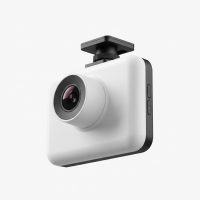
In my 15 years working with automotive technology, I’ve seen countless gadgets come and go. But few have proven as indispensable as a high-quality dual dash cam. This isn’t just a toy for tech enthusiasts; it’s a vital safety tool that provides a complete, 360-degree story of everything that happens around your vehicle. A single, front-facing camera only tells you half of what happened. A dual dash cam setup, however, is your silent, impartial witness, recording the road ahead and behind simultaneously. Whether you’re dealing with a sudden rear-end collision, a parking lot mishap, or a fraudulent insurance claim, having that second camera is the difference between uncertainty and undeniable proof. This guide will walk you through everything you need to know, from selecting the right features to a straightforward installation process.
What is a Dual Dash Cam and Why Do You Absolutely Need One?
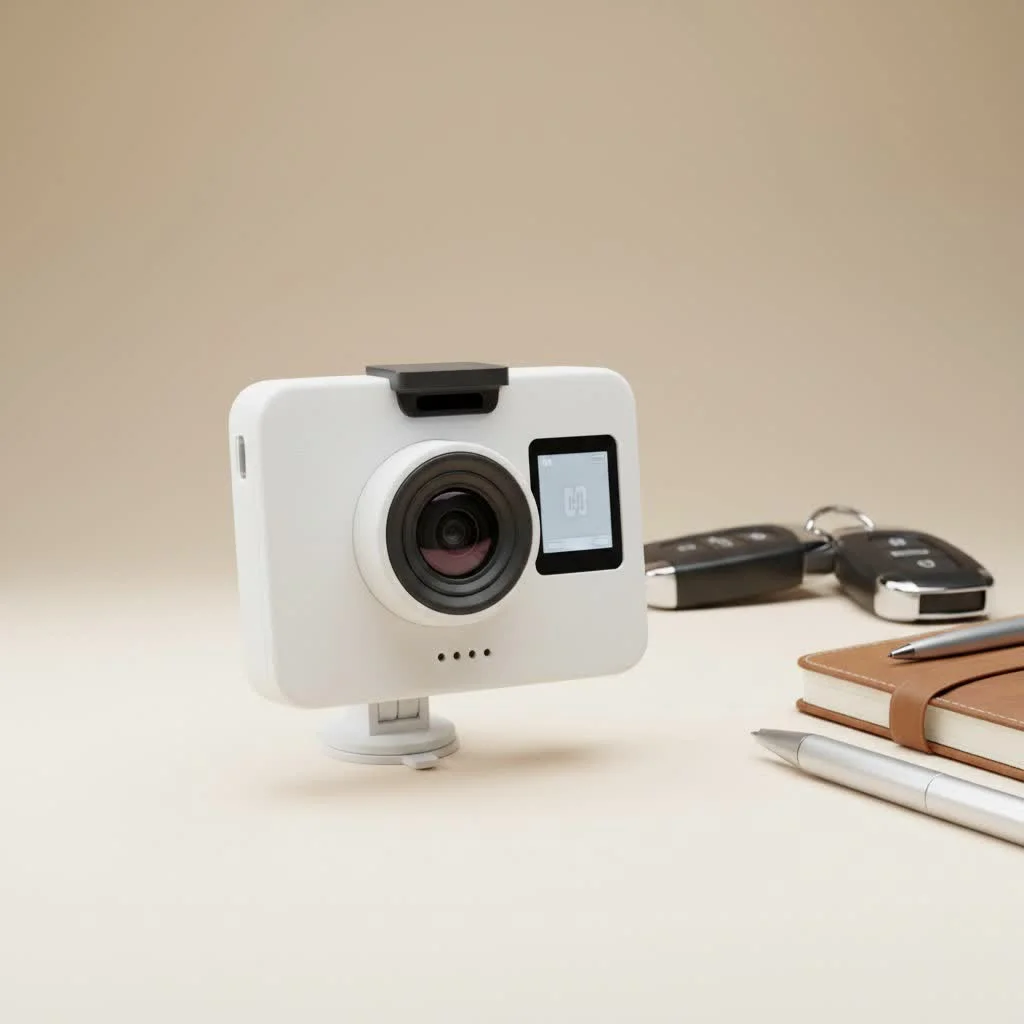
A dual dash cam, often called a two-channel system, consists of two separate camera units that work in tandem. The main unit, which typically houses the front-facing camera and the brains of the operation, mounts to your windshield. A second, smaller camera is connected via a cable and mounted on your rear window, providing a clear view of the road behind you. Both cameras record at the same time, saving the footage to a single memory card.
The benefits go far beyond simply recording a scenic drive. Here’s why a dual dash cam is a non-negotiable upgrade for any modern driver:
- Complete Accident Evidence: Rear-end collisions are one of the most common types of accidents. A front-only camera is useless in this scenario. A dual dash cam captures the tailgater who was too close or the driver who reversed into you, providing irrefutable evidence for your insurance claim.
- Protection Against Fraud: “Crash-for-cash” schemes, where drivers intentionally cause an accident to file a fraudulent claim, are a real threat. A dual camera system records the erratic behavior leading up to the incident, protecting you from false accusations.
- Parking Lot Peace of Mind: Many dual dash cams feature a “parking mode” that automatically records any bump or motion detected while your car is unattended. This can be invaluable for catching hit-and-run drivers or vandals.
- Deterrent for Bad Behavior: The mere presence of a visible rear camera can deter tailgaters and other aggressive drivers, promoting a safer environment around your vehicle.
Front & Rear vs. Front & Interior: Which Setup is for You?
While the most common setup is front and rear, another popular configuration is front and interior. Understanding the difference is key to choosing the right system for your specific needs.
Front and Rear Dual Dash Cam
|
Our Picks for the Best Dash Cam in 2026
As an Amazon Associate I earn from qualifying purchases.
|
||
| Num | Product | Action |
|---|---|---|
| 1 | ROVE R2-4K DUAL Dash Cam Front and Rear, STARVIS 2 Sensor, FREE 128GB Card Included, 5G WiFi - up to 20MB/s Fastest Download Speed with App, 4K 2160P/FHD Dash Camera for Cars, 3\" IPS, 24H Parking Mode |

|
| 2 | Dash Cam Front and Rear, 1080P Dash Camera for Cars, 3 Channel Car Camera Front Rear and Inside with 32GB Card, Loop Recording, Night Vision, HDR, 24Hr Parking, G-Sensor |
|
| 3 | Navycrest 4K Dash Cam Front and Rear with 64GB Card, Built-in 5G WiFi, Dash Camera for Cars 4K Front and 1080P Rear, Dashcams for Cars Loop Recording, Gravity Sensor, 24-Hours Parking Mode |
|
| 4 | REDTIGER 4K Dash Cam Front Rear, STARVIS 2 Sensor, Free Card Included, 5.8GHz WiFi-20MB/s Fast Download, Dash Camera for Cars with GPS, WDR Night Vision, 170°Wide Angle, 24H Parking Mode(F7NP) |
|
| 5 | Dash Cam Front and Rear, 2.5K+1080P Dual Dash Camera for Cars, 2’’ Display Mini Car Camera, G-Sensor Dashcam, Night Vision, 24H Parking Mode, Loop Recording, 170°Wide Angle, 32GB Card Included |
|
| 6 | Dash Cam 1296P Front Dashcam, V300 WiFi Dash Camera for Cars with App, Night Vision, Mini Hidden Single Car Camera, Loop Recording, 24H Parking Mode, Support 256GB Max, Black |
|
| 7 | REDTIGER 4K STARVIS 2 Dash Cam Front and Rear, 5GHz WiFi 20MB/s Download, 128GB Card Included, Voice Control, Dash Camera for Cars with 3.18\" Touch Screen, GPS, Loop Recording, Parking Mode(F7N Touch) |
|
| 8 | VIOFO A229 Plus Dash Cam Front and Rear, Dual STARVIS 2 Sensors, 2 Channel HDR, 1440P+1440P Voice Control Car Dash Camera, 5GHz Wi-Fi, Voice Control, Ultra-Precise GPS (SD Card Not Included) |
|
| 9 | 4K Dash Cam Front, Built-in 5G WiFi, 64GB Card Included, Dash Camera for Cars, Mini Dashcam with Super Night Vision, Loop Recording, G-Sensor, 24 Hours Parking Monitor, Support 256GB Max |
|
| 10 | IIWEY N5 4 Channel Dash Cam 360° View, 1080P Front and Rear Inside, Left Right Dash Camera for Cars, 8 IR Lamps Night Vision, 5G WiFi & APP Control, G-Sensor, Parking Mode, with a Free 128GB SD Card |
|
This is the ideal choice for the vast majority of drivers. It provides comprehensive coverage of the road, protecting you from the most common accident scenarios. If your primary goal is to have evidence for traffic incidents, this is the configuration you want. It’s perfect for daily commuters, families, and anyone who wants all-around protection on the road.
Front and Interior Dual Dash Cam
This setup is designed for a more specific audience. The second camera points inside the cabin, recording the driver and passengers. This is an essential tool for:
- Rideshare and Taxi Drivers: It provides a record of all interactions with passengers, offering protection against false claims, disputes over fares, or any potential conflicts. Many interior cameras also feature infrared LEDs for clear recording at night.
- Fleet and Commercial Vehicle Owners: Businesses can monitor driver behavior, ensure compliance with company policies, and protect their assets in the event of an incident.
- Parents of Teen Drivers: It offers peace of mind by allowing parents to review their child’s driving habits and ensure they are being safe and responsible behind the wheel.
Must-Have Features for Any Dual Dash Cam
The market is flooded with options, but not all dual dash cams are created equal. As an expert, I always advise focusing on a few core features that make a real-world difference.
Crystal Clear Video Resolution
Resolution is king. The ability to clearly read a license plate number from a distance can make or break an insurance claim. Look for a system where both the front and rear cameras record in at least 1080p (Full HD). For even greater detail, premium models offer 2K or even 4K resolution on the front camera. Don’t be tempted by cheap models that only offer 720p on the rear camera; the quality is often too low to be useful.
Excellent Low-Light Performance
Accidents don’t just happen during the day. A dash cam’s ability to capture clear footage at night or in poor weather is critical. Look for cameras that use high-quality image sensors, like the Sony STARVIS series, which are specifically designed for low-light conditions. Features like Wide Dynamic Range (WDR) also help balance the light and dark areas of the footage, preventing headlights from washing out the image.
Intelligent Parking Mode
A true parking mode provides 24/7 surveillance. It relies on a G-sensor to detect physical impacts and motion sensors to detect movement around the vehicle. When triggered, the camera wakes up from standby and saves a protected video file of the event. To use this feature effectively, the dash cam needs to be connected to your car’s battery via a hardwire kit, which is a crucial accessory for any serious user.
“In my experience, a hardwired parking mode is the single most valuable feature for catching hit-and-run incidents. A quality hardwire kit will also have a voltage cutoff feature to prevent it from draining your car’s battery,” notes David Chen, a certified automotive electronics installer.
GPS for Essential Context
GPS logging embeds your vehicle’s speed and location data directly into the video file. This provides crucial context for any incident, proving you were driving at the speed limit or showing exactly where an event occurred. This data can be invaluable for strengthening your case with police and insurance companies.
Seamless Loop Recording
Modern dash cams use loop recording, so you never have to worry about running out of space on your memory card. The camera continuously records in short segments (e.g., 1, 3, or 5 minutes). When the card is full, it automatically overwrites the oldest, unprotected file to make room for the new one. All important clips, like those triggered by the G-sensor, are locked and will not be overwritten.
Wi-Fi and Smartphone Apps
Wi-Fi connectivity allows you to connect your dash cam directly to your smartphone via a dedicated app. This makes it incredibly easy to review footage, change settings, and download important video clips to your phone for safekeeping or sharing, without ever having to remove the tiny microSD card.
How to Install a Dual Dash Cam: A Pro’s Guide
While hardwiring for parking mode is best left to a professional if you’re not comfortable with car electronics, a basic installation using the included 12V power adapter is a simple DIY project. Here’s a step-by-step guide to a clean, professional-looking install.
- Position the Front Camera: With the camera powered on, find the best spot on your windshield. The ideal location is behind the rearview mirror, where it doesn’t obstruct your view. Ensure the lens is within the area cleared by your windshield wipers.
- Route the Power Cable: Gently tuck the power cable into the gap between your windshield and the headliner. Run it across to the passenger side A-pillar. You can usually use a plastic trim tool or your fingers to gently pry the pillar cover open just enough to tuck the cable alongside the existing wiring.
- Run the Cable Down: Continue tucking the cable down the rubber weather stripping along the door frame and under the glove box towards your vehicle’s 12V power outlet.
- Mount the Rear Camera: Position the rear camera at the top center of your rear windshield. Make sure it’s placed in a spot that gives a clear, centered view and is cleared by the rear wiper if you have one.
- Route the Rear Camera Cable: This is the longest cable. Start by tucking it into the headliner, moving from the rear of the car to the front. You’ll need to carefully route it alongside the front power cable, down the A-pillar, and finally plug it into the main front camera unit.
- Secure and Tidy Up: Use the included adhesive clips if needed to secure any loose sections of cable. Plug in the power adapter, start your car, and ensure both cameras power on and are recording correctly.
Frequently Asked Questions About Dual Dash Cams
Will a dual dash cam drain my car battery?
If using a standard 12V socket adapter, the camera will turn off with the car, so it won’t drain the battery. If you hardwire it for parking mode, a proper hardwire kit includes a voltage cutoff protector that automatically shuts the camera off if the car’s battery level drops too low.
How much video can a 128GB microSD card hold?
This depends heavily on the video resolution. For a dual-channel system recording at 1080p, a 128GB card will typically hold between 8 to 12 hours of continuous footage from both cameras before it starts looping.
Are dual dash cams legal?
Yes, in most places, using a dash cam is perfectly legal. However, some states or countries have specific laws regarding where you can mount it on your windshield to avoid obstructing the driver’s view. Always check your local regulations.
The Final Verdict
In today’s driving environment, a dual dash cam is no longer a luxury—it’s an essential piece of equipment. It provides a comprehensive record that protects you from false claims, hit-and-runs, and the financial stress that follows an accident. By investing in a quality system with the right features and ensuring it’s installed correctly, you are equipping your vehicle with a silent witness that is always on your side. It’s a small price to pay for invaluable peace of mind on the road.
Get our weekly buyer guide
Practical specs, not advice. Unsubscribe anytime.