Finding a reliable budget dash cam is more achievable than ever, with many models offering essential features like Full HD (1080p) resolution, loop recording, and G-sensors for under $120. These devices provide crucial accident evidence and deter fraud without requiring a significant financial investment. The key is to prioritize core functionalities over premium features like 4K resolution or cloud connectivity.
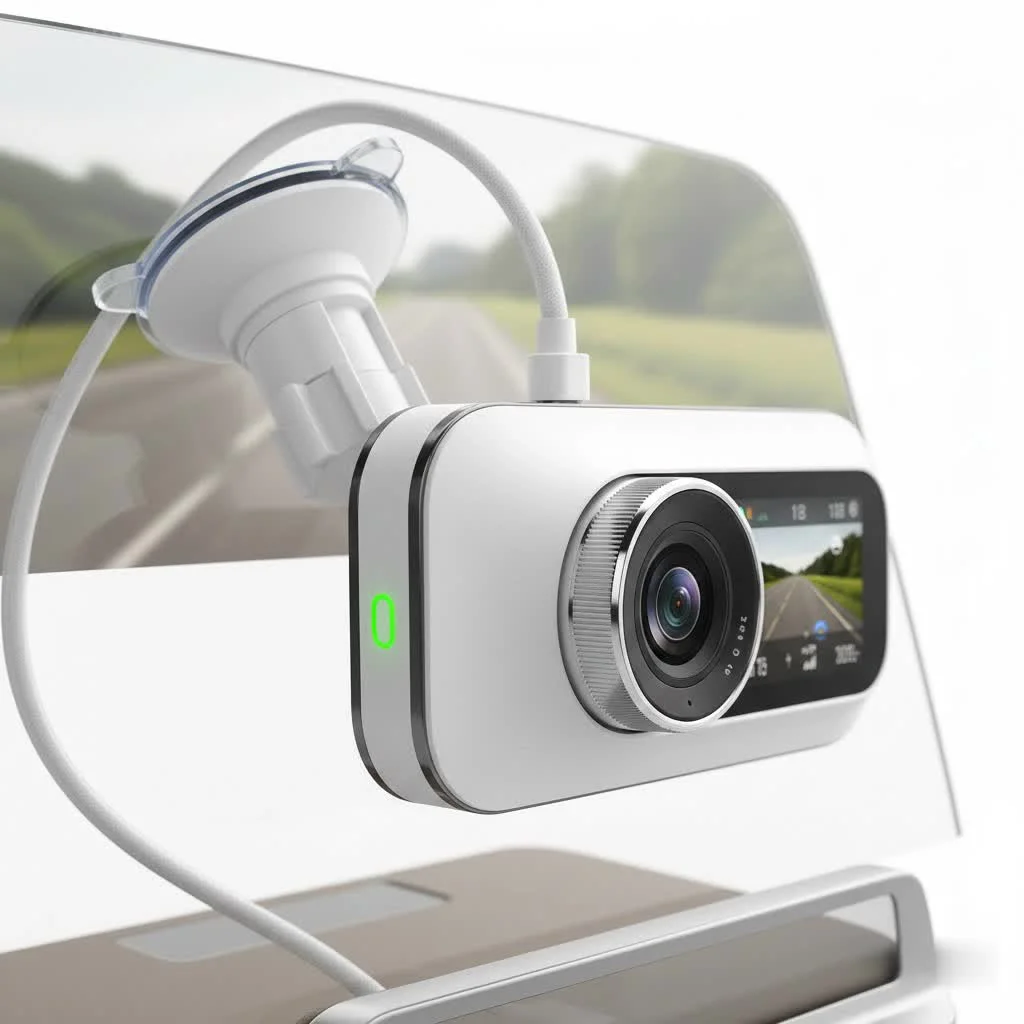
Why a Dash Cam is a Non-Negotiable Car Accessory
Every car should have a dash cam for practical, everyday security, not just for capturing viral videos.
- Undisputable Accident Evidence: A dash cam provides a clear, unbiased account of what happened in an accident. This can be crucial for insurance claims and legal disputes, potentially saving you thousands of dollars and a lot of headaches.
- Deterrent for Fraud and Vandalism: The visible presence of a dash cam can deter potential criminals, from “crash-for-cash” scammers to individuals who might otherwise vandalize your parked vehicle.
- Capturing the Unexpected: While its primary role is security, a dash cam also captures those unexpected moments on the road, from beautiful scenery on a road trip to humorous and unbelievable traffic situations.
What Should You Expect from a Budget Dash Cam?
When you’re shopping on a budget, it’s all about managing expectations and focusing on what truly matters. A lower price point doesn’t mean you have to settle for poor quality. It simply means you’ll be forgoing some of the premium, advanced features found in high-end models.
Core Features You Shouldn’t Compromise On
Even the most affordable dash cam should have these fundamental features. If a model you’re considering is missing any of these, it’s best to walk away.
- Full HD (1080p) Resolution: This is the baseline for clear video. Anything less than 1080p resolution makes it difficult to read license plates or identify other crucial details, which defeats the primary purpose of the device.
- Loop Recording: This is a standard, must-have feature. It allows the dash cam to continuously record, overwriting the oldest, non-essential files once the memory card is full. This means you can set it up and forget about it, knowing it’s always recording.
- G-Sensor (Event Detection): The G-sensor, or accelerometer, detects sudden changes in motion, such as a collision or harsh braking. When triggered, it automatically locks the current video file, protecting it from being overwritten by the loop recording feature. This ensures your critical evidence is always saved.
- Decent Low-Light Performance: Accidents don’t just happen in broad daylight. Look for models that specify a good quality sensor (like a Sony STARVIS sensor, which is now common even in budget models) or a wide aperture lens (e.g., f/1.8). This will significantly improve video clarity during night driving or in poor weather.
Features You Might Have to Live Without
|
Our Picks for the Best Dash Cam in 2026
As an Amazon Associate I earn from qualifying purchases.
|
||
| Num | Product | Action |
|---|---|---|
| 1 | IIWEY N5 4 Channel Dash Cam 360° View, 1080P Front and Rear Inside, Left Right Dash Camera for Cars, 8 IR Lamps Night Vision, 5G WiFi & APP Control, G-Sensor, Parking Mode, with a Free 128GB SD Card |

|
| 2 | Navycrest 4K Dash Cam Front and Rear with 64GB Card, Built-in 5G WiFi, Dash Camera for Cars 4K Front and 1080P Rear, Dashcams for Cars Loop Recording, Gravity Sensor, 24-Hours Parking Mode |
|
| 3 | Dash Cam Front and Rear, 2.5K+1080P Dual Dash Camera for Cars, 2’’ Display Mini Car Camera, G-Sensor Dashcam, Night Vision, 24H Parking Mode, Loop Recording, 170°Wide Angle, 32GB Card Included |
|
| 4 | 4K Dash Cam Front, Built-in 5G WiFi, 64GB Card Included, Dash Camera for Cars, Mini Dashcam with Super Night Vision, Loop Recording, G-Sensor, 24 Hours Parking Monitor, Support 256GB Max |
|
| 5 | Dash Cam Front and Rear, 1080P Dash Camera for Cars, 3 Channel Car Camera Front Rear and Inside with 32GB Card, Loop Recording, Night Vision, HDR, 24Hr Parking, G-Sensor |
|
| 6 | ROVE R2-4K DUAL Dash Cam Front and Rear, STARVIS 2 Sensor, FREE 128GB Card Included, 5G WiFi - up to 20MB/s Fastest Download Speed with App, 4K 2160P/FHD Dash Camera for Cars, 3\" IPS, 24H Parking Mode |
|
| 7 | Dash Cam 1296P Front Dashcam, V300 WiFi Dash Camera for Cars with App, Night Vision, Mini Hidden Single Car Camera, Loop Recording, 24H Parking Mode, Support 256GB Max, Black |
|
| 8 | VIOFO A229 Plus Dash Cam Front and Rear, Dual STARVIS 2 Sensors, 2 Channel HDR, 1440P+1440P Voice Control Car Dash Camera, 5GHz Wi-Fi, Voice Control, Ultra-Precise GPS (SD Card Not Included) |
|
| 9 | REDTIGER 4K Dash Cam Front Rear, STARVIS 2 Sensor, Free Card Included, 5.8GHz WiFi-20MB/s Fast Download, Dash Camera for Cars with GPS, WDR Night Vision, 170°Wide Angle, 24H Parking Mode(F7NP) |
|
| 10 | REDTIGER 4K STARVIS 2 Dash Cam Front and Rear, 5GHz WiFi 20MB/s Download, 128GB Card Included, Voice Control, Dash Camera for Cars with 3.18\" Touch Screen, GPS, Loop Recording, Parking Mode(F7N Touch) |
|
To keep the cost down, manufacturers often omit these more advanced features. For most drivers, their absence is not a deal-breaker.
- 4K Resolution: While 4K offers sharper video, 1080p is more than sufficient for evidence. 4K also creates much larger files, requiring more expensive, larger-capacity memory cards.
- Advanced Driver-Assistance Systems (ADAS): Features like lane departure warnings or forward-collision alerts are common in premium models. However, they can sometimes be overly sensitive in budget units and are not essential for recording.
- Cloud Connectivity: The ability to automatically upload footage to the cloud is a premium feature. On a budget dash cam, you will typically transfer files manually via Wi-Fi to your phone or by removing the microSD card.
- Advanced GPS Logging: While some budget models include GPS, it might not be as detailed or fast to lock on as more expensive options. Basic GPS is useful for logging speed and location, but it’s not a must-have for everyone.
How to Choose the Right Budget Dash Cam
Navigating the market can be tricky, but by following a few simple steps, you can find the perfect device for your needs.
Step 1: Assess Your Driving Habits
Are you a daily commuter who primarily drives in the city, or do you frequently take long road trips on dark highways? A city driver may prioritize a wide viewing angle to capture multiple lanes of traffic, while a highway driver might need superior night vision. If you often park in public lots, a model with a reliable, simple parking mode becomes more important.
Step 2: Look Beyond Resolution for Video Quality
As I mentioned, 1080p is the standard. However, not all 1080p cameras are created equal. The actual video quality depends on the image sensor, the lens, and the video bitrate.
“A dash cam with a quality image sensor and a higher bitrate at 1080p will always produce more useful footage than a cheap 4K camera that compresses the video heavily to save space. Clear, smooth footage is the goal, not just a high pixel count.” – David Chen, Lead Technician at Welmb.com
Look at real-world sample footage on YouTube from any model you’re considering. Check both daytime and nighttime videos to get a true sense of its performance.
Step 3: Factor in the Cost of a Good Memory Card
This is a step many people forget. Dash cams are constantly writing and rewriting data, which is incredibly demanding on a memory card. You must use a “high endurance” microSD card. A standard microSD card will fail quickly, leaving you unprotected. Budget an extra $15-$30 for a reliable 64GB or 128GB high-endurance card from a reputable brand like SanDisk or Samsung.
Step 4: Prioritize Ease of Use
The best dash cam is one you can install and forget. Look for models with simple mounting systems (suction cups or adhesive pads), intuitive menus, and a reliable companion app if it uses Wi-Fi. The less you have to fuss with it, the better.
A Few Top Budget Dash Cam Picks
While the market changes rapidly, certain models consistently offer fantastic value for money. Here are a few great options to start your search:
Viofo A119 V3: The Community Favorite
This model has been a top recommendation in the dash cam community for years, and for good reason. It offers excellent 1440p (QHD) video quality, a discreet wedge shape, and rock-solid reliability that punches well above its price tag. It uses a capacitor instead of a battery, making it more durable in extreme temperatures.
70mai Dash Cam Pro Plus+ (A500S): The Feature-Packed Contender
Often available for under $100, this camera (frequently sold as a front and rear bundle) is packed with features. It boasts great video quality, built-in GPS, and a user-friendly app. It’s a fantastic all-in-one package for those who want a few extra bells and whistles without a premium price.
Garmin Dash Cam Mini 2: The Ultra-Compact Choice
If you want something incredibly discreet, the Garmin Mini 2 is a top choice. It’s about the size of a car key and hides perfectly behind your rearview mirror. Despite its tiny size, it records crisp 1080p video and offers voice controls, which is a rare and useful feature in the budget category.
Frequently Asked Questions (FAQ)
Are cheap dash cams reliable?
Yes, many affordable dash cams are very reliable. The key is to stick with reputable brands known for good build quality and customer support, such as Viofo, 70mai, or Garmin. Avoid no-name brands that often use low-quality components.
Do budget dash cams have parking mode?
Some do, but it’s often a more basic, impact-detection-only version. To use it, you will almost always need to purchase a separate hardwire kit to connect the camera directly to your car’s fuse box, which provides constant power.
How much should I spend on a budget dash cam?
A good sweet spot for a quality budget dash cam is typically between $60 and $120. In this range, you can find reliable devices with excellent video quality and all the essential features.
Can I install a dash cam myself?
Absolutely. Basic installation is very simple. It involves mounting the camera to the windshield and running the power cable along the headliner and down the A-pillar to your car’s 12V power outlet. It usually takes less than 15 minutes and requires no special tools.
Do I need a front and rear dash cam?
While a front-facing camera is essential, a rear camera provides complete protection, especially against rear-end collisions. Many budget-friendly dual-channel (front and rear) systems are available and offer incredible value for the extra coverage they provide.
Your First Line of Defense on the Road
Investing in a budget dash cam is one of the smartest, most cost-effective upgrades you can make for your vehicle. It’s a silent partner that works tirelessly to protect you, your finances, and your peace of mind. By focusing on the core features—clear video, loop recording, and G-sensor protection—you can easily find a high-performing device that fits your budget. Don’t wait until you wish you had one; the protection it offers is worth every penny.
Frequently Asked Questions
Are cheap dash cams reliable for everyday use?
Yes, many affordable dash cams are very reliable, especially those from reputable brands like Viofo, 70mai, or Garmin. These brands are known for good build quality and customer support, ensuring consistent performance for everyday driving needs.
Do budget dash cams include a parking mode feature?
Some budget dash cams do include a parking mode, but it's often a basic, impact-detection-only version. To utilize this feature, you will almost always need to purchase a separate hardwire kit to connect the camera directly to your car's fuse box for constant power.
What is a reasonable price range for a quality budget dash cam?
A good sweet spot for a quality budget dash cam is typically between $60 and $120. In this price range, you can find reliable devices that offer excellent video quality and all the essential features required for effective recording.
Can I install a dash cam in my car without professional help?
Absolutely. Basic dash cam installation is very simple and can be done by yourself in less than 15 minutes without special tools. It involves mounting the camera to the windshield and routing the power cable along the headliner and A-pillar to your car's 12V power outlet.
Is a front and rear dash cam system necessary for full protection?
While a front-facing camera is essential for primary evidence, a rear camera provides complete protection, particularly against rear-end collisions. Many budget-friendly dual-channel (front and rear) systems are available and offer incredible value for the extra coverage they provide.
Get our weekly buyer guide
Practical specs, not advice. Unsubscribe anytime.
I never thought I needed a dash cam until a friend had a hit-and-run incident. This guide convinced me to get one, and I’m so glad I did. I found a great model for around $80 that has excellent video quality and was super easy to install. It’s definitely a non-negotiable car accessory now for me.
I was really hesitant to spend a lot on a dash cam, but after reading about the importance of having one for accident evidence, I decided to try a budget model. I picked up one of the 1080p options mentioned, and it’s been fantastic. The loop recording works perfectly, and I feel so much safer knowing I have that extra layer of protection on the road.
This guide was super helpful for narrowing down my choices. I ended up getting a model that was just under $100, and it has all the core functionalities I needed. The G-sensor has already come in handy once when someone bumped my car in a parking lot. My only minor complaint is that the suction cup mount sometimes loses its grip in extreme heat, but it’s easy enough to reattach.
I appreciate the focus on budget options, but I found that some of the cheaper cams under $50 had pretty poor night vision. While the 1080p resolution is fine during the day, I really wish I’d splurged a little more for something with better low-light performance. It’s still better than nothing for insurance, but definitely something to consider if you drive a lot at night.