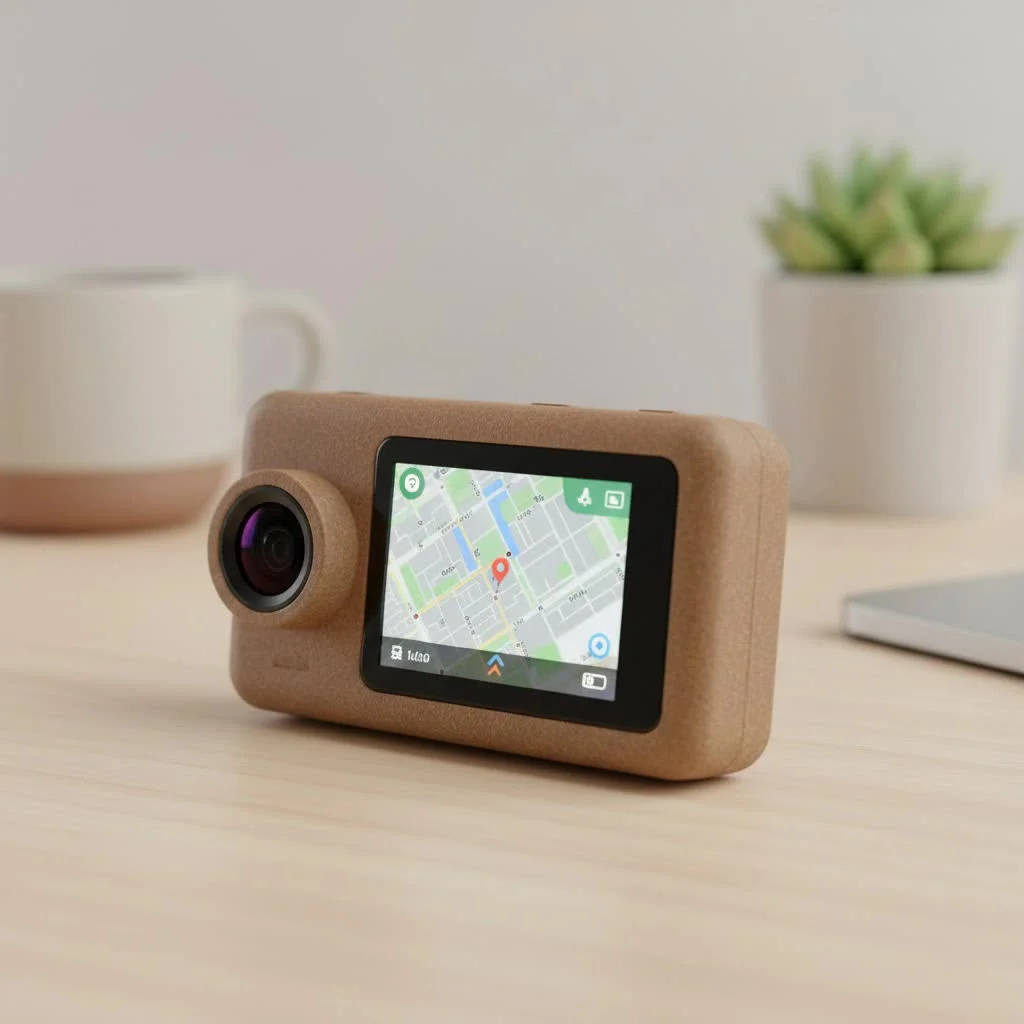
A dash cam front and rear wireless system provides comprehensive vehicle security by capturing events both ahead and behind your car, eliminating the need for a physical video cable between the front and rear camera units. These systems simplify installation significantly, making full coverage more accessible for drivers. While the video signal is transmitted wirelessly, both the front and rear cameras still require a wired connection to a power source within the vehicle.
What Does “Wireless” Really Mean for Dash Cams?
The term “wireless” in a dash cam context specifically refers to the connection between the front and rear camera units, not a complete absence of wires. The rear camera transmits its video signal wirelessly to the main front unit, which then records both feeds.
However, both cameras still require power. Here’s the breakdown:
- Front Camera: This unit typically plugs into your car’s 12V cigarette lighter socket or is hardwired into the fuse box for a cleaner installation and features like parking mode.
- Rear Camera: The “wireless” rear camera also needs power. This is usually achieved by plugging it into a nearby power source, such as a 12V socket in the trunk or a USB port for rear passengers. Some newer models are truly wire-free and run on rechargeable batteries, but this requires periodic removal for charging.
Therefore, “wireless” means no video cable between the cameras, but not a complete absence of wires. The primary benefit is a drastically simplified and cleaner installation process.
Why Choose a Wireless Front and Rear Dash Cam?
The main appeal of a wireless system is convenience, but the benefits extend beyond just skipping a tedious installation step.
The Unbeatable Advantage of Easy Installation
This is the number one reason drivers opt for a wireless setup. Running a long video cable from the front windshield to the rear window is often the most challenging part of a traditional dual-camera installation. It involves tucking the wire under headliners, removing interior trim panels, and navigating around airbags. With a wireless system, you simply mount each camera and connect it to the nearest power source.
A Cleaner, More Professional Look
Without a visible cable snaking its way through your car, the final setup looks much more professional and integrated. This is especially important for leased vehicles or for owners who want to maintain a pristine interior aesthetic. A tidy installation prevents wires from getting snagged or becoming a distraction.
Flexibility in Rear Camera Placement
Because the rear camera isn’t tethered by a long video cable to the front unit, you have more flexibility in where you place it. This is particularly useful for larger vehicles like SUVs, trucks, and vans, where standard cables might not be long enough or where routing is especially difficult.
Key Features to Look for in Your Next Dash Cam
When shopping for a dash cam front and rear wireless system, the core features that define a quality device remain the same. Don’t compromise on these essentials.
- Video Quality: Aim for a front camera with at least 1440p (QHD) or 4K resolution. For the rear, 1080p (Full HD) is the standard and provides sufficient clarity to capture license plates and other details. Look for features like High Dynamic Range (HDR) to improve clarity in low-light and high-contrast situations.
- Field of View (FOV): A wider FOV, typically between 140 and 170 degrees, allows the camera to capture more of the scene without significant “fisheye” distortion.
- Night Vision: Superior low-light performance is non-negotiable. Check for cameras that use high-quality sensors, like those from Sony’s STARVIS line, which are specifically designed for clear recording in the dark.
- Parking Mode: This feature allows the dash cam to monitor your vehicle even when it’s parked. It typically requires a hardwire kit and uses motion or impact detection (via the G-sensor) to trigger recording, providing crucial evidence in case of a hit-and-run.
- G-Sensor: An internal accelerometer that detects sudden impacts, such as a collision or heavy braking. When triggered, it automatically locks the current video file, preventing it from being overwritten by the loop recording feature.
- GPS: An integrated GPS module geotags your footage with location and speed data. This can be invaluable for insurance claims or legal disputes, providing an indisputable record of where and when an incident occurred.
- Wi-Fi & App Connectivity: Built-in Wi-Fi allows the dash cam to connect directly to your smartphone via a dedicated app. This makes it incredibly easy to review, download, and share footage without needing to remove the microSD card.
How to Install Your Wireless Dash Cam: A Step-by-Step Guide
While professional installation is always an option, most dash cam front and rear wireless systems are designed for easy DIY setup.
Installing the Front Camera
|
Our Picks for the Best Dash Cam in 2026
As an Amazon Associate I earn from qualifying purchases.
|
||
| Num | Product | Action |
|---|---|---|
| 1 | Dash Cam 1296P Front Dashcam, V300 WiFi Dash Camera for Cars with App, Night Vision, Mini Hidden Single Car Camera, Loop Recording, 24H Parking Mode, Support 256GB Max, Black |

|
| 2 | REDTIGER 4K Dash Cam Front Rear, STARVIS 2 Sensor, Free Card Included, 5.8GHz WiFi-20MB/s Fast Download, Dash Camera for Cars with GPS, WDR Night Vision, 170°Wide Angle, 24H Parking Mode(F7NP) |
|
| 3 | ROVE R2-4K DUAL Dash Cam Front and Rear, STARVIS 2 Sensor, FREE 128GB Card Included, 5G WiFi - up to 20MB/s Fastest Download Speed with App, 4K 2160P/FHD Dash Camera for Cars, 3\" IPS, 24H Parking Mode |
|
| 4 | Dash Cam Front and Rear, 2.5K+1080P Dual Dash Camera for Cars, 2’’ Display Mini Car Camera, G-Sensor Dashcam, Night Vision, 24H Parking Mode, Loop Recording, 170°Wide Angle, 32GB Card Included |
|
| 5 | REDTIGER 4K STARVIS 2 Dash Cam Front and Rear, 5GHz WiFi 20MB/s Download, 128GB Card Included, Voice Control, Dash Camera for Cars with 3.18\" Touch Screen, GPS, Loop Recording, Parking Mode(F7N Touch) |
|
| 6 | VIOFO A229 Plus Dash Cam Front and Rear, Dual STARVIS 2 Sensors, 2 Channel HDR, 1440P+1440P Voice Control Car Dash Camera, 5GHz Wi-Fi, Voice Control, Ultra-Precise GPS (SD Card Not Included) |
|
| 7 | IIWEY N5 4 Channel Dash Cam 360° View, 1080P Front and Rear Inside, Left Right Dash Camera for Cars, 8 IR Lamps Night Vision, 5G WiFi & APP Control, G-Sensor, Parking Mode, with a Free 128GB SD Card |
|
| 8 | Navycrest 4K Dash Cam Front and Rear with 64GB Card, Built-in 5G WiFi, Dash Camera for Cars 4K Front and 1080P Rear, Dashcams for Cars Loop Recording, Gravity Sensor, 24-Hours Parking Mode |
|
| 9 | Dash Cam Front and Rear, 1080P Dash Camera for Cars, 3 Channel Car Camera Front Rear and Inside with 32GB Card, Loop Recording, Night Vision, HDR, 24Hr Parking, G-Sensor |
|
| 10 | 4K Dash Cam Front, Built-in 5G WiFi, 64GB Card Included, Dash Camera for Cars, Mini Dashcam with Super Night Vision, Loop Recording, G-Sensor, 24 Hours Parking Monitor, Support 256GB Max |
|
- Choose the Location: The best spot is typically on the windshield behind the rearview mirror. This keeps it out of your direct line of sight while providing a clear, centered view of the road.
- Mount the Camera: Clean the glass thoroughly with an alcohol wipe. Peel the backing off the adhesive mount and press it firmly against the windshield for at least 30 seconds.
- Route the Power Cable: Plug the power cable into the camera. Neatly tuck the cable into the gap between the windshield and the headliner. Run it down along the A-pillar (the pillar on the side of the windshield) and under the dashboard to the 12V power socket.
- Power On: Insert the microSD card, start your car, and the camera should power on automatically.
Installing the Rear Camera
- Choose the Location: Mount the camera at the top center of your rear window, ensuring the view is not obstructed by the wiper blade path or defroster lines.
- Mount the Camera: Just like the front, clean the glass and affix the adhesive mount securely.
- Connect to Power: This is where the “wireless” advantage shines. Instead of running a cable to the front, simply route the rear camera’s shorter power cord to the nearest power source, such as a 12V outlet in the trunk or a rear passenger USB port.
- Pair the Cameras: Follow the manufacturer’s instructions to pair the rear camera with the front unit. This is usually an automatic process once both units are powered on. You should see the rear camera’s feed appear on the front unit’s screen or in the companion app.
“The biggest hurdle for dual-cam adoption has always been the rear camera installation,” notes David Chen, a veteran auto electronics specialist. “Wireless systems have been a major upgrade. They make comprehensive, 360-degree protection accessible to the average driver, not just the hardcore enthusiast willing to pull apart their car’s interior.”
Potential Downsides to Consider
While wireless systems are incredibly convenient, it’s important to be aware of a few potential drawbacks.
- Signal Interference: In rare cases, the wireless signal between the two cameras can be subject to interference from other electronics, potentially causing a dropped connection. High-quality systems are designed to minimize this.
- Battery Management: For the few truly wire-free models that use batteries, you must be diligent about recharging them. Forgetting to do so could leave you without rear-facing protection when you need it most.
- Cost: Wireless dash cams can sometimes be slightly more expensive than their wired counterparts due to the additional transmitter and receiver technology involved.
Frequently Asked Questions (FAQ)
Are front and rear wireless dash cams completely wire-free?
No, this is a common misconception. “Wireless” refers to the video connection between the front and rear cameras. Both units will still require a wired connection to a power source in the car.
How is the rear wireless camera powered?
The rear camera is typically powered by a short cable that plugs into a nearby power source, like a 12V socket in the cargo area or a USB port available to rear passengers. Truly wire-free models use a built-in rechargeable battery.
Is the video quality of a wireless system as good as a wired one?
Yes, modern wireless systems use robust transmission technology to ensure there is no loss in video quality. A high-end wireless system can deliver the same crisp 1080p or 4K video as a comparable wired system.
Can I use my phone to view footage from both cameras?
Absolutely. Most modern dash cams, including wireless models, feature built-in Wi-Fi and a companion smartphone app. This allows you to connect directly to the camera to view a live feed, watch recorded videos, and download important clips from both the front and rear cameras.
Do wireless dash cams record when the car is parked?
Yes, if the model supports parking mode and is connected to a constant power source. This usually requires a hardwire kit that connects the dash cam directly to the car’s fuse box, allowing it to draw power without draining the battery when the engine is off.
The Clear Choice for Convenience and Security
A dash cam front and rear wireless system represents the perfect marriage of advanced security and user-friendly design. It removes the single biggest barrier to entry for dual-camera setups—the complex cable routing—while delivering the same high-quality, comprehensive protection as a traditional wired system. By understanding what “wireless” truly means and prioritizing key features like video quality and parking mode, you can confidently choose a system that will protect you on the road and in the parking lot. Make the smart investment in your peace of mind and enjoy a seamless, clean, and effective security solution for your vehicle.
Install Your Wireless Dash Cam System
This guide provides step-by-step instructions for easily installing a wireless front and rear dash cam system in your vehicle, minimizing cable routing.
Choose a location on the windshield behind the rearview mirror for an unobstructed view. Clean the glass with an alcohol wipe, then firmly press the adhesive mount for at least 30 seconds. Route the power cable neatly along the headliner and A-pillar to a 12V power socket under the dashboard.
Mount the rear camera at the top center of your rear window, ensuring no obstruction from wipers or defroster lines. Clean the glass and affix the adhesive mount securely. Route its shorter power cord to the nearest power source, such as a 12V outlet in the trunk or a rear passenger USB port.
Insert the microSD card into the front camera. Start your car, and both cameras should power on automatically. Follow the manufacturer's instructions to pair the rear camera with the front unit, which is usually an automatic process. Verify the rear camera's feed appears on the front unit's screen or companion app.
Get our weekly buyer guide
Practical specs, not advice. Unsubscribe anytime.
I finally pulled the trigger on a front and rear wireless dash cam after reading about how much easier the installation is. They weren’t kidding! Getting rid of that cable between the units made a huge difference. The video quality is solid, and I feel a lot safer knowing I have coverage from both ends of my car now.
The wireless transmission between the front and rear cameras works pretty well most of the time. However, I’ve noticed a slight delay in the rear camera feed occasionally, especially when I’m in areas with a lot of signal interference. It’s not a dealbreaker, but something to be aware of if you need absolutely real-time rear viewing.
I was a bit confused about the ‘wireless’ part, thinking it meant no wires at all, but the explanation here cleared it up. It’s great that the video signal is wireless between the cameras, but I do wish there was a truly wireless power option for the rear camera. Still, it’s a fantastic setup for overall security.
This guide really helped me understand the benefits of a dash cam front and rear wireless system. I was worried about a complicated setup, but the simplified installation without a physical video cable was a game-changer. It’s definitely worth the investment for the peace of mind it provides.