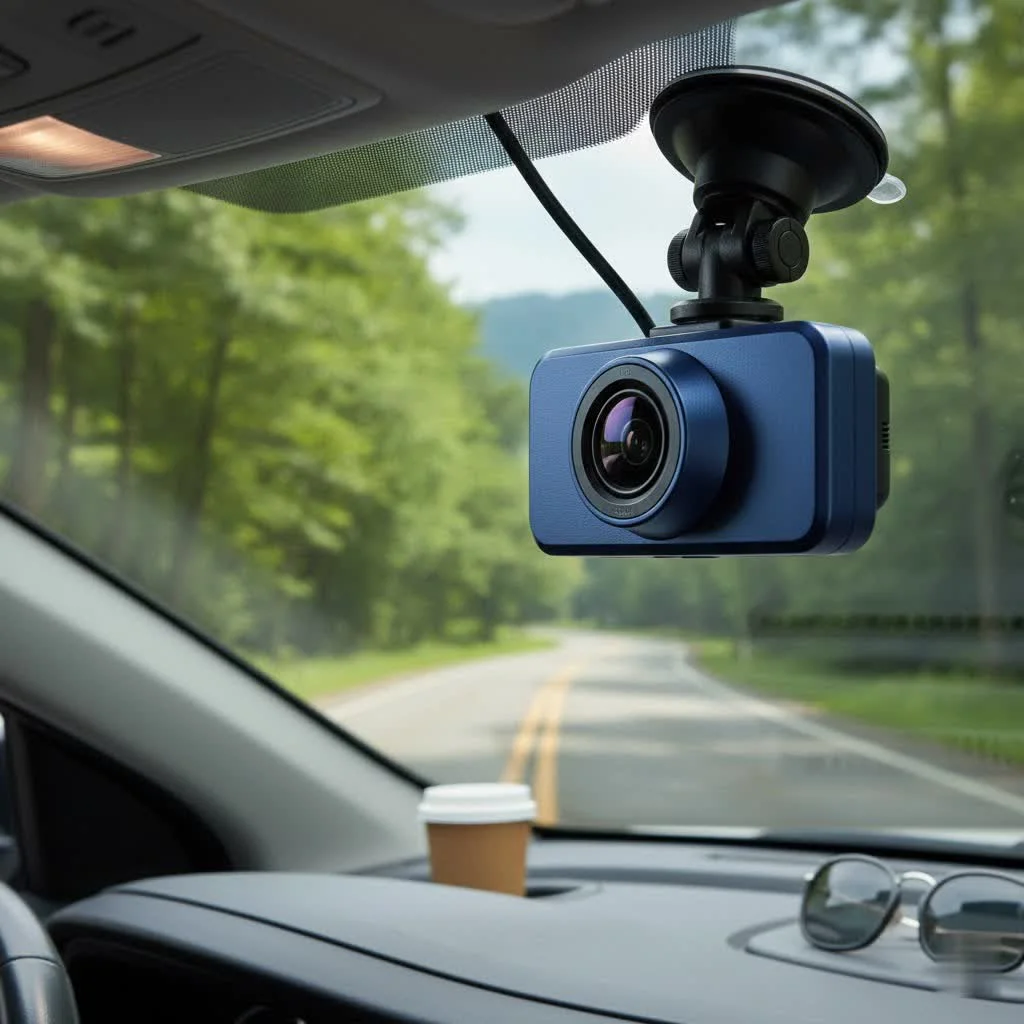
A wireless dash cam front and rear system provides comprehensive vehicle protection with simplified installation, as the “wireless” aspect refers to the data connection between the front and rear cameras, not the power source. These systems typically connect to a smartphone app via Wi-Fi for easy video access and management, offering a cleaner setup compared to traditional wired dual dash cams.
What Does “Wireless” Actually Mean for a Dash Cam?
This is the single most important concept to grasp, and a point of confusion for many first-time buyers. When a dash cam system is advertised as “wireless,” it almost always refers to the data connection between the front and rear cameras, and the connection to your smartphone, not the power source. For shop curated automotive dash on this site.
Important Clarification: Every dash cam, whether wireless or not, requires a constant power source to function. They are not battery-operated devices that you can simply stick on your windshield and forget about. The “wireless” aspect eliminates the need to run a video cable from the front unit to the rear unit.
- Wireless Data Transfer: The front camera unit communicates with the rear camera wirelessly, usually via its own dedicated Wi-Fi signal. This simplifies installation significantly, as you don’t need to tuck a long wire under the headliner and through the trim panels of your car.
- Wireless Power Source (The Myth): There is no such thing as a truly “power-wireless” dash cam that can record for extended periods. The power draw is too high for a small, rechargeable battery. Your dash cam will always need to be powered by either:
- The car’s 12V cigarette lighter socket.
- A hardwire kit connected directly to the car’s fuse box (required for parking mode).
So, when you choose a wireless dash cam front and rear, you’re choosing a cleaner installation and the convenience of wireless data transfer, not a device free from all cables.
Why Should You Choose a Wireless Front and Rear Dash Cam?
With the main misconception cleared up, let’s look at the powerful advantages that make these systems a top choice for drivers today.
Simplified and Cleaner Installation
The primary benefit is the ease of installation. Without a physical video cable connecting the two cameras, you can mount the front and rear units and get them powered up much faster. This is especially beneficial for larger vehicles like SUVs and trucks, where running a long cable can be a significant challenge. The result is a more professional-looking setup with minimal visible wiring.
Comprehensive Vehicle Coverage
|
Our Picks for the Best Dash Cam in 2026
As an Amazon Associate I earn from qualifying purchases.
|
||
| Num | Product | Action |
|---|---|---|
| 1 | 4K Dash Cam Front, Built-in 5G WiFi, 64GB Card Included, Dash Camera for Cars, Mini Dashcam with Super Night Vision, Loop Recording, G-Sensor, 24 Hours Parking Monitor, Support 256GB Max |

|
| 2 | REDTIGER 4K Dash Cam Front Rear, STARVIS 2 Sensor, Free Card Included, 5.8GHz WiFi-20MB/s Fast Download, Dash Camera for Cars with GPS, WDR Night Vision, 170°Wide Angle, 24H Parking Mode(F7NP) |
|
| 3 | Dash Cam 1296P Front Dashcam, V300 WiFi Dash Camera for Cars with App, Night Vision, Mini Hidden Single Car Camera, Loop Recording, 24H Parking Mode, Support 256GB Max, Black |
|
| 4 | REDTIGER 4K STARVIS 2 Dash Cam Front and Rear, 5GHz WiFi 20MB/s Download, 128GB Card Included, Voice Control, Dash Camera for Cars with 3.18\" Touch Screen, GPS, Loop Recording, Parking Mode(F7N Touch) |
|
| 5 | Navycrest 4K Dash Cam Front and Rear with 64GB Card, Built-in 5G WiFi, Dash Camera for Cars 4K Front and 1080P Rear, Dashcams for Cars Loop Recording, Gravity Sensor, 24-Hours Parking Mode |
|
| 6 | VIOFO A229 Plus Dash Cam Front and Rear, Dual STARVIS 2 Sensors, 2 Channel HDR, 1440P+1440P Voice Control Car Dash Camera, 5GHz Wi-Fi, Voice Control, Ultra-Precise GPS (SD Card Not Included) |
|
| 7 | Dash Cam Front and Rear, 2.5K+1080P Dual Dash Camera for Cars, 2’’ Display Mini Car Camera, G-Sensor Dashcam, Night Vision, 24H Parking Mode, Loop Recording, 170°Wide Angle, 32GB Card Included |
|
| 8 | Dash Cam Front and Rear, 1080P Dash Camera for Cars, 3 Channel Car Camera Front Rear and Inside with 32GB Card, Loop Recording, Night Vision, HDR, 24Hr Parking, G-Sensor |
|
| 9 | IIWEY N5 4 Channel Dash Cam 360° View, 1080P Front and Rear Inside, Left Right Dash Camera for Cars, 8 IR Lamps Night Vision, 5G WiFi & APP Control, G-Sensor, Parking Mode, with a Free 128GB SD Card |
|
| 10 | ROVE R2-4K DUAL Dash Cam Front and Rear, STARVIS 2 Sensor, FREE 128GB Card Included, 5G WiFi - up to 20MB/s Fastest Download Speed with App, 4K 2160P/FHD Dash Camera for Cars, 3\" IPS, 24H Parking Mode |
|
A dual-camera system provides a near-360-degree view of your surroundings. The front camera captures everything happening ahead of you—accidents, traffic violations, and unexpected events. The rear camera is your witness for rear-end collisions, parking lot incidents, and tailgaters, which are often missed by single-lens setups.
Effortless Video Access and Management
Most wireless dash cams connect to a smartphone app via Wi-Fi. This is a major upgrade. From your phone, you can:
- View a live feed from both cameras.
- Instantly review and download recorded footage.
- Adjust camera settings without touching the device.
- Easily share video clips with insurance companies, police, or on social media.
Key Features to Look For in a Top-Tier System
Not all dual-camera systems are created equal. Based on my experience, these are the non-negotiable features you should prioritize to ensure you’re getting a reliable and effective product.
Video Resolution and Quality
This is paramount. Look for a system that offers at least 1080p (Full HD) resolution for both the front and rear cameras. For superior clarity, especially for capturing license plates at a distance, consider a system with a 2K (1440p) or 4K front camera. Pay attention to the sensor (Sony STARVIS sensors are excellent for low light) and the lens aperture (a lower f-number like f/1.6 is better).
Wide Field of View (FOV)
A wider viewing angle allows the camera to capture more of the scene. Aim for a dash cam with an FOV between 140 and 170 degrees. This is wide enough to cover multiple lanes of traffic without causing a distorted “fisheye” effect at the edges of the video.
Reliable Parking Mode
Parking mode allows the dash cam to monitor your vehicle even when the engine is off. It’s an essential feature for protecting against hit-and-runs and vandalism. Look for systems with buffered recording, which saves the moments leading up to an impact, not just the aftermath. this feature requires a hardwire kit installation to provide constant power.
G-Sensor and Loop Recording
These are standard features but are critical for operation.
- G-Sensor (Gravity Sensor): Automatically detects a sudden impact (like a collision) and locks the current video file, preventing it from being overwritten.
- Loop Recording: Continuously records video, automatically overwriting the oldest, unlocked files when the memory card is full. This ensures you never run out of storage space.
Built-in GPS
A GPS module embeds your vehicle’s speed and location data directly into the video footage. This information can be invaluable as supporting evidence in an insurance claim or legal dispute, providing indisputable context for the recording.
How to Install a Wireless Dash Cam System
While professional installation is always an option, many users can install a wireless front and rear system themselves in under an hour.
- Plan Your Placement: Before peeling any adhesive, decide on the best mounting position. The front camera should be placed behind the rearview mirror to avoid obstructing your view. The rear camera should be centered at the top of the rear windshield.
- Mount the Front Camera: Clean the windshield area thoroughly. Peel the backing from the adhesive mount and press the camera firmly into place.
- Mount the Rear Camera: Repeat the process for the rear windshield.
- Connect Power to the Front Camera: Route the power cable from the front dash cam across the headliner, down the A-pillar, and to your car’s 12V power outlet or fuse box (if using a hardwire kit). Use a trim tool to neatly tuck the cable out of sight.
- Connect Power to the Rear Camera: The rear camera will also need power. It typically comes with its own power cable that you will route to a nearby power source, often the same 12V outlet using a provided adapter or a separate USB port if available.
- Pair the Cameras and Your Phone: Power on your car. Follow the manufacturer’s instructions to pair the rear camera to the front unit and to connect the system to your smartphone app via Wi-Fi.
- Test and Adjust: Use the app’s live view to ensure both cameras have a clear, level view. Adjust as needed, and you’re ready to hit the road.
Frequently Asked Questions (FAQ)
Are wireless front and rear dash cams truly 100% wireless?
No, this is a common misconception. The “wireless” part refers to the video data connection between the front and rear cameras. Both camera units still require a physical power cable connected to your car.
How does the rear camera connect to the front one?
The front unit creates its own local Wi-Fi or a similar wireless network. The rear camera automatically connects to this network to transmit its video stream, which is then recorded onto the memory card located in the front unit.
Can I use a wireless dash cam in any car?
Yes, these systems are universally compatible with virtually all cars, trucks, and SUVs. The primary consideration is having a 12V power source or being willing to hardwire the unit to your vehicle’s fuse box.
Do I need a professional to install the dash cam?
For a basic installation using the 12V power adapter, most people can do it themselves with a little patience. However, if you want to use parking mode, a hardwire installation is required. If you are not comfortable working with your car’s fuse box, it is highly recommended to have a professional handle the installation.
How much storage do I need for a dual-camera system?
Because you are recording two video streams simultaneously, storage is consumed faster. A 128GB high-endurance microSD card is a great starting point, providing many hours of recording before loop recording begins. Always use a high-endurance card designed specifically for the constant writing and rewriting of a dash cam.
The Final Verdict
A wireless dash cam front and rear system offers a fantastic combination of comprehensive protection, modern convenience, and a clean, discreet installation. By understanding that “wireless” refers to the data link, not the power source, you can set realistic expectations and choose a system that truly meets your needs. Look for a model with excellent video quality, reliable parking mode, and an intuitive smartphone app. By investing in the right dual-camera setup, you’re not just buying a gadget; you’re investing in peace of mind every time you get behind the wheel. Drive safe, and let your dash cam be your silent, ever-vigilant witness on the road.
Install a Wireless Dash Cam System
Install a wireless front and rear dash cam system in your vehicle in under an hour for comprehensive protection.
Before applying any adhesive, determine the optimal mounting positions. Position the front camera behind the rearview mirror to avoid obstructing your view, and center the rear camera at the top of the rear windshield.
Clean the windshield areas thoroughly where the cameras will be placed. Peel the backing from the adhesive mounts and firmly press both the front and rear cameras into their designated spots.
Route the power cable from the front dash cam along the headliner, down the A-pillar, and connect it to your car's 12V power outlet or fuse box if using a hardwire kit. Use a trim tool to neatly tuck the cable out of sight.
The rear camera also requires power. Route its power cable to a nearby power source, often the same 12V outlet using a provided adapter, or a separate USB port if available in your vehicle.
Turn on your car's ignition. Follow the manufacturer's instructions to pair the rear camera with the front unit and connect the entire system to its smartphone app via Wi-Fi. Use the app's live view to ensure clear, level footage from both cameras.
Get our weekly buyer guide
Practical specs, not advice. Unsubscribe anytime.
I appreciate the breakdown of what ‘wireless’ actually means. I was hoping for something truly battery-operated, so that was a bit of a letdown, even though it was clarified here. The constant power source requirement means I still had to deal with some wiring, which wasn’t ideal for my older car. It works fine, but just know what you’re getting into.
This was super helpful! I’ve been wanting a comprehensive vehicle protection system for a while but was intimidated by the installation. Knowing that the wireless aspect simplifies the setup between the front and rear cameras made all the difference. I got a great system and feel much more secure leaving my car parked.
Finally pulled the trigger on a front and rear wireless dash cam after reading this. The simplified installation was a huge selling point for me, and it really was pretty straightforward. My only minor gripe is that the smartphone app for managing videos can be a little clunky sometimes, but overall, I feel much safer on the road now.
I was so confused about the ‘wireless’ part, thinking it meant no power cable at all. This guide really cleared it up for me that it’s about the data connection. Ended up getting a system that connects to my phone via Wi-Fi and the setup was way cleaner than I expected. Definitely recommend understanding that distinction before buying.