A high-quality semi dash cam is an essential piece of equipment for professional truck drivers, providing an impartial witness to protect against false claims, accidents, and legal disputes. These specialized systems differ significantly from standard car dash cams by offering multi-channel recording, enhanced durability, and features tailored for the demanding commercial trucking environment. Automotive electronics expert David Chen emphasizes that durability and reliability are non-negotiable for these units, which operate thousands of hours annually under harsh conditions.

This guide will walk you through everything you need to know about choosing, installing, and utilizing a dash cam system designed specifically for the demands of a semi-truck. For shop curated automotive dash on this site.
What Makes a Semi Dash Cam Different from a Car’s?
You can’t just grab any dash cam off the shelf and expect it to work for a commercial truck. The environment and requirements of a semi are vastly different. A dedicated semi dash cam system is built to handle these unique challenges.
The most significant difference is the need for multi-channel recording. While a standard car might get by with a single forward-facing lens, a semi-truck has multiple blind spots and a much larger area to monitor. A proper truck system often includes:
- A forward-facing camera: To capture the road ahead.
- Side-view cameras: Mounted on the mirrors to monitor blind spots during lane changes.
- An in-cab camera: To monitor driver behavior, which is often a requirement for fleet management and can protect the driver from accusations of distracted driving.
- A rear-view camera: Essential for backing up and capturing rear-end collisions.
Beyond the number of cameras, these systems are designed for durability. They need to withstand constant vibrations, extreme temperature fluctuations inside the cab, and long operational hours.
“When selecting a dash cam for a commercial vehicle, durability and reliability are non-negotiable. These units run for thousands of hours a year under harsh conditions. Investing in a purpose-built system prevents critical failures when you need the footage most,” explains automotive electronics expert, David Chen.
Key Features to Look For in a Semi Dash Cam
Navigating the specifications can be overwhelming. Let’s break down the essential features you should prioritize to ensure you get a system that serves you well.
Multi-Channel Systems (2, 3, or 4+ Channels)
This is the most critical feature. A multi-channel system provides a comprehensive, 360-degree view around your truck. A 4-channel system is typically the standard for semi-trucks, covering the front, both sides, and the driver’s cabin or the rear of the trailer. This complete coverage is invaluable for reconstructing accident scenarios accurately.
High-Resolution Video and Night Vision
|
Our Picks for the Best Dash Cam in 2026
As an Amazon Associate I earn from qualifying purchases.
|
||
| Num | Product | Action |
|---|---|---|
| 1 | VIOFO A229 Plus Dash Cam Front and Rear, Dual STARVIS 2 Sensors, 2 Channel HDR, 1440P+1440P Voice Control Car Dash Camera, 5GHz Wi-Fi, Voice Control, Ultra-Precise GPS (SD Card Not Included) |

|
| 2 | Dash Cam Front and Rear, 2.5K+1080P Dual Dash Camera for Cars, 2’’ Display Mini Car Camera, G-Sensor Dashcam, Night Vision, 24H Parking Mode, Loop Recording, 170°Wide Angle, 32GB Card Included |
|
| 3 | IIWEY N5 4 Channel Dash Cam 360° View, 1080P Front and Rear Inside, Left Right Dash Camera for Cars, 8 IR Lamps Night Vision, 5G WiFi & APP Control, G-Sensor, Parking Mode, with a Free 128GB SD Card |
|
| 4 | Navycrest 4K Dash Cam Front and Rear with 64GB Card, Built-in 5G WiFi, Dash Camera for Cars 4K Front and 1080P Rear, Dashcams for Cars Loop Recording, Gravity Sensor, 24-Hours Parking Mode |
|
| 5 | Dash Cam 1296P Front Dashcam, V300 WiFi Dash Camera for Cars with App, Night Vision, Mini Hidden Single Car Camera, Loop Recording, 24H Parking Mode, Support 256GB Max, Black |
|
| 6 | ROVE R2-4K DUAL Dash Cam Front and Rear, STARVIS 2 Sensor, FREE 128GB Card Included, 5G WiFi - up to 20MB/s Fastest Download Speed with App, 4K 2160P/FHD Dash Camera for Cars, 3\" IPS, 24H Parking Mode |
|
| 7 | REDTIGER 4K STARVIS 2 Dash Cam Front and Rear, 5GHz WiFi 20MB/s Download, 128GB Card Included, Voice Control, Dash Camera for Cars with 3.18\" Touch Screen, GPS, Loop Recording, Parking Mode(F7N Touch) |
|
| 8 | Dash Cam Front and Rear, 1080P Dash Camera for Cars, 3 Channel Car Camera Front Rear and Inside with 32GB Card, Loop Recording, Night Vision, HDR, 24Hr Parking, G-Sensor |
|
| 9 | REDTIGER 4K Dash Cam Front Rear, STARVIS 2 Sensor, Free Card Included, 5.8GHz WiFi-20MB/s Fast Download, Dash Camera for Cars with GPS, WDR Night Vision, 170°Wide Angle, 24H Parking Mode(F7NP) |
|
| 10 | 4K Dash Cam Front, Built-in 5G WiFi, 64GB Card Included, Dash Camera for Cars, Mini Dashcam with Super Night Vision, Loop Recording, G-Sensor, 24 Hours Parking Monitor, Support 256GB Max |
|
License plates, road signs, and other small details are crucial pieces of evidence. Look for a system that records in at least 1080p (Full HD) resolution for all cameras. Equally important is superior night vision. Infrared (IR) LEDs for in-cab cameras ensure clear recording in low-light conditions without distracting the driver, while advanced image sensors like Sony’s STARVIS are essential for capturing clear footage on dark highways.
Loop Recording and G-Sensor
Modern dash cams record continuously on a loop, overwriting the oldest footage when the memory card is full. This means you never have to worry about running out of space. A built-in G-sensor (or accelerometer) is the key to protecting important files. When it detects a sudden impact, such as a collision or hard braking, it automatically locks the current video file, preventing it from being overwritten.
GPS and Data Logging
GPS functionality embeds your vehicle’s speed and location data directly into the video footage. This provides indisputable evidence of where you were and how fast you were traveling at the time of an incident. This data is critical for exonerating drivers from false claims of speeding or being in the wrong location.
Professional Parking Mode
Trucks are often parked for long periods at rest stops or loading docks, making them vulnerable to hit-and-runs or theft. A professional-grade parking mode is a must. Unlike basic systems, these are hardwired to the vehicle’s battery and use advanced power management to record incidents while parked without draining the battery. They are triggered by motion or impact, ensuring any event is captured even when you’re away from the cab.
Durability and Temperature Resistance
A truck’s cabin can become an oven in the summer and a freezer in the winter. Look for dash cams that use supercapacitors instead of traditional lithium-ion batteries. Supercapacitors are far more resilient to extreme temperatures, making them safer and more reliable for the trucking environment.
How to Choose the Right Dash Cam for Your Rig
Making the right choice comes down to assessing your specific needs and budget.
Checklist for Choosing a Semi Dash Cam:
- Number of Channels: How many viewpoints do you need to cover? A solo owner-operator might start with a 2-channel system (front and in-cab), while a fleet might mandate a 4-channel setup.
- Video Quality: Is 1080p sufficient, or do you need the higher clarity of 2K or 4K for the primary front camera?
- Storage Capacity: Multi-channel systems generate a lot of data. Ensure the device supports high-capacity microSD cards (256GB or more) to store several days’ worth of driving footage.
- Connectivity: Do you need Wi-Fi or Bluetooth to easily review and download footage to your smartphone? For fleets, cellular (4G LTE) connectivity allows for remote viewing and cloud backup, which is a powerful management tool.
- Installation: Are you comfortable with a DIY hardwiring installation, or will you need to budget for a professional installer? Due to the complexity of a truck’s electrical system, professional installation is often recommended.
| Feature | Basic System | Professional System |
|---|---|---|
| Channels | 1-2 Channels | 4+ Channels |
| Resolution | 1080p (Front Only) | 1080p / 2K+ (All Channels) |
| Parking Mode | Basic, G-Sensor only | Hardwired, Voltage Monitoring |
| GPS | Optional Add-on | Integrated |
| Connectivity | None or Basic Wi-Fi | Wi-Fi, 4G LTE Cloud Access |
| Storage | Up to 128GB | Up to 512GB+ |
Understanding the Legal Side: DOT Regulations
It’s crucial to understand the legal framework surrounding dash cam usage in commercial vehicles. The Federal Motor Carrier Safety Administration (FMCSA) has specific rules. A semi dash cam is legal as long as it does not obstruct the driver’s view. The general rule is that devices should be mounted outside the driver’s primary sightlines, typically high on the center of the windshield, behind the rearview mirror.
- Placement: The device must not obstruct the view of the road, highways signs, or signals.
- Interaction: Drivers are prohibited from interacting with the device while driving. Set it up before you start your trip and let it run.
- Company Policy: If you are a company driver, be aware of your employer’s policies regarding in-cab recording and privacy.
Frequently Asked Questions (FAQ)
Are dash cams required in semi-trucks?
Currently, there is no federal mandate requiring dash cams in all commercial trucks. However, many insurance companies offer discounts for vehicles equipped with them, and an increasing number of fleet operators are making them mandatory for safety and liability reasons.
Can a dash cam lower my insurance premium?
Yes, many insurance providers offer significant discounts for commercial trucks that use multi-channel dash cams. The technology is proven to reduce litigation costs and encourage safer driving habits, making it a win-win for both the driver and the insurer.
How much storage do I need for a semi dash cam?
For a 4-channel system recording in 1080p, you should aim for at least a 256GB microSD card. This will typically provide enough storage for 24-40 hours of continuous recording before the loop recording begins overwriting older files.
Do I really need an in-cab camera?
An in-cab camera is one of the best tools to protect a driver from false accusations. In the event of an accident, it can prove you were not on your phone, distracted, or otherwise negligent. While privacy is a consideration, its value in proving your professionalism is often worth it.
Can my company watch me on the dash cam?
If you are a company driver and the truck is equipped with a dash cam that has cellular connectivity, your company may have the ability to view footage remotely. This is typically outlined in the company’s policy, which you should be familiar with.
Your Best Co-Pilot on the Road
A semi dash cam is a powerful investment in your safety, your career, and your peace of mind. It works tirelessly to document the truth, providing an unbiased account of events on the road. From exonerating you in a not-at-fault accident to deterring theft and monitoring your vehicle while you rest, the benefits are undeniable. By choosing a robust, multi-channel system designed for the rigors of commercial trucking, you’re equipping yourself with one of the most effective co-pilots available today. Drive safe, and let the camera handle the rest.
Frequently Asked Questions
Are dash cams legally required in semi-trucks by federal mandate?
No, there is currently no federal mandate requiring dash cams in all commercial trucks. However, many insurance companies offer discounts for vehicles equipped with them, and an increasing number of fleet operators are making them mandatory for safety and liability reasons.
Can installing a dash cam in my commercial truck reduce insurance premiums?
Yes, many insurance providers offer significant discounts for commercial trucks that use multi-channel dash cams. This technology is proven to reduce litigation costs and encourage safer driving habits, benefiting both the driver and the insurer.
What is the recommended storage capacity for a 4-channel semi dash cam system?
For a 4-channel system recording in 1080p, you should aim for at least a 256GB microSD card. This capacity typically provides enough storage for 24-40 hours of continuous recording before the loop recording feature overwrites older files.
Is an in-cab camera truly necessary for a semi-truck driver?
An in-cab camera is one of the best tools to protect a driver from false accusations. In the event of an accident, it can provide evidence that you were not distracted or negligent. While privacy is a consideration, its value in proving your professionalism is often worth the investment.
Can my employer remotely view footage from a company-equipped dash cam?
If you are a company driver and the truck is equipped with a dash cam that has cellular connectivity, your company may have the ability to view footage remotely. This capability is typically outlined in the company's policy, which employees should review and understand.
How to Choose the Right Dash Cam for Your Rig
Selecting the appropriate dash cam for your semi-truck involves assessing your specific needs and budget, focusing on key features like channels, video quality, storage, connectivity, and installation.
Consider how many viewpoints you need to cover around your truck. A solo owner-operator might start with a 2-channel system (front and in-cab), whereas a fleet might require a 4-channel setup for comprehensive coverage.
Decide if 1080p (Full HD) resolution is sufficient for all cameras, or if you need higher clarity like 2K or 4K for the primary front camera to capture fine details such as license plates.
Multi-channel systems generate significant data, so ensure the device supports high-capacity microSD cards, ideally 256GB or more. This capacity allows for several days' worth of driving footage before loop recording overwrites older files.
Determine if you need Wi-Fi or Bluetooth for easy footage review and download to your smartphone. For fleet management, cellular (4G LTE) connectivity is a powerful tool for remote viewing and cloud backup.
Decide if you are comfortable with a DIY hardwiring installation or if you need to budget for a professional installer. Due to the complexity of a truck's electrical system and the need for reliable power, professional installation is often recommended for semi dash cams.
Get our weekly buyer guide
Practical specs, not advice. Unsubscribe anytime.
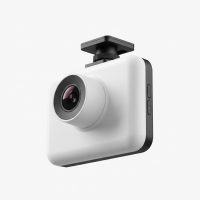
Switched from a regular car dash cam to a proper semi dash cam after reading up on the differences. The enhanced durability is no joke; my old one couldn’t handle the vibrations and temperature swings. This new one is built like a tank and the wider field of view is much better for a big truck. Wish I’d made the upgrade sooner.
Got one of the mid-range models, and while the video quality is good, the installation was a bit more involved than I expected. The wiring for the multi-channel recording took some extra time to route cleanly. It works fine now, but just a heads up that it’s not always a quick plug-and-play for all the features.
As a long-haul driver, protecting myself against false claims is huge. My new dash cam system has already come in handy once when a four-wheeler tried to cut me off. Having that footage saved me a lot of headaches and potential legal disputes. It’s truly an essential piece of equipment for anyone in commercial trucking.
I’ve been running a multi-channel system in my rig for about six months now, and it’s been a game-changer. The peace of mind knowing I have an impartial witness for any incident is priceless. It really holds up to the long hours on the road, just like David Chen mentioned about durability being key for these units. Definitely worth the investment for any professional driver.