The Garmin Dash Cam Live is an advanced dash camera that provides real-time vehicle surveillance through a constant LTE connection, allowing users to monitor their car remotely via the Garmin Drive app. This device offers peace of mind by enabling live video streaming, theft alerts, and incident notifications directly to a smartphone, even when the vehicle is parked. It records in crisp 1440p HD with HDR and features voice control for hands-free operation, making it a comprehensive security solution for modern vehicle owners.
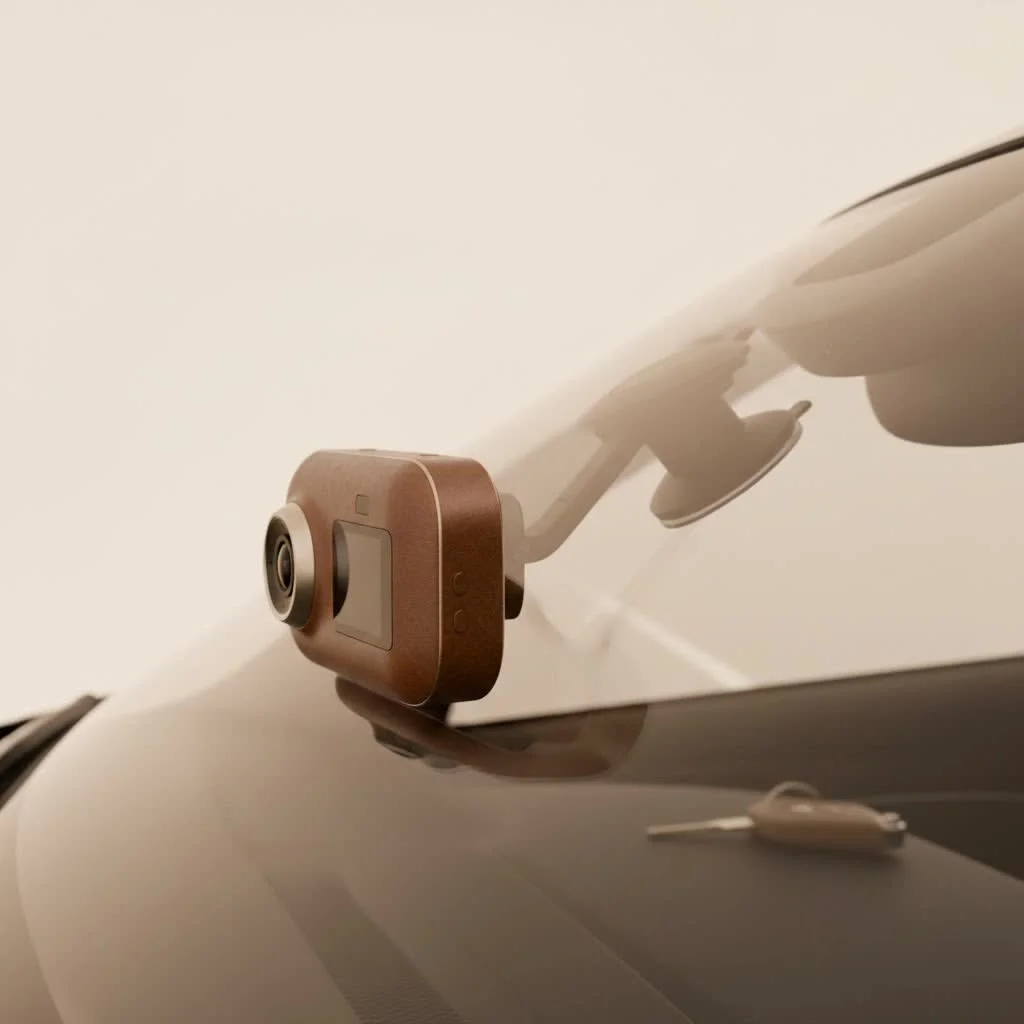
As a specialist with over 15 years in the automotive tech space, I’ve seen dash cams evolve from simple, grainy recorders to sophisticated smart devices. The Garmin Dash Cam Live represents the pinnacle of this evolution, offering peace of mind that extends far beyond the driver’s seat. It’s designed for the modern vehicle owner who demands security, connectivity, and clarity.
What is the Garmin Dash Cam Live?
The Garmin Dash Cam Live is a compact, high-definition camera for your car that includes a built-in, always-on LTE cellular connection. This key feature allows it to transmit live video and send alerts directly to your smartphone through the Garmin Drive app, even when your car is parked and the ignition is off. Unlike traditional dash cams that only save footage locally to an SD card, this device bridges the gap between your car and your phone, giving you a live look-in whenever you need it.
This constant connectivity requires an active LTE subscription plan, which is what powers its most advanced features. Think of it as a dedicated security system for your vehicle that you can access from your pocket.
Key Features That Make a Difference
While the live view is the star of the show, Garmin has packed this device with a suite of features that work together to provide comprehensive protection and convenience.
Always-On LTE Connectivity
The cornerstone of the Garmin Dash Cam Live is its cellular connection. This is what enables you to tap into a live feed of your car’s surroundings, receive theft alerts if your vehicle is moved without your phone nearby, and get notifications if the Parking Guard feature detects an incident. You can check on your car in a crowded parking garage or see what’s happening around it when you’re miles away at the office.
Superb 1440p HD Video with HDR
What good is a witness if the image is blurry? Garmin addresses this with a high-quality lens that records in crisp 1440p resolution at 30 frames per second. It also features Garmin’s Clarity™ HDR (High Dynamic Range) technology, which significantly improves detail in both bright daylight and low-light conditions. This ensures that crucial details like license plates are legible, day or night. The 140-degree field of view provides a wide perspective of the road ahead without excessive distortion.
“In incident reconstruction, video clarity is everything. The 1440p resolution combined with HDR in the Garmin Dash Cam Live ensures that the evidence it captures is clear and usable, which is a critical factor for insurance claims and legal situations.” – David Chen, Automotive Technology Specialist
Voice Control for Hands-Free Operation
|
Our Picks for the Best Dash Cam in 2026
As an Amazon Associate I earn from qualifying purchases.
|
||
| Num | Product | Action |
|---|---|---|
| 1 | IIWEY N5 4 Channel Dash Cam 360° View, 1080P Front and Rear Inside, Left Right Dash Camera for Cars, 8 IR Lamps Night Vision, 5G WiFi & APP Control, G-Sensor, Parking Mode, with a Free 128GB SD Card |

|
| 2 | 4K Dash Cam Front, Built-in 5G WiFi, 64GB Card Included, Dash Camera for Cars, Mini Dashcam with Super Night Vision, Loop Recording, G-Sensor, 24 Hours Parking Monitor, Support 256GB Max |
|
| 3 | Dash Cam Front and Rear, 2.5K+1080P Dual Dash Camera for Cars, 2’’ Display Mini Car Camera, G-Sensor Dashcam, Night Vision, 24H Parking Mode, Loop Recording, 170°Wide Angle, 32GB Card Included |
|
| 4 | ROVE R2-4K DUAL Dash Cam Front and Rear, STARVIS 2 Sensor, FREE 128GB Card Included, 5G WiFi - up to 20MB/s Fastest Download Speed with App, 4K 2160P/FHD Dash Camera for Cars, 3\" IPS, 24H Parking Mode |
|
| 5 | Dash Cam Front and Rear, 1080P Dash Camera for Cars, 3 Channel Car Camera Front Rear and Inside with 32GB Card, Loop Recording, Night Vision, HDR, 24Hr Parking, G-Sensor |
|
| 6 | Navycrest 4K Dash Cam Front and Rear with 64GB Card, Built-in 5G WiFi, Dash Camera for Cars 4K Front and 1080P Rear, Dashcams for Cars Loop Recording, Gravity Sensor, 24-Hours Parking Mode |
|
| 7 | VIOFO A229 Plus Dash Cam Front and Rear, Dual STARVIS 2 Sensors, 2 Channel HDR, 1440P+1440P Voice Control Car Dash Camera, 5GHz Wi-Fi, Voice Control, Ultra-Precise GPS (SD Card Not Included) |
|
| 8 | Dash Cam 1296P Front Dashcam, V300 WiFi Dash Camera for Cars with App, Night Vision, Mini Hidden Single Car Camera, Loop Recording, 24H Parking Mode, Support 256GB Max, Black |
|
| 9 | REDTIGER 4K STARVIS 2 Dash Cam Front and Rear, 5GHz WiFi 20MB/s Download, 128GB Card Included, Voice Control, Dash Camera for Cars with 3.18\" Touch Screen, GPS, Loop Recording, Parking Mode(F7N Touch) |
|
| 10 | REDTIGER 4K Dash Cam Front Rear, STARVIS 2 Sensor, Free Card Included, 5.8GHz WiFi-20MB/s Fast Download, Dash Camera for Cars with GPS, WDR Night Vision, 170°Wide Angle, 24H Parking Mode(F7NP) |
|
Safety on the road means keeping your hands on the wheel and your eyes on the road. Garmin’s voice control feature is exceptionally reliable. Simply say “OK, Garmin” followed by a command to save a video clip, take a picture, start or stop audio recording, or activate Travelapse—a feature that condenses hours of driving into a shareable, minutes-long video.
Intelligent Safety and Security Features
- Incident Detection: The built-in G-sensor automatically detects a potential incident, such as a sudden impact or hard braking. When triggered, it automatically saves the video footage from just before, during, and after the event.
- Parking Guard: This feature monitors your vehicle when it’s parked. If it detects an incident, like another car bumping into yours, it will automatically start recording and send a notification with a video clip to your phone via the LTE connection.
- Location Tracking: Can’t remember where you parked? The LTE connection allows you to find your vehicle’s location at any time using the Garmin Drive app.
How the Live View Feature Works
Accessing the live feed from your dash cam is remarkably simple. Once the device is installed and your LTE subscription is active, you just need to open the Garmin Drive app on your smartphone. From the app’s main screen, you can select the live view option. The app then sends a request through the cellular network to your dash cam, which begins streaming a live video and audio feed directly to your phone. There’s a slight delay, but it provides a near-instant look at what your camera sees, offering immediate reassurance.
Understanding the Garmin LTE Subscription
To unlock the full potential of the Garmin Dash Cam Live, a subscription is necessary. This is not for video storage but for the cellular data the camera uses to communicate with your phone. Garmin offers different subscription tiers that typically vary in the amount of data and cloud storage for video clips.
- Vault Storage: All saved clips are automatically uploaded to the secure online Vault, where they are stored for a set period (e.g., 24 hours on the basic plan, with options to extend). This means your crucial footage is safe, even if the camera or SD card is stolen or damaged.
- Subscription Tiers: Plans are generally priced monthly and offer different levels of cloud storage duration. It is crucial to choose the plan that best fits your security needs.
Without a subscription, the Garmin Dash Cam Live functions as a high-quality, standard dash cam, recording to the local memory card, but without any remote connectivity features.
Is the Garmin Dash Cam Live the Right Choice for You?
This device is an excellent investment for specific types of drivers. Here’s who stands to benefit the most:
- Security-Conscious Owners: If you frequently park in public areas, on the street, or in large garages, the Parking Guard alerts and live view offer an unparalleled level of security.
- Parents of Teen Drivers: The ability to check your vehicle’s location and, if necessary, the live view can provide peace of mind when a new driver is on the road.
- Small Business Owners: For those managing a small fleet of vehicles, the location tracking and incident alerts help keep tabs on company assets.
- Tech Enthusiasts: If you value connectivity and want the latest in-car technology, the blend of a high-end dash cam with LTE features is hard to beat.
However, the primary consideration is the ongoing subscription cost. If you only need a dash cam for recording incidents while driving, a model without LTE connectivity may be more cost-effective.
Frequently Asked Questions (FAQ)
Does the Garmin Dash Cam Live record without a subscription?
Yes, it functions as a standard high-quality dash cam without a subscription. It will record video to the inserted microSD card and save clips when an incident is detected. However, all remote features like live view, location tracking, and alert notifications will be disabled.
How much data does the live view feature consume?
Streaming live video uses cellular data, and the amount depends on how often you use the feature. The Garmin LTE subscription plans come with a set data allowance designed to cover typical usage, including alerts and a reasonable amount of live streaming.
Can I use my own cellular provider’s SIM card?
No, the Garmin Dash Cam Live uses a built-in eSIM and is designed to work exclusively with Garmin’s own LTE subscription service. You cannot use a SIM card from another carrier.
Is the installation process difficult?
Installation is straightforward for most users. It involves mounting the camera to your windshield and running the power cable to your vehicle’s power source. For the Parking Guard feature to work, the camera requires constant power, which may mean using an always-on USB port or a hardwiring kit.
What happens if the microSD card is full?
The dash cam uses loop recording, which means it will automatically overwrite the oldest, unsaved video files once the memory card is full. Any clips saved manually via voice command or automatically due to an incident are locked and will not be overwritten.
Final Thoughts: A New Standard for Vehicle Security
The Garmin Dash Cam Live redefines what a dash cam can be. It moves beyond passive recording to become an active, connected security device that keeps you linked to your vehicle 24/7. The combination of excellent video quality, smart features like Parking Guard, and the power of a dedicated LTE connection provides a level of security and peace of mind that was previously unavailable. While the subscription model is an added cost, for many drivers, the value of knowing their vehicle is always watched over is well worth the investment. It’s more than a dash cam; it’s your eye on the road and beyond.
Frequently Asked Questions
Does the Garmin Dash Cam Live record without an active subscription?
Yes, the Garmin Dash Cam Live functions as a standard high-quality dash cam even without a subscription. It records video to an inserted microSD card and saves clips upon incident detection. However, remote features like live view, location tracking, and alert notifications are disabled without an active plan.
How much cellular data does the live view feature typically consume?
Streaming live video utilizes cellular data, and consumption varies based on usage frequency. Garmin LTE subscription plans include a data allowance designed to cover typical usage, encompassing alerts and a reasonable amount of live streaming. Specific data usage depends on how often you access the live feed.
Can I use a SIM card from my own cellular provider with this dash cam?
No, the Garmin Dash Cam Live is equipped with a built-in eSIM and is exclusively designed to operate with Garmin's proprietary LTE subscription service. It does not support the use of SIM cards from other cellular carriers.
Is the installation process for the Garmin Dash Cam Live complicated?
Installation is generally straightforward for most users, involving mounting the camera to the windshield and connecting the power cable to the vehicle's power source. For the Parking Guard feature to function continuously, the camera requires constant power, which may necessitate using an always-on USB port or a hardwiring kit.
What happens when the microSD card in the dash cam becomes full?
The dash cam employs loop recording, meaning it automatically overwrites the oldest, unsaved video files once the memory card reaches its capacity. Any video clips saved manually via voice command or automatically due to an incident are locked and protected from being overwritten.
Get our weekly buyer guide
Practical specs, not advice. Unsubscribe anytime.
The Garmin Dash Cam Live is decent, but I was hoping for a bit more from the HDR recording. While the daytime footage is good, I’ve noticed some glare issues during sunrise/sunset that make details a little hard to make out sometimes. It’s still better than my old cam, but not quite the ‘pinnacle of evolution’ I was expecting for that specific feature.
After having a minor fender bender where the other driver tried to deny fault, I knew I needed a better dash cam. The Garmin Dash Cam Live has been perfect. The constant surveillance and ability to check on my car when it’s parked is exactly what I needed. It’s a bit of an investment, but knowing I have that evidence if anything happens is worth every penny.
This dash cam is pretty solid. I really like the voice control feature; it makes it easy to save clips without fumbling around while driving. My only minor gripe is that the LTE connection can sometimes be a bit spotty in certain areas, which affects the live streaming. But for the most part, it works as advertised and the incident notifications are very reliable.
I’ve been using the Garmin Dash Cam Live for about a month now, and it’s been fantastic. The remote monitoring feature through the Garmin Drive app is a game-changer for me, especially since I park my car in a busy lot at work. Getting those theft alerts directly to my phone gives me so much peace of mind. The 1440p HD video quality is super clear too, even at night.