Azdome dash cams offer a compelling balance of advanced features and affordability, making them a strong choice for drivers seeking quality and reliability without a high price tag. With over 15 years of experience testing various cameras, Azdome has consistently impressed with premium features like 4K recording, multi-channel systems, and GPS logging for everyday drivers.
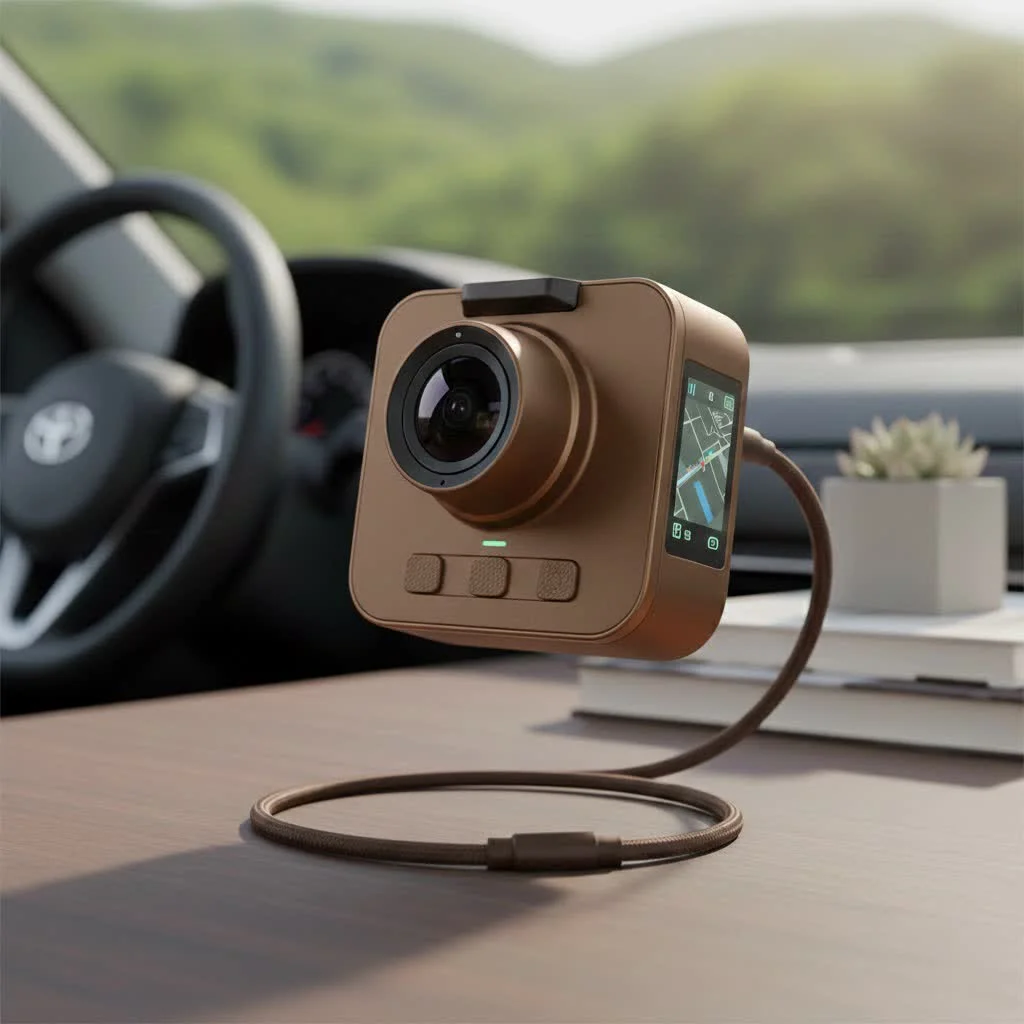
This guide explores why Azdome is a brand breaks down their most popular models, and provides practical knowledge for choosing, installing, and operating your new dash cam.
Why Should You Consider an Azdome Dash Cam?
In a crowded market, Azdome stands out for several key reasons, primarily its exceptional value. They consistently equip their devices with technology that was previously exclusive to high-end models, including crystal-clear 4K resolution, integrated Wi-Fi for easy file transfers, and GPS for logging speed and location.
Another significant advantage is their diverse product range. Azdome offers everything from discreet, single-lens cameras to comprehensive three-channel systems that record the front, rear, and interior of your vehicle simultaneously. This ensures there’s an Azdome dash cam tailored to nearly every need and budget. Features like Super Night Vision, Wide Dynamic Range (WDR), and robust parking modes provide peace of mind around the clock.
Top Azdome Dash Cam Models: A Detailed Breakdown
Choosing the right model can be daunting, so let’s break down some of the most popular and effective options in the Azdome lineup. Each of these cameras serves a slightly different purpose, but all share the core Azdome DNA of quality and value.
AZDOME M550 Pro: The All-Seeing Eye
The M550 Pro is arguably one of Azdome’s flagship models, and for good reason. It’s a three-channel system, often called a “triple cam,” which is perfect for rideshare drivers or safety-conscious families.
- Front Camera: Captures the road ahead in stunning 4K resolution. This level of detail is crucial for identifying license plates and street signs, day or night.
- Interior Camera: Records the cabin in 1080p and features infrared LEDs for clear footage even in complete darkness.
- Rear Camera: A 1080p waterproof camera that keeps an eye on what’s happening behind you.
With built-in GPS and Wi-Fi, the M550 Pro is a complete package that offers comprehensive coverage and easy access to your recordings.
AZDOME M300S: The Voice-Controlled Powerhouse
For those who prefer a more streamlined and futuristic experience, the M300S is a fantastic choice. Its standout feature is intelligent voice control. You can simply say commands like “Take picture” or “Lock the video” without ever taking your hands off the wheel.
This model boasts a powerful 4K front camera and an optional 1080p rear camera. Its sleek, screenless design is incredibly discreet, tucking away neatly behind your rearview mirror. You use the dedicated Azdome mobile app to view live footage, change settings, and download your recordings directly to your phone.
AZDOME GS63H: The Budget-Friendly Classic
|
Our Picks for the Best Dash Cam in 2026
As an Amazon Associate I earn from qualifying purchases.
|
||
| Num | Product | Action |
|---|---|---|
| 1 | Dash Cam Front and Rear, 2.5K+1080P Dual Dash Camera for Cars, 2’’ Display Mini Car Camera, G-Sensor Dashcam, Night Vision, 24H Parking Mode, Loop Recording, 170°Wide Angle, 32GB Card Included |

|
| 2 | REDTIGER 4K Dash Cam Front Rear, STARVIS 2 Sensor, Free Card Included, 5.8GHz WiFi-20MB/s Fast Download, Dash Camera for Cars with GPS, WDR Night Vision, 170°Wide Angle, 24H Parking Mode(F7NP) |
|
| 3 | VIOFO A229 Plus Dash Cam Front and Rear, Dual STARVIS 2 Sensors, 2 Channel HDR, 1440P+1440P Voice Control Car Dash Camera, 5GHz Wi-Fi, Voice Control, Ultra-Precise GPS (SD Card Not Included) |
|
| 4 | IIWEY N5 4 Channel Dash Cam 360° View, 1080P Front and Rear Inside, Left Right Dash Camera for Cars, 8 IR Lamps Night Vision, 5G WiFi & APP Control, G-Sensor, Parking Mode, with a Free 128GB SD Card |
|
| 5 | REDTIGER 4K STARVIS 2 Dash Cam Front and Rear, 5GHz WiFi 20MB/s Download, 128GB Card Included, Voice Control, Dash Camera for Cars with 3.18\" Touch Screen, GPS, Loop Recording, Parking Mode(F7N Touch) |
|
| 6 | Dash Cam 1296P Front Dashcam, V300 WiFi Dash Camera for Cars with App, Night Vision, Mini Hidden Single Car Camera, Loop Recording, 24H Parking Mode, Support 256GB Max, Black |
|
| 7 | ROVE R2-4K DUAL Dash Cam Front and Rear, STARVIS 2 Sensor, FREE 128GB Card Included, 5G WiFi - up to 20MB/s Fastest Download Speed with App, 4K 2160P/FHD Dash Camera for Cars, 3\" IPS, 24H Parking Mode |
|
| 8 | 4K Dash Cam Front, Built-in 5G WiFi, 64GB Card Included, Dash Camera for Cars, Mini Dashcam with Super Night Vision, Loop Recording, G-Sensor, 24 Hours Parking Monitor, Support 256GB Max |
|
| 9 | Dash Cam Front and Rear, 1080P Dash Camera for Cars, 3 Channel Car Camera Front Rear and Inside with 32GB Card, Loop Recording, Night Vision, HDR, 24Hr Parking, G-Sensor |
|
| 10 | Navycrest 4K Dash Cam Front and Rear with 64GB Card, Built-in 5G WiFi, Dash Camera for Cars 4K Front and 1080P Rear, Dashcams for Cars Loop Recording, Gravity Sensor, 24-Hours Parking Mode |
|
The GS63H has been a staple in the Azdome lineup for years because it delivers exceptional performance at an entry-level price point. This single-lens camera records in 4K and includes built-in GPS and Wi-Fi—features often missing from competitors in its price bracket. It’s a reliable workhorse that’s perfect for drivers who want a simple, set-it-and-forget-it solution for recording the road ahead.
As an automotive tech expert, I often recommend the GS63H to first-time dash cam buyers. Johnathan Price, a fellow installer with two decades of experience, agrees: “The GS63H is the definition of a great value. It offers the core, high-end features people need—like 4K and GPS—without the complexity or cost of multi-camera systems. It’s incredibly reliable.”
Key Features That Make Azdome Stand Out
Understanding the technology inside these cameras helps you appreciate the value they offer. Here are some of the most important features you’ll find in an Azdome dash cam.
- 4K Ultra HD Resolution: This isn’t just a gimmick. Higher resolution means a sharper, clearer image. When you need to read a license plate from a distance after an incident, 4K video makes all the difference compared to older 1080p cameras.
- Built-in Wi-Fi and App Control: Gone are the days of needing to remove the SD card and plug it into a computer. With Wi-Fi, your Azdome dash cam creates its own local network, allowing you to connect your smartphone directly. Through the AZDOME app, you can view, download, and share your footage effortlessly.
- GPS Logging: The integrated GPS module automatically embeds your vehicle’s location, speed, and route into the video file. This provides crucial context in the event of an accident and can be invaluable for insurance claims.
- G-Sensor and Emergency Lock: A built-in gravity sensor (G-sensor) detects sudden impacts, such as a collision or hard braking. When triggered, it automatically locks the current video file, protecting it from being overwritten by the loop recording feature.
- 24-Hour Parking Mode: This feature provides surveillance while your car is parked. It requires a hardwire kit to connect the dash cam directly to your car’s battery. When activated, it can record continuously in a time-lapse mode or wait to record only when the G-sensor detects an impact, like a bump or a break-in.
How to Install Your Azdome Dash Cam: A Simple Guide
One of the best things about Azdome cameras is their user-friendly installation process. You don’t need to be a professional to get it up and running in under 30 minutes.
- Choose the Right Spot: Mount the front camera on the windshield, typically behind the rearview mirror. This placement ensures an unobstructed view of the road without distracting the driver.
- Clean the Windshield: Use an alcohol wipe to clean the area where the adhesive mount will be placed. This ensures a strong, lasting bond.
- Attach the Camera: Peel the film from the adhesive pad and press the mount firmly against the glass for about 30 seconds.
- Route the Power Cable: Plug the power cable into the camera. Neatly tuck the wire into the headliner, down the A-pillar, under the glove box, and finally into your car’s 12V power outlet. Most kits come with a trim tool to make this easy.
- Install the Rear Camera (if applicable): Mount the rear camera on the rear windshield. Route its cable along the same path as the power cable, hiding it under the trim panels, until it connects to the front unit.
- Power Up and Format: Insert a high-endurance microSD card. Start your car to power on the dash cam and navigate to the settings to format the memory card. This is a critical step for ensuring stable recording.
Frequently Asked Questions (FAQ)
Here are answers to some of the most common questions I get about the Azdome dash cam family.
What is the best SD card for an Azdome dash cam?
For 4K recording, it is crucial to use a high-endurance U3 speed class microSD card. These cards are specifically designed for the constant rewriting that dash cams perform. Brands like SanDisk High Endurance or Samsung PRO Endurance are excellent choices. Always use a card with a capacity between 64GB and 256GB for the best performance.
How does the Azdome night vision work?
Azdome cameras combine a large aperture lens (like f/1.8) with a Wide Dynamic Range (WDR) sensor. This combination allows the camera to capture more light and balance the darkest and brightest parts of the image, resulting in clearer, more detailed footage in low-light conditions.
Can I use the parking monitor without a hardwire kit?
No, for the parking monitor feature to work correctly, the dash cam needs a constant source of power, which is provided by a hardwire kit connected to your car’s fuse box. The kit also has a voltage cutoff feature to prevent the camera from draining your car’s battery.
Why won’t my camera connect to the app?
Most app connection issues are related to your phone’s Wi-Fi settings. Ensure your phone’s mobile data is turned off temporarily while connecting to the dash cam’s Wi-Fi network. Also, make sure you are using the correct, official AZDOME app and that the camera’s firmware is up to date.
The Final Verdict
After countless hours on the road and on the workbench, I can confidently say that an Azdome dash cam is one of the smartest investments you can make for your vehicle. They offer a feature set that rivals brands costing twice as much, all while maintaining solid build quality and user-friendly operation.
Whether you choose the comprehensive coverage of the M550 Pro or the sleek, voice-activated M300S, you’re getting a reliable eyewitness that adds a powerful layer of safety and security to every drive. For drivers who want premium features without the premium price tag, Azdome is a clear winner.
Frequently Asked Questions
What is the best SD card for an Azdome dash cam?
For optimal 4K recording, a high-endurance U3 speed class microSD card is essential. These cards are designed for the continuous rewriting demands of dash cams. Recommended brands include SanDisk High Endurance or Samsung PRO Endurance, with capacities between 64GB and 256GB for best performance.
How does the Azdome night vision feature work?
Azdome cameras utilize a large aperture lens, typically f/1.8, combined with a Wide Dynamic Range (WDR) sensor. This technology allows the camera to capture more light and balance extreme light and dark areas, resulting in clearer, more detailed footage in low-light conditions.
Can I use the parking monitor feature without a hardwire kit?
No, the parking monitor feature requires a constant power source, which is supplied by a hardwire kit connected to your car's fuse box. This kit also includes a voltage cutoff to prevent the dash cam from draining your car's battery during extended parking surveillance.
Why won't my Azdome camera connect to its mobile app?
Most app connection issues stem from phone Wi-Fi settings. Ensure your phone's mobile data is temporarily turned off when connecting to the dash cam's Wi-Fi network. Additionally, verify you are using the correct, official AZDOME app and that the camera's firmware is up to date.
What are the main advantages of Azdome dash cams?
Azdome dash cams offer significant value by packing advanced features like 4K resolution, integrated Wi-Fi, and GPS into affordable devices. Their diverse product range, including single and multi-channel systems, ensures there's a model for nearly every driver's needs and budget, providing enhanced safety and security.
Install Your Azdome Dash Cam
Install your Azdome dash cam in under 30 minutes to ensure reliable recording and vehicle security.
Mount the front camera on the windshield, ideally behind the rearview mirror. This placement provides an unobstructed view of the road without distracting the driver.
Use an alcohol wipe to thoroughly clean the area where the adhesive mount will be placed. A clean surface ensures a strong, lasting bond for the camera mount.
Peel the film from the adhesive pad and firmly press the mount against the cleaned glass for approximately 30 seconds. This secures the camera in its chosen position.
Plug the power cable into the camera and neatly tuck the wire into the headliner, down the A-pillar, under the glove box, and into your car's 12V power outlet. Most kits include a trim tool for easy cable management.
Insert a high-endurance microSD card into the camera. Start your car to power on the dash cam, then navigate to the settings menu to format the memory card. This crucial step ensures stable and reliable recording.
Get our weekly buyer guide
Practical specs, not advice. Unsubscribe anytime.
I picked up an Azdome after reading about their multi-channel systems. I wanted something that covered both front and back, and this model delivered. The installation was pretty straightforward, and the video quality is good. My only minor gripe is that the menu can be a little clunky to navigate at first, but once you set it up, you don’t really touch it much.
After my last dash cam died, I decided to try Azdome because of their reputation for reliability. I’m so glad I did! The picture quality is excellent, and I love having the peace of mind knowing it’s always recording. The advanced features like parking mode have already come in handy once. Highly recommend for anyone looking for a dependable dash cam.
I’ve been using an Azdome dash cam for about six months now, and it’s been fantastic. The 4K recording is super clear, even at night, which was a big selling point for me. I also really appreciate the integrated Wi-Fi; it makes getting footage off the camera so much easier than fiddling with an SD card. Definitely a solid choice for the price.
I got an Azdome based on the affordability factor mentioned in a few places. For the most part, it’s decent, especially the GPS logging feature which is handy. However, I’ve had a couple of instances where it didn’t seem to record properly when I started the car, and I had to manually restart it. It’s not a deal-breaker, but it’s a bit annoying to double-check every time.