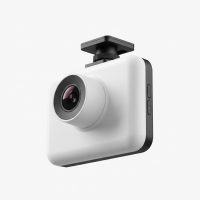
In today’s world, the road can be an unpredictable place. From minor fender benders to more serious incidents, having an unbiased witness is invaluable. That’s where a dash cam for car owners becomes more than just a gadget; it’s an essential tool for safety, security, and peace of mind. Whether you’re a daily commuter, a weekend road-tripper, or a professional driver, understanding how to choose, install, and use a dash cam can save you from countless headaches, potential legal troubles, and unfair insurance claims. This comprehensive guide, backed by over 15 years of hands-on experience, will walk you through everything you need to know.
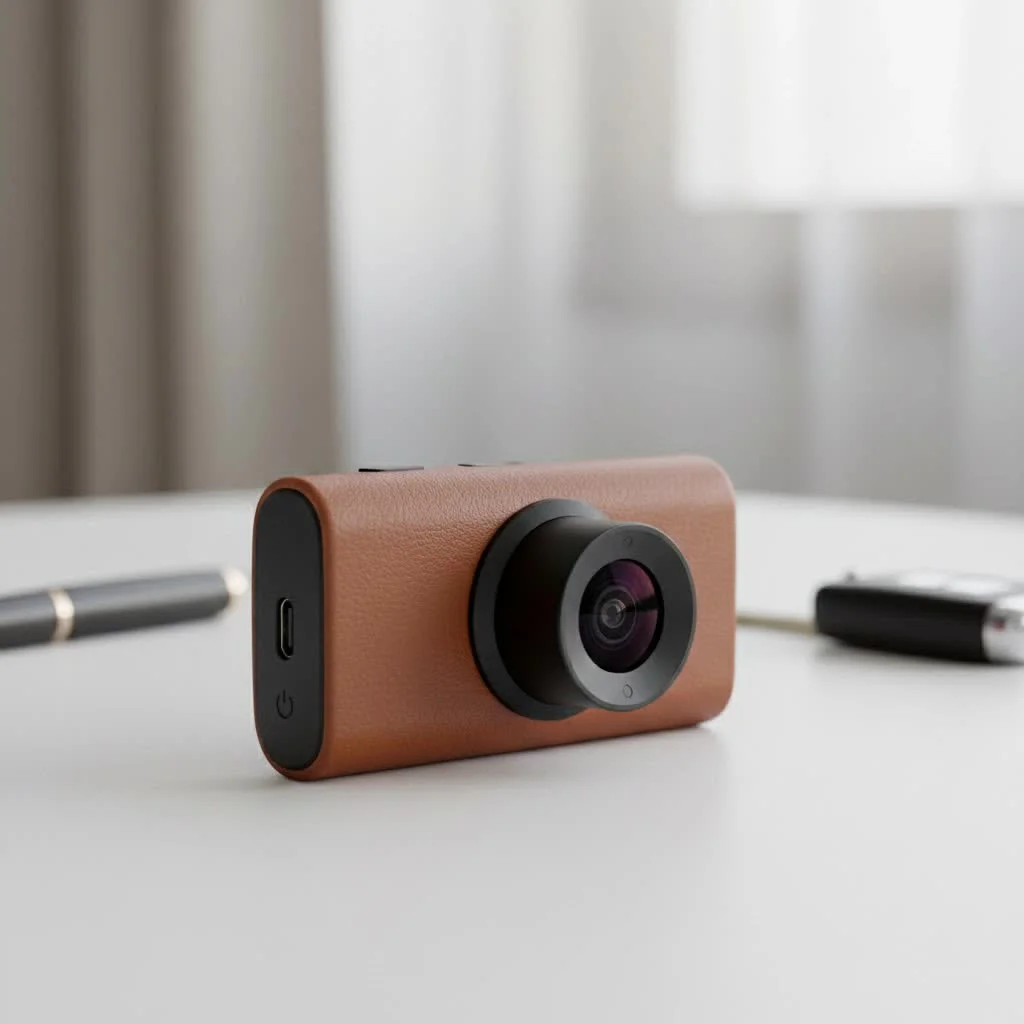
Why Every Driver Should Consider a Dash Cam
Still on the fence about getting a dash cam? Let’s break down the compelling reasons why this small device is one of the most important investments you can make for your vehicle. For expert automotive dash reviews on this site.
First and foremost, a dash cam provides indisputable evidence in the event of an accident. Eyewitness accounts can be unreliable or biased, but video footage is objective. It captures the moments leading up to an incident, clearly showing who was at fault. This can be the deciding factor in an insurance claim, preventing you from being wrongfully blamed and protecting your driving record and insurance premiums.
Beyond accidents, a dash cam for car security offers significant benefits. Features like parking mode monitor your vehicle even when you’re not there. If someone bumps into your car in a parking lot and drives off, or if an act of vandalism occurs, your dash cam can capture the event and potentially the perpetrator’s license plate, giving you crucial evidence for police reports and insurance.
Understanding the Different Types of Dash Cams
When you start shopping, you’ll notice dash cams come in several configurations. Choosing the right type depends on your specific needs and how much of your vehicle’s surroundings you want to cover.
Single-Channel (Forward-Facing) Dash Cams
This is the most common and basic type. A single-channel dash cam mounts on your windshield and records the road ahead. It’s perfect for capturing most traffic incidents, such as collisions from the front. They are typically the most affordable and easiest to install, making them an excellent entry-level choice.
Dual-Channel (Front and Rear) Dash Cams
A dual-channel system includes two cameras: one for the front and one for the rear window. This setup provides more comprehensive coverage, recording what’s happening both in front of and behind your vehicle. It is particularly useful for capturing rear-end collisions, which are among the most common types of accidents.
Three-Channel (Front, Rear, and Interior) Dash Cams
|
Our Picks for the Best Dash Cam in 2026
As an Amazon Associate I earn from qualifying purchases.
|
||
| Num | Product | Action |
|---|---|---|
| 1 | REDTIGER 4K STARVIS 2 Dash Cam Front and Rear, 5GHz WiFi 20MB/s Download, 128GB Card Included, Voice Control, Dash Camera for Cars with 3.18\" Touch Screen, GPS, Loop Recording, Parking Mode(F7N Touch) |

|
| 2 | IIWEY N5 4 Channel Dash Cam 360° View, 1080P Front and Rear Inside, Left Right Dash Camera for Cars, 8 IR Lamps Night Vision, 5G WiFi & APP Control, G-Sensor, Parking Mode, with a Free 128GB SD Card |
|
| 3 | Navycrest 4K Dash Cam Front and Rear with 64GB Card, Built-in 5G WiFi, Dash Camera for Cars 4K Front and 1080P Rear, Dashcams for Cars Loop Recording, Gravity Sensor, 24-Hours Parking Mode |
|
| 4 | VIOFO A229 Plus Dash Cam Front and Rear, Dual STARVIS 2 Sensors, 2 Channel HDR, 1440P+1440P Voice Control Car Dash Camera, 5GHz Wi-Fi, Voice Control, Ultra-Precise GPS (SD Card Not Included) |
|
| 5 | Dash Cam 1296P Front Dashcam, V300 WiFi Dash Camera for Cars with App, Night Vision, Mini Hidden Single Car Camera, Loop Recording, 24H Parking Mode, Support 256GB Max, Black |
|
| 6 | REDTIGER 4K Dash Cam Front Rear, STARVIS 2 Sensor, Free Card Included, 5.8GHz WiFi-20MB/s Fast Download, Dash Camera for Cars with GPS, WDR Night Vision, 170°Wide Angle, 24H Parking Mode(F7NP) |
|
| 7 | ROVE R2-4K DUAL Dash Cam Front and Rear, STARVIS 2 Sensor, FREE 128GB Card Included, 5G WiFi - up to 20MB/s Fastest Download Speed with App, 4K 2160P/FHD Dash Camera for Cars, 3\" IPS, 24H Parking Mode |
|
| 8 | Dash Cam Front and Rear, 2.5K+1080P Dual Dash Camera for Cars, 2’’ Display Mini Car Camera, G-Sensor Dashcam, Night Vision, 24H Parking Mode, Loop Recording, 170°Wide Angle, 32GB Card Included |
|
| 9 | Dash Cam Front and Rear, 1080P Dash Camera for Cars, 3 Channel Car Camera Front Rear and Inside with 32GB Card, Loop Recording, Night Vision, HDR, 24Hr Parking, G-Sensor |
|
| 10 | 4K Dash Cam Front, Built-in 5G WiFi, 64GB Card Included, Dash Camera for Cars, Mini Dashcam with Super Night Vision, Loop Recording, G-Sensor, 24 Hours Parking Monitor, Support 256GB Max |
|
For those who want maximum coverage, a three-channel system is the answer. It adds an interior-facing camera to the front and rear setup. This is an ideal solution for rideshare drivers (like Uber or Lyft) who need to record interactions with passengers for safety and liability reasons. It’s also great for parents who want to keep an eye on teen drivers or business owners monitoring company vehicles.
How to Choose the Perfect Dash Cam for Your Car
With so many options on the market, selecting the right device can feel overwhelming. Focus on these key features to find a dash cam for car that truly meets your needs.
Video Quality and Resolution
This is arguably the most critical feature. The primary purpose of a dash cam is to capture clear details, like license plates and road signs.
- 1080p (Full HD): This is the minimum resolution you should consider. It provides clear footage for most daytime conditions.
- 1440p (Quad HD or 2K): A significant step up, offering sharper images and better detail, especially when zooming in on footage.
- 4K (Ultra HD): The highest resolution available, providing exceptional clarity and the best chance of capturing fine details from a distance or in low light.
“Many people focus only on resolution, but the image sensor and lens quality are just as important,” notes automotive tech expert Mark Jennings. “A high-quality sensor, like Sony’s STARVIS, can produce far superior night video in a 1080p camera than a cheap sensor in a 4K camera.”
Essential Features You Shouldn’t Ignore
Beyond resolution, several core functions separate a great dash cam from a mediocre one.
- Loop Recording: This is a fundamental feature. The dash cam continuously records video in short segments (e.g., 1, 3, or 5 minutes). When the memory card is full, it automatically overwrites the oldest, non-essential file, ensuring you never run out of space.
- G-Sensor (Gravity Sensor): The G-sensor detects sudden impacts, like a collision or heavy braking. When triggered, it automatically locks the current video file, protecting it from being overwritten by the loop recording feature. This ensures your critical accident footage is always saved.
- Parking Mode: This feature provides surveillance while your car is parked. It uses motion or impact detection to start recording if someone bumps into your car or moves around it. For this to work, the dash cam needs a constant power source, which usually requires a hardwiring kit.
- GPS (Global Positioning System): An integrated GPS module embeds your vehicle’s location and speed data into the video footage. This information can provide vital context for an accident, proving where and when it occurred and how fast you were traveling.
- Night Vision (Wide Dynamic Range – WDR): Driving doesn’t stop when the sun goes down. A camera with good night vision capabilities, often enhanced by WDR technology, can balance light and dark areas to produce clearer, more detailed footage in low-light conditions.
A Step-by-Step Guide to Dash Cam Installation
Installing a dash cam for car is a straightforward process that most people can do themselves in under an hour. Here’s a simple guide to get you started.
- Choose the Mounting Location: The best spot is typically behind the rearview mirror. This placement keeps the dash cam out of your direct line of sight while giving it a clear, centered view of the road. Ensure it doesn’t obstruct any of the car’s built-in sensors.
- Clean the Windshield: Use a glass cleaner or an alcohol wipe to clean the area where you’ll mount the dash cam. This ensures the adhesive pad or suction cup has a strong, secure grip.
- Mount the Camera: Attach the mount to the windshield and then connect the dash cam to the mount. Adjust the lens angle to capture a level view of the road ahead, not too much of the sky or the car’s hood.
- Route the Power Cable: This is the key to a clean, professional-looking installation. Start by plugging the power cable into the dash cam. Then, gently tuck the cable into the headliner (the fabric ceiling of your car). Run it along the headliner to the A-pillar (the pillar between the windshield and the side window).
- Continue Down the A-Pillar: Tuck the cable into the weather stripping along the door frame. Run it down to the floor, passing through the passenger-side footwell.
- Connect to Power: Route the cable under the glove box or floor mat to your car’s 12V power outlet (the cigarette lighter). Use the included power adapter to plug it in. Secure any excess cable with zip ties to keep it tidy.
- Power On and Test: Start your car to power on the dash cam. Check the live view on the camera’s screen or via its companion app to confirm the angle is correct and it is recording. Format the memory card in the dash cam’s settings before first use.
For a more advanced setup that enables parking mode, you will need a hardwiring kit to connect the dash cam directly to your car’s fuse box. If you’re not comfortable with automotive wiring, it’s best to have this done by a professional.
Frequently Asked Questions (FAQ)
Can a dash cam drain my car battery?
If your dash cam is plugged into a 12V socket that turns off with the ignition, it will not drain the battery. If you use a hardwiring kit for parking mode, it draws a small amount of power. However, most modern hardwiring kits come with a voltage cutoff feature that automatically shuts off the dash cam if the car’s battery voltage drops below a certain level, preventing it from being drained.
Is it legal to use a dash cam for my car?
In most places, using a dash cam for your car is perfectly legal. However, regulations can vary by state or country regarding where you can mount it on the windshield (to avoid obstructing the driver’s view) and whether you need to inform passengers that they are being recorded, especially with an interior-facing camera. Always check your local laws.
How much video can a 64GB memory card hold?
The amount of footage a memory card can store depends on the video resolution. For a single-channel dash cam recording at 1080p, a 64GB card can typically hold around 8-10 hours of video before loop recording begins. For a 4K camera or a dual-channel system, this time will be significantly less.
Do I need to turn the dash cam on and off every time?
No, virtually all dash cams are designed to operate automatically. They power on and start recording when you start your car and turn off when you shut off the engine. This hands-free operation ensures you never forget to record a drive.
Can I use my dash cam footage in court?
Yes, dash cam footage is often admissible as evidence in court and for insurance claims. It provides an objective record of events, which can be incredibly powerful in legal proceedings or disputes.
Your Silent Witness on the Road
Investing in a high-quality dash cam for car is one of the smartest decisions a driver can make. It’s a silent partner that works tirelessly to protect you, your vehicle, and your finances. By providing a clear and unbiased record of events, it empowers you with the truth in situations where it matters most. From choosing the right model with essential features like a G-sensor and parking mode to completing a clean installation, you are now equipped with the knowledge to make an informed choice. Drive smarter, safer, and with greater confidence knowing you have a reliable witness along for every journey.
Get our weekly buyer guide
Practical specs, not advice. Unsubscribe anytime.