A WiFi dash cam connects directly to your smartphone or tablet via its own local, password-protected WiFi hotspot, allowing seamless access to recordings and settings without needing to remove a memory card. This technology simplifies managing footage, enabling instant review and sharing of video evidence directly from your phone, making it an essential tool for modern drivers seeking convenience and peace of mind.
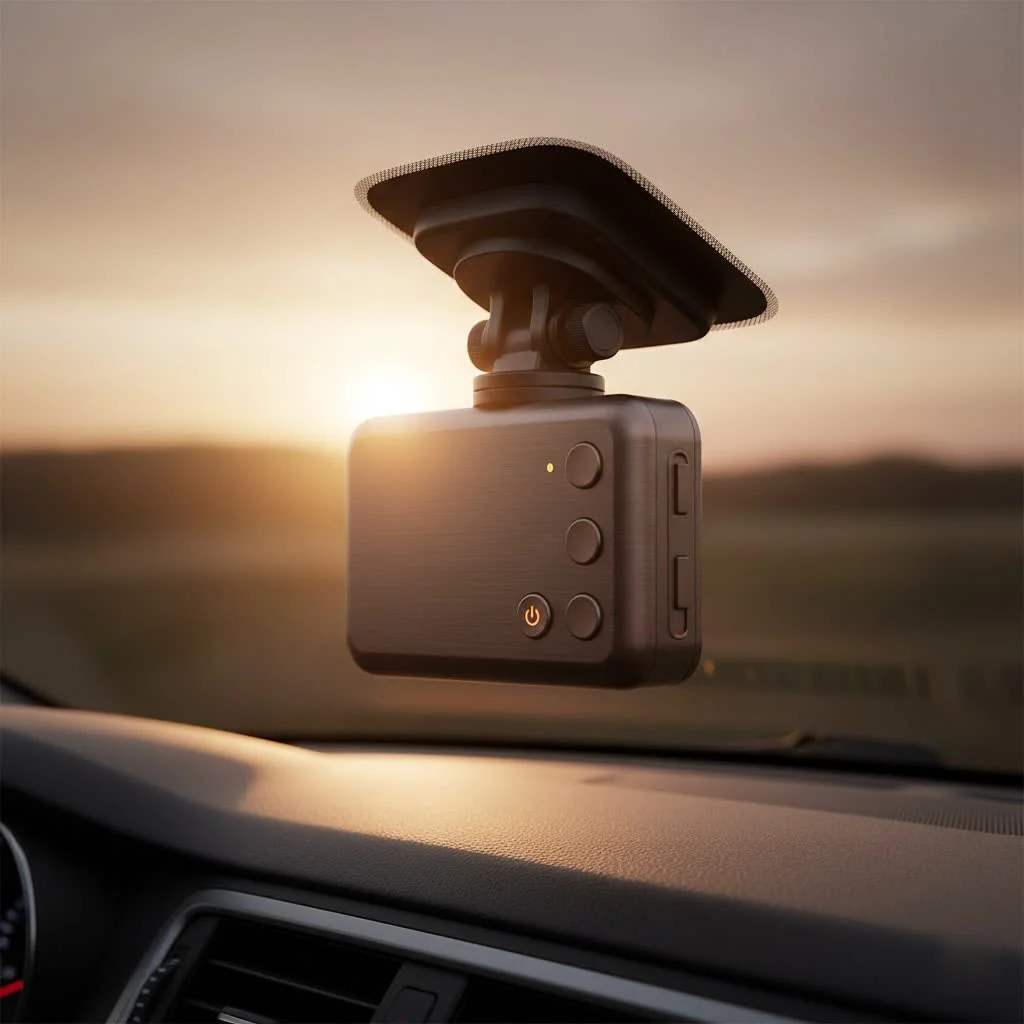
At its core, a WiFi dash cam is exactly what it sounds like: a car camera that uses a built-in WiFi signal to connect directly to your smartphone or tablet. This isn’t about connecting to the internet to browse the web; instead, the camera creates its own local, password-protected WiFi hotspot. You simply connect your phone to this network through a dedicated app, and suddenly, you have complete control over your dash cam without ever touching it.
How Does a WiFi Dash Cam Actually Work?
Many people hear “WiFi” and immediately think of an internet connection, but that’s a common misconception. A WiFi dash cam doesn’t use your home internet or your phone’s data plan to function. The process is much simpler and more direct, making it incredibly reliable on the road.
The Direct WiFi Connection Explained
Think of it like Bluetooth pairing, but with a much faster data speed. The dash cam acts as a mini-router, broadcasting its own wireless signal. This signal typically has a range of about 15-30 feet, which is more than enough to connect while you’re in or near your vehicle. You connect your smartphone to this network, enter a password, and the two devices are linked. This direct connection is what allows for the rapid transfer of large video files, something Bluetooth would struggle with.
The Role of the Smartphone App
The real magic happens within the manufacturer’s app. Once connected, the app becomes your command center. You can:
- View a Live Feed: See exactly what your camera is recording in real-time, which is perfect for adjusting the camera angle during initial setup.
- Download and Review Footage: Browse all your recorded clips on your phone. If an incident occurs, you can download the specific video file directly to your device’s storage within minutes.
- Share Videos Instantly: Need to send evidence to the police or your insurance agent? You can share clips directly from the app via email, text message, or social media.
- Change Settings: Adjust everything from video resolution and loop recording time to G-sensor sensitivity and audio recording, all from an easy-to-use interface.
Top Benefits of Using a WiFi Dash Cam
Switching to a wireless dash cam isn’t just about cutting cords; it’s about upgrading your entire experience with features that provide convenience and peace of mind.
- Instant Access to Evidence: In the stressful moments after a fender bender, the last thing you want to do is squint at a tiny screen or wait until you get home to find a computer. With WiFi, you can review the footage on your phone and show it to the other party or a police officer on the spot.
- Effortless File Management: Say goodbye to the hassle of ejecting a tiny microSD card, finding an adapter, and plugging it into a laptop. Downloading videos wirelessly saves time and reduces the risk of losing the small, easy-to-misplace memory card.
- Clean and Simple Installation: While the dash cam itself still needs a power source (usually the car’s 12V outlet or fuse box), the data transfer is completely wireless. This means you don’t need any extra cables running to a display unit or your computer.
- Easy Firmware Updates: Manufacturers regularly release firmware updates to improve performance and add new features. A WiFi-enabled camera allows you to download and install these updates directly through the app, ensuring your device is always running at its best.
- Remote Monitoring (on some models): Some high-end WiFi dash cams with cloud connectivity can send notifications to your phone if the G-sensor detects an impact while your car is parked. This feature offers an invaluable layer of security against hit-and-runs or vandalism.
How to Choose the Best WiFi Dash Cam
With so many options on the market, selecting the right WiFi dash cam can feel overwhelming. Focus on these key areas to find a model that perfectly suits your needs.
Video Quality is King
|
Our Picks for the Best Dash Cam in 2026
As an Amazon Associate I earn from qualifying purchases.
|
||
| Num | Product | Action |
|---|---|---|
| 1 | IIWEY N5 4 Channel Dash Cam 360° View, 1080P Front and Rear Inside, Left Right Dash Camera for Cars, 8 IR Lamps Night Vision, 5G WiFi & APP Control, G-Sensor, Parking Mode, with a Free 128GB SD Card |

|
| 2 | REDTIGER 4K STARVIS 2 Dash Cam Front and Rear, 5GHz WiFi 20MB/s Download, 128GB Card Included, Voice Control, Dash Camera for Cars with 3.18\" Touch Screen, GPS, Loop Recording, Parking Mode(F7N Touch) |
|
| 3 | Dash Cam Front and Rear, 2.5K+1080P Dual Dash Camera for Cars, 2’’ Display Mini Car Camera, G-Sensor Dashcam, Night Vision, 24H Parking Mode, Loop Recording, 170°Wide Angle, 32GB Card Included |
|
| 4 | Dash Cam Front and Rear, 1080P Dash Camera for Cars, 3 Channel Car Camera Front Rear and Inside with 32GB Card, Loop Recording, Night Vision, HDR, 24Hr Parking, G-Sensor |
|
| 5 | Dash Cam 1296P Front Dashcam, V300 WiFi Dash Camera for Cars with App, Night Vision, Mini Hidden Single Car Camera, Loop Recording, 24H Parking Mode, Support 256GB Max, Black |
|
| 6 | Navycrest 4K Dash Cam Front and Rear with 64GB Card, Built-in 5G WiFi, Dash Camera for Cars 4K Front and 1080P Rear, Dashcams for Cars Loop Recording, Gravity Sensor, 24-Hours Parking Mode |
|
| 7 | ROVE R2-4K DUAL Dash Cam Front and Rear, STARVIS 2 Sensor, FREE 128GB Card Included, 5G WiFi - up to 20MB/s Fastest Download Speed with App, 4K 2160P/FHD Dash Camera for Cars, 3\" IPS, 24H Parking Mode |
|
| 8 | VIOFO A229 Plus Dash Cam Front and Rear, Dual STARVIS 2 Sensors, 2 Channel HDR, 1440P+1440P Voice Control Car Dash Camera, 5GHz Wi-Fi, Voice Control, Ultra-Precise GPS (SD Card Not Included) |
|
| 9 | REDTIGER 4K Dash Cam Front Rear, STARVIS 2 Sensor, Free Card Included, 5.8GHz WiFi-20MB/s Fast Download, Dash Camera for Cars with GPS, WDR Night Vision, 170°Wide Angle, 24H Parking Mode(F7NP) |
|
| 10 | 4K Dash Cam Front, Built-in 5G WiFi, 64GB Card Included, Dash Camera for Cars, Mini Dashcam with Super Night Vision, Loop Recording, G-Sensor, 24 Hours Parking Monitor, Support 256GB Max |
|
The primary job of a dash cam is to capture clear, undeniable footage. Look for a camera that records in at least 1080p (Full HD). For even greater detail, such as the ability to read license plates from a distance, consider a 2K (1440p) or 4K model. Pay attention to the frame rate as well; 30 frames per second (fps) is standard, but 60fps will provide smoother video and better clarity on fast-moving objects.
App Functionality and Ease of Use
Since the app is your main point of interaction, it needs to be well-designed and reliable. Before you buy, read reviews or watch videos about the camera’s companion app. A good app should be intuitive, stable, and connect to the camera quickly. A poorly made app can turn an otherwise great piece of hardware into a frustrating experience.
As automotive technology specialist David Chen often says, “A dash cam’s hardware can be top-of-the-line, but if the software—the app—is clunky and unreliable, the user won’t get the seamless experience they paid for. The synergy between hardware and software is everything.”
Essential Features to Look For
Beyond WiFi and video quality, several other features are crucial for a modern dash cam:
- G-Sensor: This detects sudden impacts, like a collision or heavy braking, and automatically locks the current video file, preventing it from being overwritten by loop recording.
- GPS: An embedded GPS module logs your vehicle’s location and speed, embedding it into the video file. This can be crucial for providing a complete record of an incident.
- Parking Mode: This feature allows the dash cam to keep watch over your vehicle even when the engine is off. It will typically start recording if it detects motion or an impact. Note that this usually requires a hardwiring kit to draw power from the car’s battery without draining it.
- Loop Recording: All dash cams record in a continuous loop, overwriting the oldest files with the newest ones when the memory card is full. This ensures you never run out of space.
Frequently Asked Questions (FAQ)
Does a WiFi dash cam use my mobile data?
No, a WiFi dash cam does not use your mobile data. The camera establishes its own local WiFi network for direct file transfers and does not require an internet connection or consume your cellular data plan.
Is the WiFi connection secure?
Yes, the WiFi networks created by dash cams are password-protected. To access the camera’s feed or files, a user must have the password, which can typically be changed within the app’s settings for enhanced security.
What is the range of the WiFi signal?
The typical range of a WiFi dash cam signal is between 15 and 30 feet (5-10 meters). This range is sufficient for connecting from inside or near your vehicle, but it is not designed for long-range remote viewing unless it’s a specific cloud-enabled model.
Can I connect my phone to the internet while connected to the dash cam?
This functionality varies by smartphone operating system. Some phones can utilize cellular data for internet access while simultaneously connected to a non-internet WiFi source, while others may disable cellular data. However, connection to the dash cam is usually brief, only for downloading files or adjusting settings.
Do I still need a memory card with a WiFi dash cam?
Yes, a memory card is absolutely essential for a WiFi dash cam. The camera records all footage directly onto a microSD card, and the WiFi feature is solely for accessing the content on that card, not for recording. Always use a high-endurance microSD card designed for the continuous rewriting demands of dash cams.
The Final Verdict
A WiFi dash cam is more than just a convenience; it’s a significant upgrade in safety and functionality. The ability to instantly access, review, and share critical footage from your smartphone removes barriers when you need evidence the most. It transforms the dash cam from a passive recording device into an interactive safety tool that is seamlessly integrated with the technology you already use every day. By choosing a model with excellent video quality and a user-friendly app, you’re not just buying a camera—you’re investing in peace of mind for every journey.
Frequently Asked Questions
Does a WiFi dash cam use my mobile data?
No, a WiFi dash cam does not use your mobile data. The camera establishes its own local WiFi network for direct file transfers and does not require an internet connection or consume your cellular data plan.
Is the WiFi connection secure?
Yes, the WiFi networks created by dash cams are password-protected. To access the camera's feed or files, a user must have the password, which can typically be changed within the app's settings for enhanced security.
What is the range of the WiFi signal?
The typical range of a WiFi dash cam signal is between 15 and 30 feet (5-10 meters). This range is sufficient for connecting from inside or near your vehicle, but it is not designed for long-range remote viewing unless it's a specific cloud-enabled model.
Can I connect my phone to the internet while connected to the dash cam?
This functionality varies by smartphone operating system. Some phones can utilize cellular data for internet access while simultaneously connected to a non-internet WiFi source, while others may disable cellular data. However, connection to the dash cam is usually brief, only for downloading files or adjusting settings.
Do I still need a memory card with a WiFi dash cam?
Yes, a memory card is absolutely essential for a WiFi dash cam. The camera records all footage directly onto a microSD card, and the WiFi feature is solely for accessing the content on that card, not for recording. Always use a high-endurance microSD card designed for the continuous rewriting demands of dash cams.
How to Choose the Best WiFi Dash Cam
Selecting the right WiFi dash cam involves evaluating key features like video quality, app functionality, and essential safety features to ensure it meets your driving needs.
Look for a dash cam that records in at least 1080p (Full HD) for clear footage. For superior detail, such as reading license plates, consider 2K (1440p) or 4K models, and ensure a frame rate of at least 30fps, with 60fps offering smoother video.
Since the companion app is your primary interface, it must be well-designed and reliable. Before purchasing, research reviews or watch videos of the app to confirm it is intuitive, stable, and connects quickly to the camera, avoiding frustrating user experiences.
Beyond WiFi and video quality, ensure the dash cam includes a G-Sensor to lock incident footage, GPS for location and speed data, and Parking Mode for surveillance when your car is off. Loop recording is standard to prevent memory card overflow.
Get our weekly buyer guide
Practical specs, not advice. Unsubscribe anytime.
I finally upgraded to a WiFi dash cam after reading about how easy it makes managing footage. It’s a game-changer! Being able to pull up clips on my phone right after something happens, without messing with an SD card, is incredibly convenient. Definitely gives me more peace of mind on my daily commute.
I got a WiFi dash cam hoping to easily share video evidence, and while the concept is great, my specific model’s app can be a little clunky. It works, but it’s not always as instant as I’d like for reviewing footage. I do appreciate not having to remove the memory card though.
I was a bit skeptical about the ‘local WiFi hotspot’ thing, but it really does work seamlessly. The dedicated app makes it super simple to adjust settings and download videos. My only minor gripe is that sometimes the initial connection takes a few extra seconds, but once it’s linked, it’s solid.
This technology is exactly what I needed. The ability to access recordings directly from my smartphone is fantastic for quick checks. It’s so much more user-friendly than my old dash cam. I feel much safer knowing I can instantly review any incidents.