In my 15 years working with automotive technology, I’ve seen dash cams evolve from bulky, niche gadgets to sleek, essential accessories for the modern driver. But even I was surprised when I first unboxed the Garmin Dash Cam Mini 2. It’s genuinely tiny, about the size of a car key fob, yet it promises the performance and reliability Garmin is known for. The big question is: can a camera this small truly deliver the protection and features you need on the road? That’s what we’re here to find out.
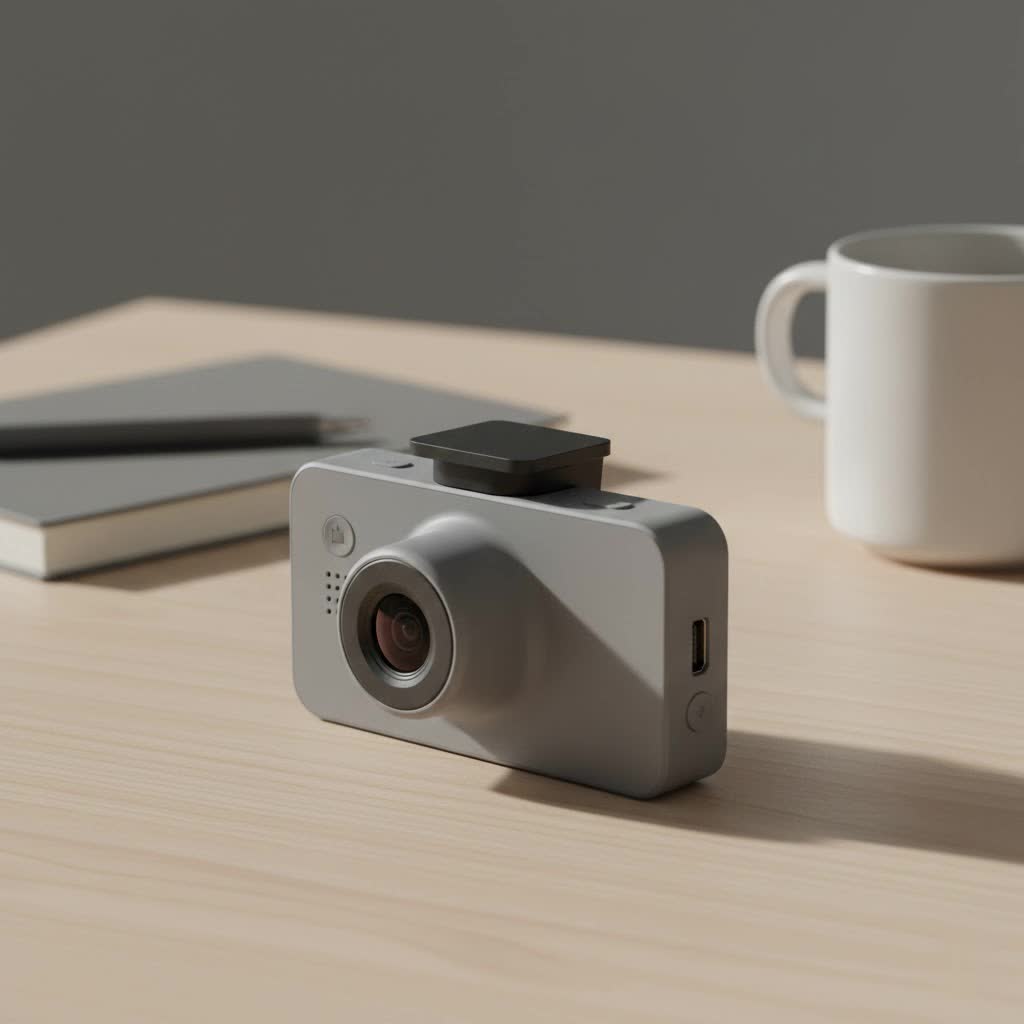
This isn’t just another spec sheet breakdown. As the lead content creator for Welmb.com, I’ve put this camera through its paces to give you a real-world, hands-on review. We’ll explore everything from its video quality and voice commands to the setup process and its most advanced features, helping you decide if this miniature guardian is the right co-pilot for your vehicle.
What Makes the Garmin Dash Cam Mini 2 Stand Out?
In a market flooded with options, the Mini 2 carves out its niche by focusing on simplicity and discretion without skimping on core functionality. It’s designed for the driver who wants a “set it and forget it” solution that doesn’t obstruct their view or scream “I have a camera!” to passersby.
Unbelievably Discreet Design
The most striking feature is its size. The Garmin Dash Cam Mini 2 is one of the smallest dash cams you can buy. Once mounted behind your rearview mirror, it practically disappears. This is a huge advantage for a few reasons:
- Unobstructed View: It doesn’t create a distracting blind spot on your windshield.
- Reduced Theft Risk: Its stealthy design is less likely to attract the attention of thieves.
- Aesthetic Appeal: It maintains the clean, original look of your car’s interior.
|
Our Picks for the Best Dash Cam in 2026
As an Amazon Associate I earn from qualifying purchases.
|
||
| Num | Product | Action |
|---|---|---|
| 1 | Dash Cam Front and Rear, 2.5K+1080P Dual Dash Camera for Cars, 2’’ Display Mini Car Camera, G-Sensor Dashcam, Night Vision, 24H Parking Mode, Loop Recording, 170°Wide Angle, 32GB Card Included |

|
| 2 | Navycrest 4K Dash Cam Front and Rear with 64GB Card, Built-in 5G WiFi, Dash Camera for Cars 4K Front and 1080P Rear, Dashcams for Cars Loop Recording, Gravity Sensor, 24-Hours Parking Mode |
|
| 3 | Dash Cam 1296P Front Dashcam, V300 WiFi Dash Camera for Cars with App, Night Vision, Mini Hidden Single Car Camera, Loop Recording, 24H Parking Mode, Support 256GB Max, Black |
|
| 4 | REDTIGER 4K STARVIS 2 Dash Cam Front and Rear, 5GHz WiFi 20MB/s Download, 128GB Card Included, Voice Control, Dash Camera for Cars with 3.18\" Touch Screen, GPS, Loop Recording, Parking Mode(F7N Touch) |
|
| 5 | REDTIGER 4K Dash Cam Front Rear, STARVIS 2 Sensor, Free Card Included, 5.8GHz WiFi-20MB/s Fast Download, Dash Camera for Cars with GPS, WDR Night Vision, 170°Wide Angle, 24H Parking Mode(F7NP) |
|
| 6 | 4K Dash Cam Front, Built-in 5G WiFi, 64GB Card Included, Dash Camera for Cars, Mini Dashcam with Super Night Vision, Loop Recording, G-Sensor, 24 Hours Parking Monitor, Support 256GB Max |
|
| 7 | ROVE R2-4K DUAL Dash Cam Front and Rear, STARVIS 2 Sensor, FREE 128GB Card Included, 5G WiFi - up to 20MB/s Fastest Download Speed with App, 4K 2160P/FHD Dash Camera for Cars, 3\" IPS, 24H Parking Mode |
|
| 8 | IIWEY N5 4 Channel Dash Cam 360° View, 1080P Front and Rear Inside, Left Right Dash Camera for Cars, 8 IR Lamps Night Vision, 5G WiFi & APP Control, G-Sensor, Parking Mode, with a Free 128GB SD Card |
|
| 9 | VIOFO A229 Plus Dash Cam Front and Rear, Dual STARVIS 2 Sensors, 2 Channel HDR, 1440P+1440P Voice Control Car Dash Camera, 5GHz Wi-Fi, Voice Control, Ultra-Precise GPS (SD Card Not Included) |
|
| 10 | Dash Cam Front and Rear, 1080P Dash Camera for Cars, 3 Channel Car Camera Front Rear and Inside with 32GB Card, Loop Recording, Night Vision, HDR, 24Hr Parking, G-Sensor |
|
The camera attaches to the windshield via a small, adhesive magnetic mount, making it incredibly easy to pop on and off if needed.
Crisp 1080p HD Video with HDR
Don’t let the small size fool you; the video quality is excellent. The Mini 2 records in full 1080p HD resolution at 30 frames per second. Where it really shines, though, is with its High Dynamic Range (HDR) technology.
Expert Take: As an automotive electronics specialist, I always emphasize the importance of HDR. David Chen, a colleague in the industry, puts it best: “Standard dash cams can struggle with high-contrast scenes, like driving out of a dark tunnel into bright sunlight. HDR helps balance the light and dark areas, ensuring you can clearly read a license plate whether it’s in a bright reflection or a deep shadow. It’s a critical feature for evidence.”
The Mini 2’s 140-degree field of view is wide enough to capture multiple lanes of traffic without the excessive fish-eye distortion seen on some wider-angle lenses. The result is clear, usable footage, day or night.
Voice Control for Hands-Free Operation
Garmin’s voice control is one of the most reliable in the business. This hands-free functionality is crucial for safety, allowing you to manage the camera without taking your hands off the wheel. Simple commands let you:
- “OK, Garmin, save video.” to permanently save a clip.
- “OK, Garmin, take a picture.” to capture a still image.
- “OK, Garmin, stop audio.” to disable the microphone.
The voice recognition is responsive and accurate, even with road noise, making it a feature you’ll actually use.
Setting Up Your Garmin Dash Cam Mini 2
Getting the Mini 2 up and running is a straightforward process that takes about 10-15 minutes. Its simplicity is a major selling point.
- Choose Your Spot: Find a location on your windshield, typically behind the rearview mirror, that is clean and won’t obstruct your vision.
- Apply the Mount: Peel the backing off the adhesive mount and press it firmly onto the glass. Hold for about 30 seconds to ensure a strong bond.
- Attach the Camera: The Garmin Dash Cam Mini 2 will click into place magnetically on the mount.
- Route the Cable: Plug the included USB cable into the camera. Neatly tuck the cable along your car’s headliner, down the A-pillar, and into your car’s 12V power outlet using the provided adapter.
- Download the App: On your smartphone, download the Garmin Drive app from the App Store or Google Play.
- Pair the Device: Follow the in-app instructions to pair your phone with the dash cam via Wi-Fi. This will allow you to view live video, change settings, and access recorded clips.
Key Features Deep Dive
Beyond the basics, the Mini 2 is packed with intelligent features that provide comprehensive protection.
Incident Detection (G-Sensor)
The built-in G-sensor automatically detects a potential incident, such as a hard brake or a collision. When triggered, it automatically saves the video footage from just before, during, and after the event. This clip is locked and cannot be overwritten by the continuous loop recording, ensuring your crucial evidence is always safe.
Parking Guard: Your Car’s Sentry
When your car is parked and the engine is off, the Parking Guard feature can monitor for incidents. If it detects a bump or impact, it will wake up, record a clip, and send a notification to your phone via the Garmin Drive app (requires an active Wi-Fi connection). This feature does require a constant power source, which can be achieved with Garmin’s Constant Power Cable (sold separately).
Live View and Vault Storage
One of the standout software features is the cloud integration.
- Vault Storage: Saved clips are automatically uploaded to the secure online Vault via Wi-Fi. You can access them for up to 24 hours for free, with options to extend storage with a paid subscription. This is invaluable if your camera or SD card is stolen or damaged after an accident.
- Live View: You can remotely check in on your car from anywhere using the Garmin Drive app, giving you peace of mind (requires a constant Wi-Fi connection).
Is the Garmin Dash Cam Mini 2 Right for You?
This camera is an ideal choice for a specific type of driver. You should seriously consider the Garmin Dash Cam Mini 2 if:
- You prioritize a discreet, minimalist setup.
- You want a simple, user-friendly experience without a distracting screen.
- You value the reliability and ecosystem of the Garmin brand.
- You want hands-free control through excellent voice commands.
However, if you require features like a built-in screen for immediate playback, integrated GPS for speed and location data overlay (the Mini 2 relies on your phone for this), or 4K resolution, you might want to explore other models in Garmin’s lineup or from different brands.
Frequently Asked Questions (FAQ)
Does the Garmin Dash Cam Mini 2 require a subscription?
No, a subscription is not required for the camera’s core functions. All recording and incident detection features work out of the box. An optional subscription is available to extend the cloud storage of your saved clips in the Vault beyond the free 24-hour period.
What kind of memory card does the Mini 2 use?
It requires a microSD card, at least 8 GB, Class-10 or faster. It’s highly recommended to use a high-endurance microSD card designed for the constant rewriting that dash cams perform.
Does the Garmin Dash Cam Mini 2 record audio?
Yes, it has a built-in microphone to record audio inside the vehicle. You can easily turn this feature on or off using the voice command “OK, Garmin, stop audio” or through the Garmin Drive app.
How does the camera get power?
It is powered by the included 12V vehicle power adapter that plugs into your car’s cigarette lighter. For the Parking Guard feature to work, it needs constant power, which requires the separate purchase of Garmin’s Constant Power Cable that connects to your car’s OBD-II port.
Can I view videos without taking out the SD card?
Yes. You can connect your smartphone to the dash cam’s Wi-Fi network and use the Garmin Drive app to view, trim, and download any video clip directly to your phone.
Final Verdict: A Mighty Miniature
After extensive testing, I can confidently say the Garmin Dash Cam Mini 2 is a phenomenal piece of engineering. It successfully packs the most essential dash cam features into a remarkably small package. The combination of excellent 1080p HDR video, reliable voice controls, and a seamless app experience makes it a top contender for anyone seeking a discreet and dependable eyewitness on the road.
While it lacks a screen and onboard GPS, these omissions are purposeful design choices that contribute to its stealth and simplicity. For the driver who wants to install a camera and know it’s working quietly in the background, ready to capture the unexpected, the Mini 2 is one of the best choices on the market today. It’s proof that when it comes to peace of mind, size doesn’t matter.
