In the world of car safety and technology, a reliable dash cam has shifted from a novelty item to an essential tool for the modern driver. Whether you’re protecting yourself from fraudulent insurance claims, documenting a scenic road trip, or keeping an eye on your vehicle while it’s parked, the right camera makes all the difference. As the lead content creator at Welmb.com with over a decade and a half of hands-on experience, I’ve seen countless brands come and go. One name that consistently generates interest is the Vava Dash Cam, known for its sleek design and powerful features. But does it still hold up in today’s competitive market?
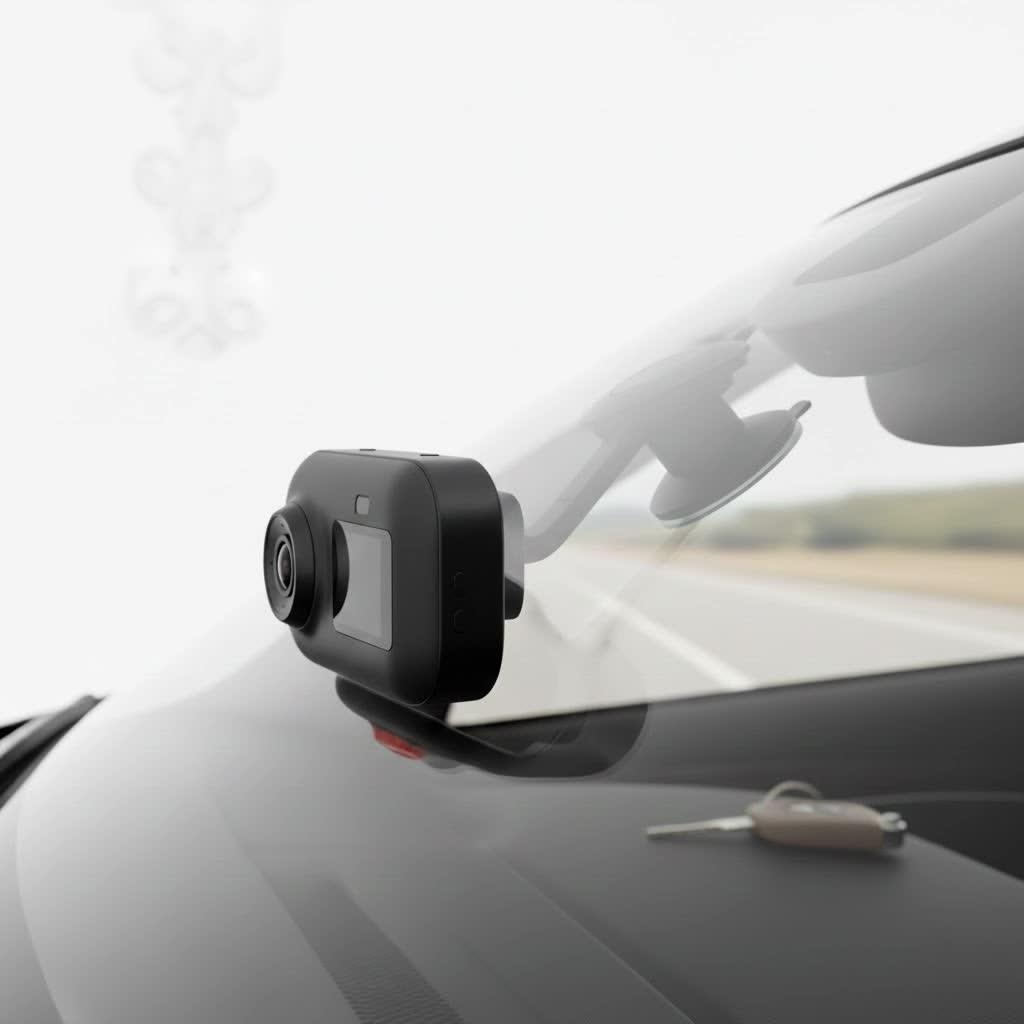
This comprehensive review will dive deep into what makes a VAVA dash cam a compelling choice, from its core technology to the user experience. We’ll explore popular models, guide you through installation, and see how it compares to its rivals, giving you the expert insight needed to decide if VAVA is the right co-pilot for your journey.
Why Choose a VAVA Dash Cam?
VAVA first made a splash with its unique, minimalist designs that won awards and praise for seamlessly blending into a car’s interior. Unlike bulky, distracting cameras, a VAVA unit often looks like it was installed at the factory. But its appeal goes far beyond aesthetics.
- Superior Video Quality: VAVA often utilizes high-end components, like Sony STARVIS sensors, which are renowned for their exceptional low-light performance. This means clearer, more detailed footage both day and night. Many models offer 4K ultra-high-definition (UHD) resolution, ensuring you can capture critical details like license plate numbers.
- User-Friendly App Integration: VAVA cameras are built for the smartphone era. With built-in Wi-Fi, you can connect your phone directly to the dash cam via a dedicated app. This allows you to view live footage, change settings, and download videos without ever needing to remove the tiny SD card.
- Essential Built-in Features: You get all the crucial features right out of the box. Loop recording ensures you never run out of space, as the camera automatically overwrites the oldest files. A built-in G-sensor detects impacts and automatically locks the corresponding video file, protecting it from being overwritten.
- Discreet and Compact Design: The signature 360° swivel design of many VAVA models is a standout feature. It allows you to point the camera towards the driver’s side window or even into the cabin with a simple turn, adding a layer of versatility.
Breakdown of Popular VAVA Dash Cam Models
While VAVA’s lineup has evolved, a few models have remained benchmarks for their performance and value.
VAVA 4K UHD Dash Cam (VA-VD002)
This model is arguably VAVA’s most well-known product. It was one of the first to package 4K resolution and a premium Sony sensor into a compact, affordable unit.
- Key Specifications: It records in stunning 4K at 30 frames per second, powered by a Sony IMX317 sensor. The 155-degree wide-angle lens captures a broad view of the road ahead without significant distortion.
- Standout Features: Built-in GPS is a major advantage, as it logs your vehicle’s location, route, and speed, embedding the data into your video files. This can be invaluable evidence in an incident. Its 24-hour parking mode, when hardwired, provides constant surveillance, automatically starting a recording when the G-sensor detects a bump or collision.
- Who is it for? This is the perfect all-arounder for daily commuters and safety-conscious drivers who want the highest possible video resolution without a complex setup.
|
Our Picks for the Best Dash Cam in 2026
As an Amazon Associate I earn from qualifying purchases.
|
||
| Num | Product | Action |
|---|---|---|
| 1 | Dash Cam 1296P Front Dashcam, V300 WiFi Dash Camera for Cars with App, Night Vision, Mini Hidden Single Car Camera, Loop Recording, 24H Parking Mode, Support 256GB Max, Black |

|
| 2 | IIWEY N5 4 Channel Dash Cam 360° View, 1080P Front and Rear Inside, Left Right Dash Camera for Cars, 8 IR Lamps Night Vision, 5G WiFi & APP Control, G-Sensor, Parking Mode, with a Free 128GB SD Card |
|
| 3 | REDTIGER 4K Dash Cam Front Rear, STARVIS 2 Sensor, Free Card Included, 5.8GHz WiFi-20MB/s Fast Download, Dash Camera for Cars with GPS, WDR Night Vision, 170°Wide Angle, 24H Parking Mode(F7NP) |
|
| 4 | Dash Cam Front and Rear, 2.5K+1080P Dual Dash Camera for Cars, 2’’ Display Mini Car Camera, G-Sensor Dashcam, Night Vision, 24H Parking Mode, Loop Recording, 170°Wide Angle, 32GB Card Included |
|
| 5 | VIOFO A229 Plus Dash Cam Front and Rear, Dual STARVIS 2 Sensors, 2 Channel HDR, 1440P+1440P Voice Control Car Dash Camera, 5GHz Wi-Fi, Voice Control, Ultra-Precise GPS (SD Card Not Included) |
|
| 6 | Dash Cam Front and Rear, 1080P Dash Camera for Cars, 3 Channel Car Camera Front Rear and Inside with 32GB Card, Loop Recording, Night Vision, HDR, 24Hr Parking, G-Sensor |
|
| 7 | 4K Dash Cam Front, Built-in 5G WiFi, 64GB Card Included, Dash Camera for Cars, Mini Dashcam with Super Night Vision, Loop Recording, G-Sensor, 24 Hours Parking Monitor, Support 256GB Max |
|
| 8 | REDTIGER 4K STARVIS 2 Dash Cam Front and Rear, 5GHz WiFi 20MB/s Download, 128GB Card Included, Voice Control, Dash Camera for Cars with 3.18\" Touch Screen, GPS, Loop Recording, Parking Mode(F7N Touch) |
|
| 9 | Navycrest 4K Dash Cam Front and Rear with 64GB Card, Built-in 5G WiFi, Dash Camera for Cars 4K Front and 1080P Rear, Dashcams for Cars Loop Recording, Gravity Sensor, 24-Hours Parking Mode |
|
| 10 | ROVE R2-4K DUAL Dash Cam Front and Rear, STARVIS 2 Sensor, FREE 128GB Card Included, 5G WiFi - up to 20MB/s Fastest Download Speed with App, 4K 2160P/FHD Dash Camera for Cars, 3\" IPS, 24H Parking Mode |
|
VAVA Dual Dash Cam (2K Front + 1080p Cabin)
Designed with rideshare drivers and fleet managers in mind, the VAVA Dual Dash Cam offers comprehensive coverage both inside and outside the vehicle.
- Key Specifications: The front camera captures the road in crisp 2K (1440p) resolution, while the interior-facing camera records in 1080p. The cabin camera also includes infrared LEDs for clear night vision, ensuring passenger activity is visible even in complete darkness.
- Standout Features: The primary feature is simultaneous recording. It provides a complete picture of any event, which is crucial for drivers on platforms like Uber or Lyft. The discreet design ensures it doesn’t feel intrusive to passengers.
- Who is it for? It’s an essential tool for rideshare drivers, taxi operators, parents of teen drivers, or anyone who wants a complete record of what happens on the road and inside their car.
Expert Take by Johnathan Miles: “What I’ve always appreciated about VAVA is their focus on the user experience. The unboxing, the app setup, the magnetic mount—it’s all designed to be intuitive. They successfully lowered the barrier to entry for high-end features like 4K and GPS logging, making them accessible to everyday drivers.”
How to Install Your VAVA Dash Cam: A Simple Guide
One of the best parts of a VAVA dash cam is its straightforward installation process. You can have it up and running in under 15 minutes.
- Choose the Right Spot: The best location is behind the rearview mirror. This keeps the camera out of your line of sight while giving it a clear, centered view of the road.
- Mount the Camera: Clean the windshield area thoroughly. Peel the adhesive backing from the mount and press it firmly against the glass. The VAVA 4K model uses a magnetic connection, so the camera snaps right into place.
- Power it Up: Plug the included USB-C cable into the camera and the other end into the 12V car adapter. The VAVA adapter often includes a spare USB port, so you don’t lose your ability to charge your phone.
- Manage the Cable: This is the key to a clean, professional-looking installation. Use the included trim tool to gently tuck the power cable into the headliner, down the A-pillar (the pillar between the windshield and the front door), under the glove box, and to the power outlet.
- Insert the SD Card: Use a high-endurance microSD card (Class 10 or higher) for best results. Insert it into the camera and format it using the app.
- Connect to the App: Download the VAVA Dash app, turn on your car to power the camera, and connect to the camera’s Wi-Fi network. You can now see a live view and adjust settings.
Getting the Most Out of the VAVA Dash Cam App
The mobile app is the command center for your camera. While simple, it has powerful functions:
- Live View: Check the camera’s positioning in real-time to ensure you have the perfect angle.
- Video Management: Browse your recorded videos, which are typically sorted into loop recordings and emergency-locked files.
- Download & Share: Download important clips directly to your phone. From there, you can easily share them with law enforcement, insurance agents, or on social media.
- Snapshot Button: Many VAVA models come with a small, wireless snapshot button. You can place it somewhere convenient (like near your steering wheel) and press it to instantly take a photo or a short video clip without taking your hands off the wheel.
VAVA Dash Cam: Frequently Asked Questions (FAQ)
What is the best SD card for a VAVA dash cam?
For 4K recording, you need a high-endurance U3 speed class microSD card. Brands like SanDisk High Endurance or Samsung PRO Endurance are specifically designed for the constant rewriting that dash cams perform and are highly recommended. A capacity of 128GB or 256GB is ideal.
How does VAVA’s 24-hour parking mode work?
Parking mode relies on the G-sensor. When the car is off, the camera enters a low-power standby state. If the G-sensor detects an impact (like another car bumping into you), the camera instantly wakes up and records a short, locked video clip. For this to work, the camera needs a constant power source, which requires a separate hardwire kit.
Can I use the VAVA dash cam in a hot climate?
Yes, VAVA dash cams are designed with a supercapacitor instead of a traditional lithium-ion battery. Supercapacitors are much more resistant to extreme temperatures, both hot and cold, making them safer and more reliable for in-car use.
Why won’t my phone connect to the dash cam’s Wi-Fi?
First, ensure the dash cam is powered on and the Wi-Fi indicator light is active. On your phone, make sure you are selecting the correct Wi-Fi network (e.g., “VAVA_XXXX”). Some phones may also have aggressive settings that automatically switch away from Wi-Fi networks that don’t have an internet connection; you may need to disable this feature temporarily.
Is VAVA still making new dash cams?
While VAVA’s presence with new models has been quieter recently compared to some competitors, their existing models like the 4K UHD and Dual Dash Cam remain widely available and supported. They are proven, reliable products that offer excellent value for their specifications.
The Final Verdict
The VAVA dash cam carved out a significant space in the market by blending elegant design with high-performance technology. For a driver seeking a “set it and forget it” device that delivers crisp 4K or comprehensive dual-camera footage without a complicated interface, VAVA remains an excellent choice. Its robust build, reliance on safer supercapacitors, and intuitive app control make it a trusted companion for any journey.
While other brands may offer more bells and whistles, VAVA focuses on perfecting the essentials: clear video, reliable event detection, and effortless operation. If you value aesthetics, simplicity, and proven performance, a VAVA dash cam is still one of the smartest investments you can make for your vehicle’s security.
