In the world of car accessories, few things offer more peace of mind than a dash cam. But let’s be honest, the idea of running wires all over your car’s interior is a major turn-off for many. This is where the demand for the Best Wireless Dash Cam comes in. These devices promise a cleaner setup and easier access to your footage. But as an expert with over 15 years of hands-on experience installing and testing these gadgets at Welmb, I can tell you that “wireless” doesn’t always mean what you think it does. Let’s clear the air and find the perfect device for your needs.
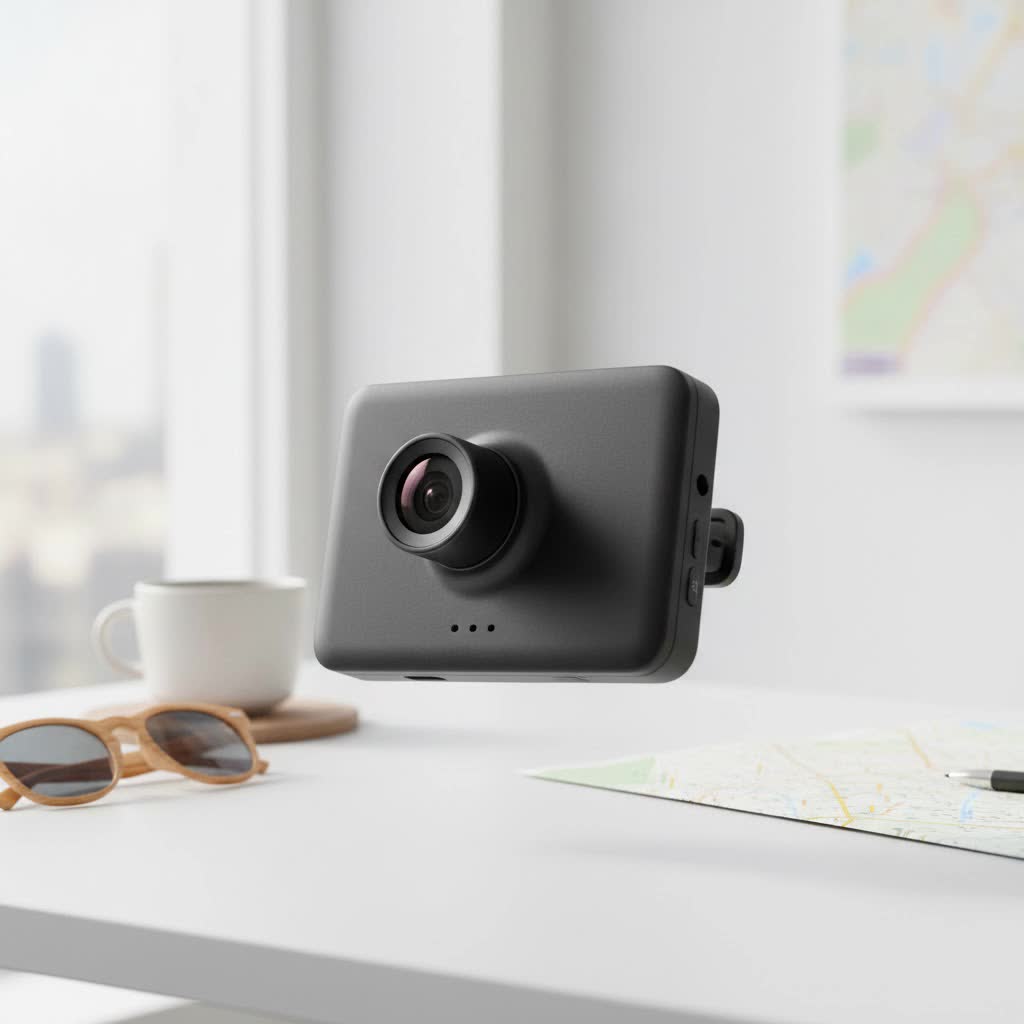
What “Wireless” Really Means for Dash Cams
First, let’s tackle the biggest misconception. A “wireless” dash cam does not mean it is completely free of wires. While a few niche, battery-powered models exist, they are often impractical due to very short battery life. For 99% of the products on the market, “wireless” refers to the method of data transfer, not the power source.
- Wireless Data Transfer: This is the key feature. Instead of removing a tiny microSD card and plugging it into a computer, these dash cams use built-in Wi-Fi to connect directly to an app on your smartphone. This allows you to view, download, and share your recorded videos wirelessly.
- Wired Power: All reliable dash cams still need a consistent power source. This is typically achieved by plugging a cable into your car’s 12V outlet (the cigarette lighter) or through a “hardwire kit” that connects directly to your car’s fuse box.
So, when you’re shopping for the best wireless dash cam, you’re looking for a model that offers a seamless app experience, not one that runs on batteries.
Why Choose a Wireless Dash Cam?
The main advantage of a wireless model is convenience. The ability to instantly review footage on your phone after an incident is invaluable. You can show evidence to law enforcement on the spot or easily download a clip of a reckless driver to your phone. It streamlines the entire process, making the technology much more user-friendly for the average person. Furthermore, managing settings through a well-designed app is far easier than fiddling with tiny buttons on the camera itself.
Key Features to Look For in the Best Wireless Dash Cam
Choosing the right model involves more than just picking the one with Wi-Fi. Here are the critical features I always check before making a recommendation.
Video Quality: Beyond Just 4K
Resolution is important, but it’s not the whole story. While 4K offers the most detail, a high-quality 1080p or 1440p camera can often outperform a cheap 4K one, especially at night.
- Resolution: 4K (2160p) is excellent for capturing license plates at a distance. 1440p (QHD) is a great middle ground, and 1080p (Full HD) is the minimum standard you should accept.
- Frame Rate: Look for 60 frames per second (fps). This provides smoother video and makes it easier to pause and see clear detail on moving objects compared to the standard 30 fps.
- Image Sensor: The quality of the sensor is crucial for low-light performance. Models using Sony STARVIS sensors are renowned for their excellent clarity and color in nighttime driving conditions.
|
Our Picks for the Best Dash Cam in 2026
As an Amazon Associate I earn from qualifying purchases.
|
||
| Num | Product | Action |
|---|---|---|
| 1 | Dash Cam 1296P Front Dashcam, V300 WiFi Dash Camera for Cars with App, Night Vision, Mini Hidden Single Car Camera, Loop Recording, 24H Parking Mode, Support 256GB Max, Black |

|
| 2 | Dash Cam Front and Rear, 1080P Dash Camera for Cars, 3 Channel Car Camera Front Rear and Inside with 32GB Card, Loop Recording, Night Vision, HDR, 24Hr Parking, G-Sensor |
|
| 3 | ROVE R2-4K DUAL Dash Cam Front and Rear, STARVIS 2 Sensor, FREE 128GB Card Included, 5G WiFi - up to 20MB/s Fastest Download Speed with App, 4K 2160P/FHD Dash Camera for Cars, 3\" IPS, 24H Parking Mode |
|
| 4 | Dash Cam Front and Rear, 2.5K+1080P Dual Dash Camera for Cars, 2’’ Display Mini Car Camera, G-Sensor Dashcam, Night Vision, 24H Parking Mode, Loop Recording, 170°Wide Angle, 32GB Card Included |
|
| 5 | VIOFO A229 Plus Dash Cam Front and Rear, Dual STARVIS 2 Sensors, 2 Channel HDR, 1440P+1440P Voice Control Car Dash Camera, 5GHz Wi-Fi, Voice Control, Ultra-Precise GPS (SD Card Not Included) |
|
| 6 | REDTIGER 4K STARVIS 2 Dash Cam Front and Rear, 5GHz WiFi 20MB/s Download, 128GB Card Included, Voice Control, Dash Camera for Cars with 3.18\" Touch Screen, GPS, Loop Recording, Parking Mode(F7N Touch) |
|
| 7 | REDTIGER 4K Dash Cam Front Rear, STARVIS 2 Sensor, Free Card Included, 5.8GHz WiFi-20MB/s Fast Download, Dash Camera for Cars with GPS, WDR Night Vision, 170°Wide Angle, 24H Parking Mode(F7NP) |
|
| 8 | 4K Dash Cam Front, Built-in 5G WiFi, 64GB Card Included, Dash Camera for Cars, Mini Dashcam with Super Night Vision, Loop Recording, G-Sensor, 24 Hours Parking Monitor, Support 256GB Max |
|
| 9 | IIWEY N5 4 Channel Dash Cam 360° View, 1080P Front and Rear Inside, Left Right Dash Camera for Cars, 8 IR Lamps Night Vision, 5G WiFi & APP Control, G-Sensor, Parking Mode, with a Free 128GB SD Card |
|
| 10 | Navycrest 4K Dash Cam Front and Rear with 64GB Card, Built-in 5G WiFi, Dash Camera for Cars 4K Front and 1080P Rear, Dashcams for Cars Loop Recording, Gravity Sensor, 24-Hours Parking Mode |
|
Connectivity and App Experience
Since the wireless feature is the main draw, the quality of the connection and the app is paramount. A camera with fast Wi-Fi but a buggy, slow app is a frustrating experience. Look for models that offer dual-band Wi-Fi (2.4GHz and 5GHz). The 5GHz band provides much faster transfer speeds for downloading large video files. The app should be intuitive, stable, and easy to navigate.
Power Source: Supercapacitor vs. Battery
Internal batteries in dash cams do not hold up well to extreme heat and cold. A supercapacitor is a far more durable and safe alternative.
“I always recommend dash cams with supercapacitors over lithium-ion batteries,” states David Chen, an automotive electrical systems engineer. “They are built to withstand the harsh temperature swings inside a vehicle, ensuring reliability and a much longer lifespan. A battery might fail when you need it most, but a supercapacitor will be ready to perform.”
Essential Recording Features
- G-Sensor: This detects impacts, like a collision, and automatically locks the current video file, preventing it from being overwritten. This is a non-negotiable feature.
- Loop Recording: All dash cams record in a continuous loop. When the memory card is full, the camera automatically overwrites the oldest, unlocked files.
- Parking Mode: This allows the camera to monitor your vehicle even when the engine is off. It usually requires a hardwire kit to draw power from the car’s battery and will start recording if the G-sensor detects a bump or if it senses motion.
Top Picks for the Best Wireless Dash Cam in 2025
After extensive testing and review, here are my top recommendations that balance performance, features, and value.
| Model | Category | Key Strengths | Potential Weakness |
|---|---|---|---|
| Viofo A329S | Best Overall | Superb 4K/60fps video, Wi-Fi 6, great night vision | Screen can be hard to see on steep windshields |
| Garmin Dash Cam Live | Best Smart Features | Driver assists, cellular option, polished app | Pricier, some features require a subscription |
| Garmin Mini 2 | Most Discreet | Incredibly small, simple set-it-and-forget-it design | Relies entirely on the app for setup and viewing |
| Rove R2-4K Pro | Best Value in 4K | Affordable 4K, dual-band Wi-Fi, GPS included | Lacks advanced driver-assist features |
In-Depth Reviews
Best Overall: Viofo A329S
In my experience, video quality is king, and the Viofo A329S delivers in spades. Its ability to record in true 4K at 60fps is a game-changer, providing footage that is exceptionally smooth and clear. This makes a real difference when trying to identify a license plate on a moving car. It uses a top-tier Sony STARVIS 2 sensor, so its performance after dark is nothing short of incredible. The inclusion of Wi-Fi 6 means transferring those large 4K files is noticeably faster than on other models. It’s a robust, reliable performer for those who want the absolute best image evidence.
Best for Smart Features: Garmin Dash Cam Live
Garmin is a master of creating user-friendly ecosystems, and the Dash Cam Live is a perfect example. Beyond its crisp 1440p video, it integrates features often found in newer cars, like forward collision and lane departure warnings. The standout feature is its optional LTE cellular subscription, which allows you to access a live view of your camera from anywhere, offering incredible peace of mind. The Garmin Drive app is polished, stable, and intuitive, making it one of the best wireless experiences available.
Most Discreet: Garmin Mini 2
If you want a dash cam that you’ll forget is even there, the Garmin Mini 2 is your answer. It’s about the size of a car key and tucks neatly behind your rearview mirror, eliminating any obstruction. Despite its tiny size, it records high-quality 1080p video. The trade-off for its size is the lack of a screen. All setup, viewing, and settings are handled through the excellent Garmin Drive app, which is a breeze to use. This is the ultimate “set it and forget it” wireless dash cam.
Best Value in 4K: Rove R2-4K Pro
The Rove R2-4K Pro proves that you don’t have to spend a fortune to get high-quality 4K recording. It delivers sharp video, has built-in GPS to log your speed and location, and features reliable dual-band Wi-Fi for quick file transfers to its dedicated app. While it doesn’t have the advanced driver-assist features of the Garmin, it nails the core functions of a wireless dash cam at a very compelling price point, making it a fantastic choice for budget-conscious buyers who still want premium resolution.
How to Install Your Wireless Dash Cam
Even though the “wireless” part is for data, you still need to manage the power cable for a clean installation. Here’s a simple step-by-step guide:
- Find the Perfect Spot: Mount the dash cam on the passenger side of the rearview mirror. This keeps it out of your direct line of sight while still providing a clear view of the road.
- Tuck the Cable: Start at the camera and gently push the power cable into the gap between your windshield and the headliner. Most cars have enough of a gap to do this with just your fingers.
- Run Down the A-Pillar: Continue tucking the cable along the headliner over to the passenger-side A-pillar (the post between the windshield and the passenger door). Run the cable down the weather stripping or plastic trim of the pillar.
- Go Under the Dash: Once at the bottom of the pillar, run the cable under the glove box towards your car’s 12V power outlet. Use adhesive clips if needed to keep it secure.
- Plug and Power: Plug the adapter into the outlet. Start your car, and the camera should power on automatically.
- Connect to the App: Follow the manufacturer’s instructions to connect the camera to your phone via Wi-Fi. This will allow you to see a live view and ensure the camera is aimed correctly.
Frequently Asked Questions (FAQ)
How do wireless dash cams get power?
Wireless dash cams are powered by a cable connected to your car’s 12V outlet or hardwired to the fuse box. The “wireless” aspect refers to the Wi-Fi connection used to transfer video files to your smartphone.
Can a wireless dash cam drain my car battery?
If plugged into a 12V outlet that turns off with the car, it will not drain the battery. If you use a hardwire kit for parking mode, it will draw a very small amount of power. These kits have a voltage cutoff feature to prevent them from draining your battery completely.
Do I need to have my phone’s Wi-Fi on all the time?
No. The camera records continuously to its microSD card whether your phone is connected or not. You only need to turn on Wi-Fi and connect to the camera’s network when you want to view live footage, change settings, or download a video.
Is it difficult to download videos to my phone?
Not at all. Once connected to the dash cam’s Wi-Fi, you open the app, find the clip you want in the gallery, and press a download button. On a 5GHz connection, a one-minute clip can be downloaded in under 30 seconds.
Are wireless dash cams legal?
Yes, dash cams are legal in most places. However, there are regulations regarding where you can mount them on your windshield to avoid obstructing the driver’s view. Always check your local laws to ensure proper placement.
The Final Verdict
Choosing the best wireless dash cam is about prioritizing convenience without sacrificing the core function of a safety device: reliable, high-quality video capture. By understanding that “wireless” means easy access to your files via a smartphone app, you can focus on the features that truly matter. Whether you opt for the superior video of the Viofo A329S, the smart features of the Garmin Dash Cam Live, or the discreet design of the Garmin Mini 2, installing a wireless dash cam is one of the smartest upgrades you can make for your vehicle. It provides not just evidence, but invaluable peace of mind on every drive.
