In over fifteen years of working with automotive technology, I’ve seen countless gadgets come and go. But the one device that has proven its worth time and again is a reliable dash cam. If you’re navigating the crowded market, you’ve likely come across a brand that’s making serious waves: Wolfbox. A Wolfbox Dash Cam isn’t just another camera; it’s a feature-packed co-pilot designed to offer security, clarity, and peace of mind every time you get behind the wheel. From their innovative mirror designs to crystal-clear 4K resolution, Wolfbox is setting a new standard for what drivers should expect.
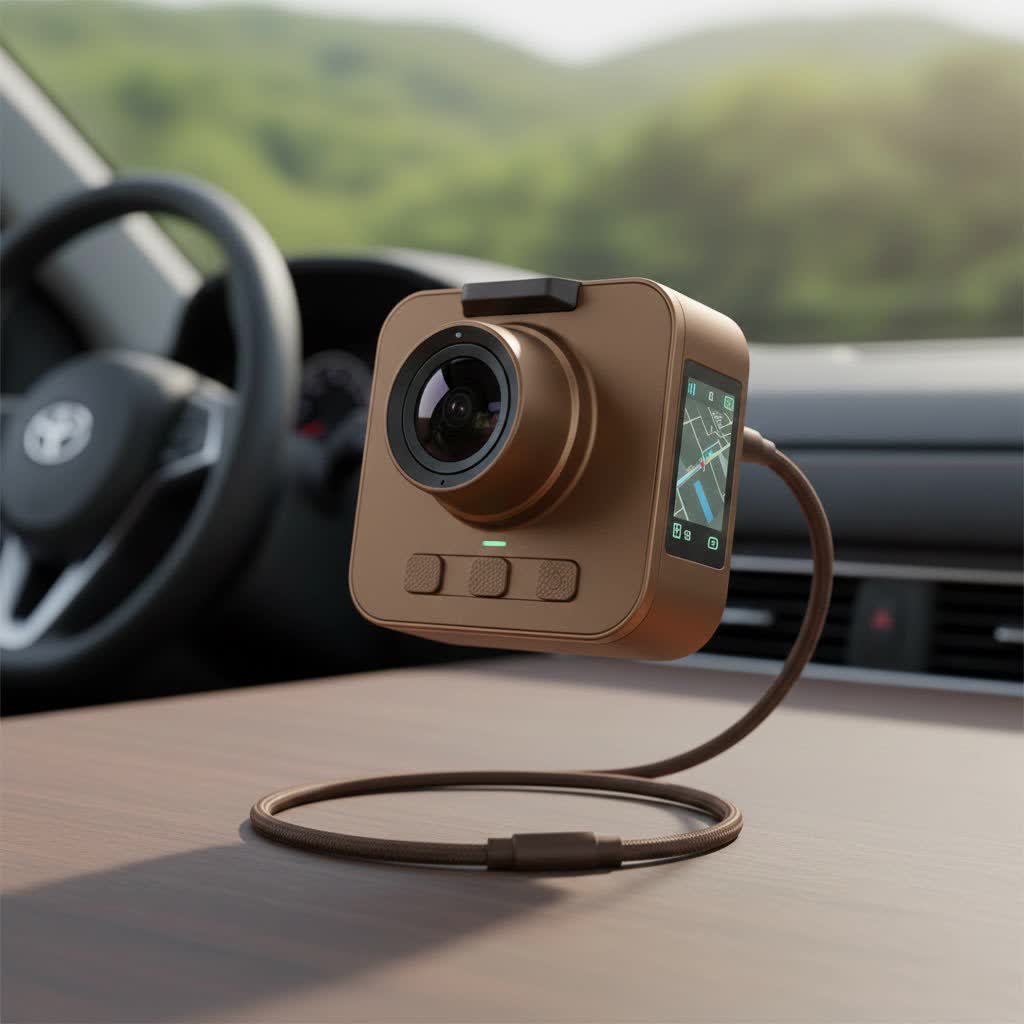
As the lead content creator at Welmb.com, I’ve tested, installed, and troubleshooted dozens of models. This guide distills that experience to help you understand if a Wolfbox dash cam is the right choice for your vehicle and how to get the most out of it.
What Makes a Wolfbox Dash Cam Stand Out?
While many dash cams offer basic recording, Wolfbox excels by integrating high-end technology into user-friendly designs. They’ve carved out a niche, particularly with their mirror dash cams, which replace your standard rearview mirror with a multi-functional smart screen.
The Rise of the Mirror Dash Cam
The most striking feature of many popular Wolfbox models, like the G840S and G900, is their form factor. They strap over or completely replace your existing rearview mirror.
- Unobstructed View: Unlike traditional dash cams that mount on the windshield and can create a blind spot, a mirror cam integrates seamlessly. Your forward view remains completely clear.
- Enhanced Rear Vision: The wide-angle rear camera feeds a live image to the full-screen display, eliminating the blind spots caused by headrests or rear passengers. This provides a much broader and clearer view than a conventional mirror.
- Modern Aesthetics: It gives the car’s interior a clean, high-tech upgrade, appearing more like a factory-installed feature than an aftermarket add-on.
|
Our Picks for the Best Dash Cam in 2026
As an Amazon Associate I earn from qualifying purchases.
|
||
| Num | Product | Action |
|---|---|---|
| 1 | Dash Cam Front and Rear, 1080P Dash Camera for Cars, 3 Channel Car Camera Front Rear and Inside with 32GB Card, Loop Recording, Night Vision, HDR, 24Hr Parking, G-Sensor |

|
| 2 | ROVE R2-4K DUAL Dash Cam Front and Rear, STARVIS 2 Sensor, FREE 128GB Card Included, 5G WiFi - up to 20MB/s Fastest Download Speed with App, 4K 2160P/FHD Dash Camera for Cars, 3\" IPS, 24H Parking Mode |
|
| 3 | Dash Cam 1296P Front Dashcam, V300 WiFi Dash Camera for Cars with App, Night Vision, Mini Hidden Single Car Camera, Loop Recording, 24H Parking Mode, Support 256GB Max, Black |
|
| 4 | REDTIGER 4K Dash Cam Front Rear, STARVIS 2 Sensor, Free Card Included, 5.8GHz WiFi-20MB/s Fast Download, Dash Camera for Cars with GPS, WDR Night Vision, 170°Wide Angle, 24H Parking Mode(F7NP) |
|
| 5 | Dash Cam Front and Rear, 2.5K+1080P Dual Dash Camera for Cars, 2’’ Display Mini Car Camera, G-Sensor Dashcam, Night Vision, 24H Parking Mode, Loop Recording, 170°Wide Angle, 32GB Card Included |
|
| 6 | 4K Dash Cam Front, Built-in 5G WiFi, 64GB Card Included, Dash Camera for Cars, Mini Dashcam with Super Night Vision, Loop Recording, G-Sensor, 24 Hours Parking Monitor, Support 256GB Max |
|
| 7 | IIWEY N5 4 Channel Dash Cam 360° View, 1080P Front and Rear Inside, Left Right Dash Camera for Cars, 8 IR Lamps Night Vision, 5G WiFi & APP Control, G-Sensor, Parking Mode, with a Free 128GB SD Card |
|
| 8 | VIOFO A229 Plus Dash Cam Front and Rear, Dual STARVIS 2 Sensors, 2 Channel HDR, 1440P+1440P Voice Control Car Dash Camera, 5GHz Wi-Fi, Voice Control, Ultra-Precise GPS (SD Card Not Included) |
|
| 9 | Navycrest 4K Dash Cam Front and Rear with 64GB Card, Built-in 5G WiFi, Dash Camera for Cars 4K Front and 1080P Rear, Dashcams for Cars Loop Recording, Gravity Sensor, 24-Hours Parking Mode |
|
| 10 | REDTIGER 4K STARVIS 2 Dash Cam Front and Rear, 5GHz WiFi 20MB/s Download, 128GB Card Included, Voice Control, Dash Camera for Cars with 3.18\" Touch Screen, GPS, Loop Recording, Parking Mode(F7N Touch) |
|
Crystal Clear Footage: Day and Night
The primary job of a dash cam is to record clear, usable footage. This is where Wolfbox truly shines. Many of their models offer:
- True 4K Resolution: Capturing video in 4K UHD (3840x2160P) means you can read license plates and see fine details from a significant distance. This level of clarity can be crucial in an insurance claim or police report.
- Sony STARVIS Sensors: This technology is a game-changer for low-light performance. The STARVIS sensor enhances night vision, delivering brighter, clearer footage in dark conditions without the graininess that plagues lesser cameras.
- Wide Dynamic Range (WDR): WDR technology balances the light and dark areas of the footage. When driving out of a tunnel into bright sunlight, for example, WDR prevents the video from being overexposed or underexposed, ensuring details are always visible.
Essential Features That Offer Total Protection
Beyond great video, a Wolfbox dash cam is packed with smart features that work silently in the background to protect you.
“A great dash cam isn’t just about recording accidents; it’s about preventing them and providing irrefutable evidence when they happen. Features like a G-sensor and a reliable parking mode transform the device from a simple camera into a 24/7 security system for your vehicle.” – Alex Carter, Automotive Technology Expert at Welmb.com
- G-Sensor for Automatic Incident Detection: The built-in Gravity Sensor detects sudden impacts, like a collision or harsh braking. When triggered, it automatically locks the current video file, protecting it from being overwritten by the loop recording feature.
- 24-Hour Parking Monitor: This feature provides surveillance even when your car is parked. Using a hardwire kit, the dash cam can enter a low-power state and will automatically start recording if it detects a bump or impact, catching potential vandals or hit-and-runs.
- GPS Tracking: An external GPS module logs your vehicle’s location, speed, and route. This data is watermarked onto the video footage, providing a comprehensive record of events that can add critical context to an incident.
- Loop Recording: To ensure you never run out of storage, loop recording continuously overwrites the oldest, unlocked video files on the memory card. This means you can set it and forget it, knowing the camera is always recording.
Choosing the Right Wolfbox Dash Cam for You
Wolfbox offers a range of models to suit different needs and budgets. Here’s a quick comparison of some of their most popular options to help you decide.
| Feature | Wolfbox G840S | Wolfbox G900 | Wolfbox T10 |
|---|---|---|---|
| Form Factor | 12″ Mirror Dash Cam | 12″ Mirror Dash Cam | Traditional Windshield Mount |
| Front Resolution | 4K | 4K | 2.5K |
| Rear Resolution | 1080P | 1080P | 1080P |
| Display | Full Touch Screen | Full Touch Screen | 3″ IPS Screen |
| Key Feature | Excellent all-rounder, very popular | Upgraded processor, smoother UI | Compact and discreet design |
| GPS | Included (External) | Included (External) | Included (External) |
| Parking Mode | Yes (Requires hardwire kit) | Yes (Requires hardwire kit) | Yes (Requires hardwire kit) |
Who is the G840S for? This is the go-to model for most drivers. It offers a perfect balance of 4K clarity, a large responsive screen, and all the essential safety features.
Who is the G900 for? For the tech enthusiast who wants the latest and greatest. The G900 often features a more powerful internal processor for a faster, smoother user experience.
Who is the T10 for? If you prefer a more traditional, compact dash cam that doesn’t replace your mirror, the T10 is an excellent choice with its discreet design and solid 2.5K resolution.
How to Install Your Wolfbox Dash Cam
While professional installation is always an option, many users can install a Wolfbox dash cam at home with a bit of patience. Here is a simplified guide.
- Mount the Main Unit: For mirror cams, use the included rubber straps to securely mount the unit over your existing rearview mirror. For windshield cams, find a spot behind the mirror that doesn’t obstruct your view.
- Route the Power Cable: This is the most time-consuming part. The goal is to hide the cable for a clean look. Start at the dash cam and tuck the cable into the headliner, down the A-pillar (the pillar between the windshield and the side window), under the glovebox, and finally to your car’s 12V power outlet. Most kits come with a trim tool to make this easier.
- Install the Rear Camera: The rear camera is typically mounted on the top of your rear windshield or near the license plate. You’ll need to run its cable from the back of the car to the front, again hiding it under the trim panels, to connect it to the main dash cam unit.
- Connect the Reverse Light Wire (Optional): The rear camera has a trigger wire (usually red) that can be connected to your car’s reverse light power cable. This enables the backup camera guide lines to appear automatically when you shift into reverse.
- Power On and Format SD Card: Insert a high-endurance Class 10 U3 microSD card (check your model’s capacity limit). Power on the dash cam and use the on-screen menu to format the card. This is a critical step to ensure proper recording.
- Adjust Camera Angles: Sit in your normal driving position and adjust the front camera to capture a clear view of the road ahead. Adjust the rear camera for the best possible view behind you.
Frequently Asked Questions (FAQ)
What type of microSD card is best for a Wolfbox dash cam?
Always use a high-endurance microSD card designed for continuous recording. Look for Class 10, U3 speed ratings from reputable brands. Using a standard card can lead to recording errors and file corruption.
Does the screen have to be on while I’m driving?
No. You can set the screen to turn off after a minute or two, so it functions just like a regular mirror. The camera will continue recording in the background.
How does the 24-hour parking monitor work?
The parking monitor requires a dedicated hardwire kit (sold separately or sometimes included) that connects the dash cam directly to your car’s fuse box. This provides constant power, allowing the G-sensor to detect impacts and trigger recording even when the engine is off.
Is the touchscreen easy to use?
Yes, Wolfbox mirror dash cams are known for their responsive and intuitive touchscreens. You can easily swipe to switch between front and rear views, navigate menus, and review footage directly on the device.
Can I view the footage on my phone?
Some Wolfbox models come with Wi-Fi functionality that allows you to connect the dash cam to a smartphone app. This lets you view, download, and share your recorded videos wirelessly. Check the specifications of your chosen model.
Final Thoughts
In a world of unpredictable roads and distracted drivers, a dash cam has shifted from a novelty to a necessity. A Wolfbox dash cam stands out by offering premium features, innovative design, and reliable performance without the premium price tag of some legacy brands. Whether you’re looking for the immersive experience of a 12-inch mirror cam or the discretion of a traditional model, Wolfbox provides a robust solution. Investing in one is an investment in your safety, your evidence, and your overall confidence on the road.
